
Onepage Website Builder Review: Features, Pros, Cons, and Use Cases
Introduction
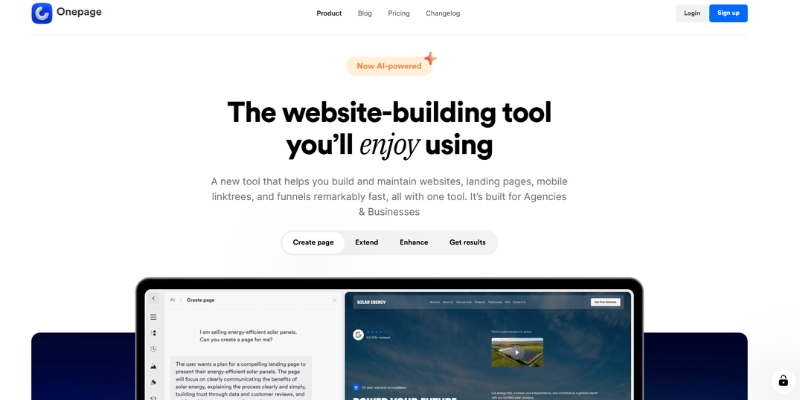
Choosing the right website builder can be challenging, especially for freelancers and small business owners who want a professional online presence without dealing with complex setups. Onepage is a website builder designed with simplicity and speed in mind, focusing primarily on single-page websites and landing pages.
In this article, I’ll provide a neutral overview of Onepage, its key features, strengths, limitations, and how it compares to other popular website builders. The goal of this review is to help readers decide whether Onepage fits their specific needs.
Try Onepage For Free
Table of Contents
What Is Onepage?
Onepage is a website builder that allows users to create modern, responsive single-page websites without technical knowledge. Instead of managing multiple pages, menus, and complex site structures, Onepage focuses on delivering all essential information on one well-structured page.
It is commonly used for:
- Landing pages
- Personal or portfolio websites
- Small business websites
- Product or service showcases
Who Is Onepage Best For?
Onepage may be a good fit for users who:
- Want to launch a website quickly
- Prefer a clean, minimal structure
- Do not need complex multi-page navigation
- Are freelancers, consultants, or small business owners
It may not be ideal for:
- Large content-heavy websites
- Advanced eCommerce projects
- Users who require extensive plugin ecosystems or custom backend logic
Key Features Overview
Visual Page Builder
Onepage offers a visual editor that allows users to build their site by arranging sections vertically. The interface is designed to be intuitive, reducing the learning curve for beginners.
Templates
Users can start with pre-designed templates that cover common use cases such as business landing pages, personal portfolios, or service websites. Templates can be customized to match branding needs.
Performance and Speed
Since Onepage focuses on single-page layouts, websites built with it are generally lightweight. This structure can help improve loading speed when implemented correctly.
Basic SEO Options
Onepage includes fundamental SEO settings such as:
- Page titles
- Meta descriptions
- Image alt attributes
While it does not offer advanced SEO customization like some CMS platforms, it covers basic on-page requirements.
Hosting and Security
Hosting is handled directly by Onepage, which means users do not need to manage servers, updates, or security patches themselves.

Pricing Overview (High-Level)
Onepage offers different subscription plans depending on usage and features. Pricing is generally positioned for freelancers and small businesses rather than large enterprises. Users should review the official pricing page to ensure the selected plan matches their needs.
Check Onepage PricingPros and Cons
✅ Pros
- Easy to use, even for beginners
- Fast setup and deployment
- Clean, modern design approach
- Suitable for landing pages and simple websites
❌ Cons
- Limited customization compared to platforms like WordPress
- Not ideal for large or multi-page websites
- Smaller ecosystem compared to more established builders
Onepage vs Other Website Builders
Onepage vs WordPress
WordPress offers extensive flexibility, plugins, and customization options, but it also requires more setup and maintenance. Onepage, on the other hand, prioritizes simplicity and speed, making it more suitable for users who want a straightforward solution.
Onepage vs Wix or Webflow
Wix and Webflow provide more design freedom and advanced features, but they may feel overwhelming for users who only need a simple landing page. Onepage focuses on clarity and minimalism rather than advanced design workflows.
How to Choose the Right Website Builder
When selecting a website builder, it’s important to consider:
- The size and complexity of your website
- Your technical experience
- The time you want to spend on setup and maintenance
- Whether you need advanced customization or just a clear online presence
Onepage can be a practical choice if your goal is to publish a focused, professional-looking website quickly without unnecessary complexity.
Final Thoughts
Onepage is a solid option for users who value simplicity, speed, and clarity. It is particularly useful for landing pages, personal sites, and small business websites where a single-page structure makes sense.
As with any website builder, it’s important to evaluate your specific needs before choosing a platform. Onepage may not be the best solution for every project, but it can be an effective tool in the right context.
Disclosure
Disclosure:
This article contains affiliate links. If you choose to sign up through these links, I may earn a commission at no additional cost to you. All opinions expressed in this article are based on independent research and personal evaluation.
About This Review
This review is intended to provide informational content to help users compare website builders and make informed decisions. It does not aim to replace official documentation or product specifications.