VEED.io vs Kapwing Comparison: Which AI Video Editor Wins in 2025?
Choosing between veed.io vs kapwing is one of the most common dilemmas for digital creators today. Both are powerful browser-based tools that promise to simplify video production, but they serve very different core needs.
In this online video editor comparison, I will break down the crucial differences between these two industry giants. I have spent years testing their AI tools, collaborative features, and subscription models.
This is not just a feature list; it is a battle-tested guide to help you decide. We will explore which tool delivers the best ROI for AI Video Editing and which one truly enhances your workflow.
Table of Contents
Quick Verdict: VEED.io vs Kapwing – Which Tool Suits Your Workflow?
After extensive testing, I can confirm that while both are top-tier browser-based AI editors, they serve different masters. Your choice depends entirely on whether you are working solo or managing a team.
For the Solo Creator & Marketer:
I strongly recommend VEED.io. Its AI suite, including Eye Contact Correction and AI Avatars, is designed to make one person look like a full production team. It produces cleaner, more polished assets faster.
For Marketing Teams & Agencies:
I recommend Kapwing. It operates like “Google Docs for Video.” Its real-time collaboration, shared workspaces, and bulk editing tools are superior for high-volume social media output where multiple stakeholders need access.
Try VEED.io Free Try Kapwing Free
(Disclosure: If you purchase through links on this page, we may earn a small commission at no extra cost to you. This helps us maintain our “battle-tested” reviews.)

AI Capabilities Comparison: Automating the Editing Grunt Work
Both platforms use an AI Video Generator engine to speed up creation, but they prioritize different kinds of “magic.” One focuses on making the subject look better; the other focuses on making the process faster.
VEED’s AI Strength (Polish Focus):
VEED excels at enhancing the on-camera talent. I use its “Eye Contact Correction” to fix my gaze when I read a script. Their Text-to-Speech voices are also incredibly realistic.
Kapwing’s AI Strength (Workflow Focus):
Kapwing targets efficiency. Their “Smart Cut” feature automatically removes silence, which saved me hours on raw footage. The AI Video Generator can create complete videos from scripts, perfect for content creators pumping out daily posts.
Comparison of Auto-Subtitles:
VEED creates dynamic, “Alex Hormozi-style” captions straight out of the box with better animations. Kapwing offers robust transcript-based editing, allowing you to cut video by deleting text, but the default styles are simpler.
Team Collaboration & Workflow: Managing Projects at Scale
This is where the divide between VEED.io vs Kapwing becomes a canyon. If you work in a marketing team, the way these tools handle multiple users is the deciding factor.
Kapwing’s Real-Time Power:
I felt like I was using Google Docs. My colleague and I could edit the same timeline simultaneously. We could see each other’s cursors, leave comments on specific timestamps, and sync brand assets instantly.
VEED’s Collaboration Model:
In my experience, VEED feels more like a “Review & Comment” system. I can share a link for clients to leave notes, but we cannot co-edit the cut live. It is better for approval chains than active collaboration.
Project Management:
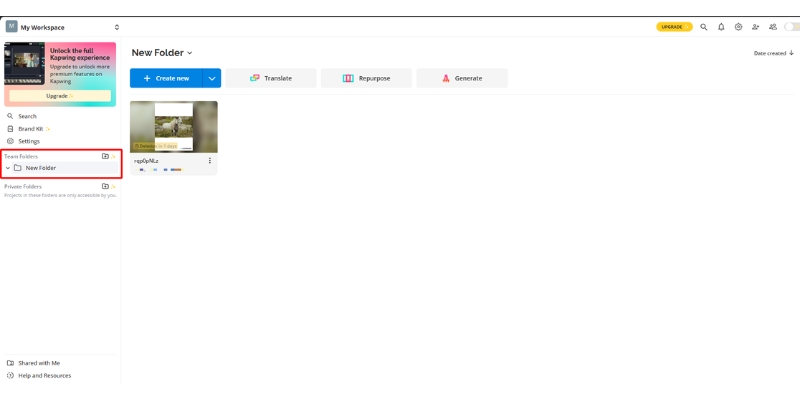
Kapwing allows for deeper folder structures and permission levels. You can assign roles like “Editor” or “Admin,” which is crucial for agencies protecting their brand kits from accidental changes.
User Experience & Ease of Use: The Learning Curve Test
Marketers need tools that work without a manual. When comparing the Ease of Use between these online video editors, the philosophy differs significantly.
VEED’s Interface:
It is incredibly clean and “Apple-like.” The menu sidebar is intuitive, guiding you step-by-step from media upload to export. It is perfect for beginners who get overwhelmed by complex timelines.
Kapwing’s Interface:
Kapwing uses a “canvas-based” approach, similar to Canva. You can drag and drop elements anywhere on the screen. It offers more freedom but can feel slightly chaotic if you are not used to free-form editing.
Performance & Speed:
Kapwing has historically struggled with “lag” on large projects, though recent updates have improved this. VEED generally feels snappier when rendering 4K exports, especially on standard business laptops.
Pricing & Value Analysis: Getting the Best ROI
Understanding the pricing structure is key for your budget. Both operate on a subscription model, but the value proposition shifts depending on your usage volume.
The Free Plan Battle:
VEED’s free plan includes a watermark and limits exports to 720p with 30 minutes of auto-subtitles per month. Kapwing is often more restrictive, limiting exports to 7 minutes with a watermark. “Free” here is strictly for testing the waters.
Pro/Basic Plans:
VEED’s Lite plan ($9/month) removes watermarks and unlocks 1080p exports. The Pro plan ($24/month) includes all AI tools, 4K exports, and AI avatars. Kapwing’s Pro plan is also $24/month with unlimited projects and storage.
| Feature | VEED.io | Kapwing |
|---|---|---|
| Free Plan Export | 720p with watermark | 1080p, 7 min limit |
| Entry Paid Plan | $9/mo (Lite) | $24/mo (Pro) |
| Pro Plan | $24/mo (4K, AI tools) | $24/mo (Team features) |
| Business Plan | $59/mo | Custom Enterprise |
| Action | View Plans | View Plans |
Business Plans:
This is where Kapwing shines for agencies. Their business tiers often include unlimited team members or flat-rate seat pricing that scales better than VEED’s per-user cost for large groups.
Hidden Costs:
Be aware of storage caps. Both platforms will ask you to upgrade if you hoard too many raw 4K files in their cloud. Check your cloud storage needs before committing.
When to Look Elsewhere: Alternatives to VEED and Kapwing
While this is a veed.io vs kapwing showdown, sometimes neither tool is the perfect fit. As an expert hub, I want to ensure you have the right solution.
Descript:
If your workflow is 100% focused on podcasting or “editing video by editing text,” Descript is the pioneer. It handles multi-track audio recording better than either VEED or Kapwing.
Canva:
If your video needs are very basic (like animated Instagram stories) and you need heavy graphic design tools, Canva is the better all-in-one bundle, even if its video timeline is rudimentary.
Frequently Asked Questions About VEED.io vs Kapwing
Is VEED or Kapwing better for mobile editing?
VEED has a dedicated companion app for easier mobile access. Kapwing runs in the mobile browser, which can be clunky and harder to use on small touchscreens.
Which tool renders video faster?
In my tests, VEED consistently renders short clips faster. It seems to have better cloud optimization for quick social media exports compared to Kapwing.
Do they support multiple audio tracks?
Yes, both support multiple audio tracks. However, managing them is easier in Kapwing because of its timeline view, which resembles traditional desktop editors like Premiere Pro.
Can I cancel my subscription easily?
Yes, both allow cancellation from the dashboard. However, be sure to download your hosted videos first, as cloud storage access is usually revoked immediately upon expiration.
Read More From AI Video Editing
Deep dive into our other battle-tested reviews and comparisons to find the perfect tool for your stack.
- VEED.io Pricing: Hidden Limits & ROI Revealed (2025)
- veed.io vs invideo: Which AI Tool Do You Actually Need? (2025)
- Flixier vs VEED.io: Cloud Speed vs. AI Features
last update : 11/12/2025