A photo of Jun Pham, AI Tools Strategist at Aibrainjet

About the Author

Jun Pham

Jun Pham is an AI tools strategist, a video creator and tech writer passionate about the future of AI in editing video. As the face of a dedicated team of creators and researchers, Jamie leads hands-on testing of the latest AI video tools. Together, they share honest reviews, workflow insights, and practical tips to help creators turn ideas into cinematic videos with minimal effort.

Latest Posts

Onepage Website Builder Review: Features, Pros, Cons, and Use Cases

Onepage Website Builder Review: Features, Pros, Cons, and Use Cases
Jun Pham

SendShort AI Review (2025): The Best AI Clipper for Agencies?

Our SendShort AI review tests its white-label features for agencies. Discover how it automates viral shorts, enhances client perception. Try now!
Jun Pham

Zebracat Review (2025): Is This Hybrid AI Ad Generator Worth It?

Our Zebracat review (2025) assesses this hybrid AI video tool for marketers. Is it worth it for generating ads & repurposing content fast? See it now!
Jun Pham

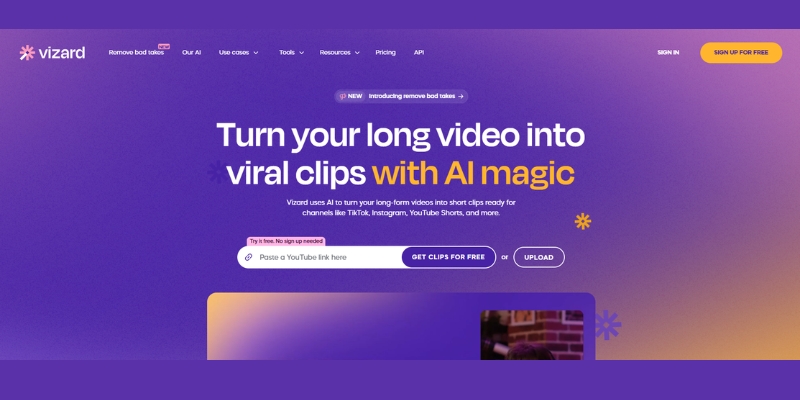
Vizard Review (2025): Is This Hybrid AI Clipper & Editor Better Than OpusClip?

Our expert vizard review reveals if this AI video clipper & editor beats OpusClip for control. Get superior editing & branding for viral shorts. Try now!
Jun Pham

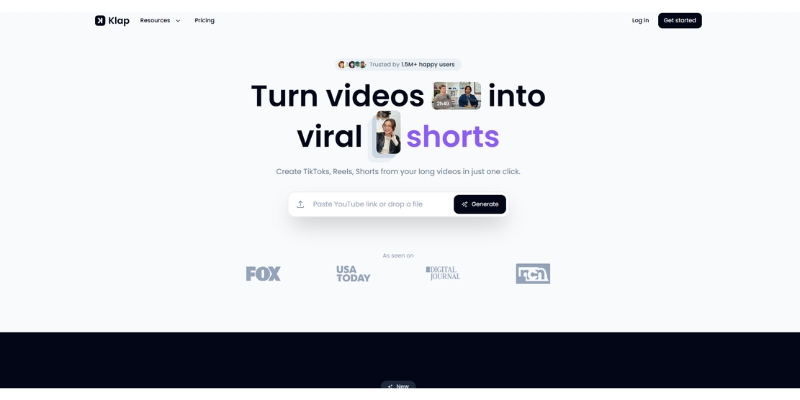
Klap Review (2025): The Best 4K AI Clipper for High-Quality Shorts?

Klap Review (2025): The Best AI Clipper for High-Quality Shorts? Klap Review (2025): The Best 4K AI Clipper for High-Quality Shorts? I have spent ...
Jun Pham

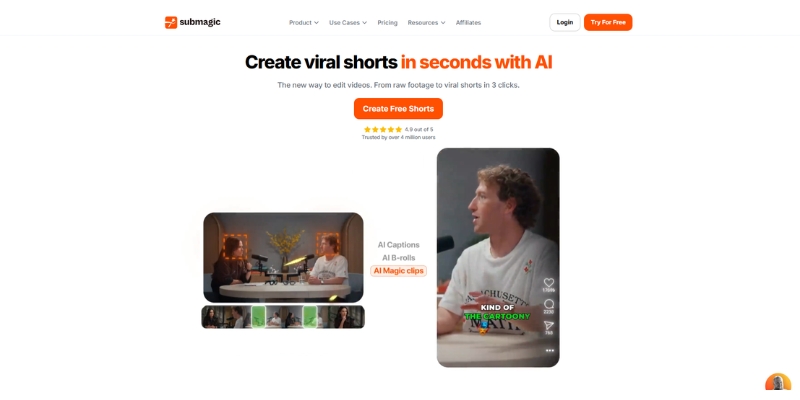
Submagic Review (2025): Is It The Best AI Tool For Hormozi Captions?

This Submagic review (2025) reveals if it's the ultimate AI tool for "Hormozi-style" viral video captions & B-roll. We battle-tested its features, speed, and ROI!
Jun Pham

AI Video vs Traditional Video: A Deep Dive on Production Cost, Quality, and When to Use Each in 2025

AI Video vs Traditional Video: A Deep Dive on Production Cost, Quality, and When to Use Each in 2025

AI Video vs Traditional Video: A Deep Dive on Production Cost, Quality, and When to Use Each in 2025

The debate over AI video vs traditional video is a critical decision point for modern Marketers, Creators, and Freelancers under constant performance pressure. The choice is no longer just about technology; it’s a strategic decision that directly impacts budget, production timelines, and the very quality of audience engagement. As the field of AI Video Generation matures, understanding its practical pros and cons against established human video production methods is essential for a competitive edge. This shift from manual editing to automated workflows represents a significant change in content creation strategies.

This in-depth analysis moves beyond theory to provide a battle-tested verdict. We will deliver a numbers-driven cost & ROI deep dive, a practical comparison of speed & scalability, a critical look at quality & the human touch, and a clear decision framework to help you choose the right path for your next project.

AI vs. Traditional Video: The 60-Second Verdict for Busy Marketers

The choice between AI video and traditional video production depends entirely on your project’s primary goals. If your priority is maximum speed, massive scalability, and tight cost control for informational content, AI video is the clear winner; if your goal is to evoke deep emotional connection, build brand prestige, and achieve unparalleled creative customization, traditional production remains unbeatable.

For those needing a quick, “at-a-glance” breakdown, this table cuts through the noise and provides a direct, battle-tested comparison of the two methods across the metrics that matter most to your business.

Feature AI Video Generation Traditional Video Production Winner For…
Total Cost Low, predictable subscription ($18-$89/month typical) High, variable project-based ($5,000-$50,000+) Cost-Effectiveness
Cost Per Minute $0.50-$30 per minute $1,000-$10,000+ per minute Budget Efficiency (97-99% savings)
Production Speed Minutes to Hours (80% faster) Weeks to Months Time to Market
Scalability Infinite variations with a few clicks Requires full reshoots for significant changes Volume & A/B Testing
Customization Template-based, limited to platform features Total creative freedom and control Unique Brand Storytelling
Emotional Connection (Human Touch) Risk of Uncanny Valley; can feel impersonal Authentic, nuanced performance by a real Actor Building Trust & Empathy
Consistency Perfectly consistent avatar, voice, and branding Variable by take, day, and Film Crew members Standardized Training & Comms
Required Skill Level Beginner-friendly; no technical expertise needed Requires a professional Film Crew & editors Accessibility & Ease of Use

Cost & ROI Deep Dive: The Real Numbers Behind AI vs. Human Video Production

For Marketers, Creators, and Freelancers, the decision between automated video and human-made video often comes down to the bottom line. The AI video cost comparison isn’t just about the initial price tag; it’s about the total cost of ownership and the return on investment over the lifecycle of your content strategy. Industry data from 2025 shows that businesses are saving 70-90% using AI video tools versus traditional production methods. This section breaks down the real-world financial implications.

 A conceptual comparison of AI video vs traditional video production cost, showing AI as a single subscription fee and traditional as multiple expenses for crew, actors, and equipment.
AI video production consolidates numerous variable costs into a single, predictable operational expense.

AI Video Cost Breakdown: The OpEx Advantage

AI video generation operates on an operational expenditure (OpEx) model, which is highly attractive for businesses needing predictable monthly costs. The 2025 market has introduced even more competitive pricing options.

  • Subscription Models: The primary cost is a monthly or annual subscription. Current pricing in 2025: platforms like Synthesia offer a Starter plan starting at $18/month (billed annually) for individuals, Creator plans around $64-$89/month, and more robust Enterprise plans for teams. Premium generative tools like Google’s Veo 2 are priced at $19.99/month for 1,000 credits, while ultra-premium options can reach $30 per minute for cinematic quality. This single fee replaces numerous line items in a traditional budget.
  • Per-Minute Costs: When broken down by output, AI video generation costs range from $0.50 to $30 per finished minute depending on the platform and quality level. Basic avatar-based tools can deliver content at $0.50-$2 per minute, while high-end generative AI models cost $20-$30 per minute. This is compared to traditional production at $1,000-$10,000+ per minute.
  • The “Hidden” Savings: The real ROI comes from what you *don’t* pay for. There are no costs for a Film Crew, location scouting and rentals, equipment hire, travel expenses, or Actor fees. Media libraries and localization services that would cost $100-$250 per clip are included in AI platforms. This completely removes the logistical and financial overhead of physical production.

ROI Scenario: Imagine creating 50 short-form social media videos for a campaign. With AI in 2025, this could be accomplished under a single monthly subscription of $18-$89, with a time investment of a few days. The cost per video ranges from $0.36 to $1.78. With traditional methods, even a lean production would cost a minimum of $50,000-$250,000 for the same 50 videos, taking weeks to complete. The cost per video would be $1,000-$5,000, representing a 97-99% cost reduction with AI tools.

Traditional Video Production Cost Breakdown: The CapEx Investment

Traditional video production is a capital expenditure (CapEx) investment, with costs varying dramatically based on the project’s scope. This is a classic case of human video production involving significant upfront investment.

  • Pre-Production: This phase includes scriptwriting, storyboarding, casting calls for Actors, location scouting, and scheduling. These tasks require time and specialized personnel, each with associated costs.
  • Production: This is the most expensive phase. Current 2025 industry standards show corporate video production costs $100-$149 per hour, with professional corporate videos ranging from $1,000-$5,000 per minute for basic to standard quality. High-end corporate productions reach $15,000-$50,000+ per minute for complex marketing campaigns. Costs include daily rates for the director, cinematographer, sound engineer (the Film Crew), equipment rental (cameras, lighting, microphones), location fees, and talent fees for the Actor.
  • Post-Production: After filming, the footage goes to an editor. Post-production alone typically requires 40-80 hours for a 5-minute corporate video. Costs here include the editor’s time for the AI vs manual video editing process, software licenses (like Adobe Premiere Pro), color grading, sound mixing, and creating motion graphics.

ROI Calculation: A 10-video social media campaign might cost just $89 with Synthesia versus $100,000+ through a traditional agency. The ROI for a high-quality traditional video is measured in brand impact, audience trust, and conversion rates on high-stakes campaigns. While the upfront cost is high, a powerful, emotionally resonant brand film can generate returns for years, justifying the initial investment for keystone marketing assets.

Speed & Scalability: How AI Redefines “Fast” in Video Content Creation

Industry data from 2025 clearly shows that Marketers and Creators are under immense “performance pressure” to produce more content, faster. In the AI vs human video production debate, speed and scalability are where AI technology offers a revolutionary advantage. According to recent reports, AI tools reduce video production time by 80%, and businesses report completing projects 50-90% faster using AI tools. It fundamentally changes the content creation timeline from a linear, project-based model to an agile, on-demand workflow.

AI Production Timeline: From Idea to Final Cut in Hours

The AI workflow is built for agility. It eliminates the logistical bottlenecks that plague traditional methods, allowing for near-instantaneous creation and iteration. By 2025, projections indicate that over half of all video content will be edited using AI technologies.

  • Idea to First Draft: A completed script can be transformed into a high-quality video with a digital avatar and voiceover in under 30 minutes. This allows for rapid prototyping and stakeholder review, a process that would traditionally take weeks.
  • Revisions & A/B Testing: Need to change a sentence, update a statistic, or test a different call-to-action? With AI, it’s as simple as editing a text document. With a tool like Synthesia, you can generate five different versions of an ad, each with a slightly different opening line, in the time it would take to set up a single camera for a reshoot. The minimal additional cost for iterations (versus linear cost increases in traditional production) makes A/B testing economically viable.
  • Localization at Scale: One of the most powerful benefits of AI video creation is effortless localization. AI platforms now support 120+ languages with AI avatars. You can take a single English video and instantly generate versions in dozens of other languages, complete with accurate lip-syncing, opening up global markets. Clients can update multilingual training videos in hours rather than weeks, which would traditionally require expensive translation and voiceover services at $100+ per language.

Traditional Production Timeline: A Methodical, Months-Long Process

Generative video vs traditional filming highlights a stark contrast in timelines. The traditional process is methodical and requires significant upfront planning and coordination, making it inherently slower.

  • Planning & Logistics: This phase alone can take several weeks. It involves aligning schedules for the entire Film Crew and Actor, securing permits for locations, and renting equipment. Any delay with one component can push back the entire project.
  • Shooting Days: Filming is a time-intensive, fixed event. Capturing all necessary footage, angles, and takes often requires multiple full days on set. There is little room for major script changes on the fly without causing significant delays and cost overruns.
  • Post-Production Bottlenecks: The manual editing process in software like Adobe Premiere Pro is an art form that takes time. An editor must sift through hours of footage, sync audio, color grade, and incorporate feedback. Post-production alone typically requires 40-80 hours for a 5-minute corporate video. Each round of revisions can add days or even weeks to the timeline.

Real-World Scenario: Launching a global product update campaign with traditional video would require a timeline of 2-3 months to produce and localize videos for five key markets. With an AI video platform, the same campaign could be executed in under a week, allowing the marketing team to be far more responsive to market changes and trends in near real-time.

Quality & The “Human Touch”: Navigating Authenticity vs. The Uncanny Valley

Perhaps the most critical aspect in the AI video quality vs human debate is the subjective nature of “quality.” While AI can achieve technical perfection, traditional production excels at capturing the nuanced, authentic Human Touch that builds deep emotional connections. Understanding this distinction is key to choosing the right tool for the job.

Defining “Quality”: Technical Excellence vs. Emotional Impact

It’s crucial to separate two types of quality. One is measurable and objective, while the other is felt and subjective.

Technical Quality: On this front, AI video generators have made incredible strides in 2025. They can consistently produce crisp, clear video in 1080p or even 4K resolution. Advanced tools like Google’s Veo 2 are delivering cinema-quality content with proper lighting, camera movement, and visual effects. The audio is clean, the backgrounds are professional, and the on-screen elements are perfectly placed. From a purely technical standpoint, AI-generated video is often flawless.

Emotional Quality & Nuance: This is where the limitations of AI become apparent. While AI voices and avatars are more realistic than ever, they can struggle to convey the subtle micro-expressions, vocal inflections, and genuine passion of a human being. This can sometimes lead to the Uncanny Valley effect—a phenomenon where an avatar is almost, but not quite, perfectly human, creating a sense of unease or distrust in the viewer. Industry research shows that while AI avatars cost 20-25% of traditional videos, they maintain strong engagement levels for informational content. However, these are some of the core limitations of AI video generators that must be considered.

AI Video’s Sweet Spot: Clarity and Consistency

AI video excels when the primary goal is the clear and efficient delivery of information. Its strengths are best applied to:

  • Corporate Training & Onboarding: Standardized, consistent content that needs to be updated frequently.
  • Software Tutorials & Explainer Videos: Step-by-step guides where clarity is more important than emotional appeal.
  • Internal Communications & News Updates: Quickly disseminating factual information across an organization.
  • Abstract Visuals: Tools like Pika and generative AI models (Runway, Kling) can generate stunning b-roll and conceptual animations that complement a primary video, without needing a human face.

When Human Connection is Non-Negotiable

Traditional Video Production remains the undisputed champion when the objective is to build trust, inspire action, and create a lasting brand impression. Traditional methods maintain advantages in cinematography, complex storytelling, and authentic performances. These scenarios include:

  • Customer Testimonials: The authenticity of a real customer sharing their story cannot be replicated.
  • Brand Storytelling & High-Stakes Ads: Top-of-funnel content that aims to capture hearts and minds requires the creative vision of a director and the genuine performance of an Actor.
  • Leadership Messages & C-Suite Announcements: When a message needs to convey sincerity and build morale, a real human presence is essential.
  • Complex Storytelling: Narrative-driven content requiring subtle emotional resonance and nuanced performances still benefits from the human touch.

Decision Framework: When to Choose AI Video vs. Traditional Video

So, should I use AI video or traditional video? The right answer depends entirely on the specific context of your project. This practical, “battle-tested” framework is designed to eliminate the guesswork and help you make a confident decision based on your goals, resources, and desired outcome. Many marketers in 2025 are successfully using hybrid approaches, combining AI-generated elements with live-action footage.

Choose AI Video Generation When…

Opt for an automated video approach when your project aligns with these characteristics. This is where the advantages of AI video over traditional methods truly shine.

  • Your Priority is Speed & Volume: You need to create daily or weekly content for social media, produce a large library of training modules, or quickly react to market trends.
  • Your Budget is Limited: You are a startup, a freelancer, or a department without access to a five-figure marketing budget for a full-scale Production. With AI, you can achieve 97-99% cost savings for simple projects.
  • The Content is Informational & Direct: The primary goal is to clearly explain a process, product feature, or internal policy. Think “how-to” videos, explainers, and announcements where AI avatars maintain strong engagement.
  • You Need to A/B Test or Localize Content: Your strategy requires creating multiple versions of a video to test messaging or adapting a single video for multiple global markets efficiently across 120+ languages.

Choose Traditional Video Production When…

Invest in a human-centric approach when your project’s success hinges on these factors. This is where the investment in a professional Film Crew and process pays dividends.

  • Your Goal is Brand Building & Emotional Connection: The video is a flagship brand film, a major campaign asset, or any content where building an emotional rapport with the audience is the primary KPI.
  • You Need High-Concept Creativity & Customization: Your creative vision requires unique cinematography, complex on-screen action, specific real-world locations, or an artistic style that goes beyond templates. Traditional production offers unlimited creative control.
  • Authenticity is Paramount: The content features real customer stories, heartfelt employee testimonials, or requires the credibility of a founder or celebrity endorsement.
  • Your Budget Supports High Production Value: You have the resources to invest in a professional team and post-production process using tools like Adobe Premiere Pro to achieve a polished, cinematic final product.

Consider a Hybrid Approach: Many successful 2025 campaigns combine both methods—using AI for scalable, informational content and traditional production for hero brand content, achieving the best of both worlds.

Frequently Asked Questions (FAQ)

What are the main advantages of AI video over traditional?
The top advantages are cost-effectiveness (97-99% savings with subscriptions starting at $18/month vs. $5,000-$50,000+ project fees), unparalleled speed (80% faster, creating videos in minutes, not months), ease of scalability (effortlessly creating hundreds of variations or localized versions across 120+ languages), and perfect consistency for branded content.

What are the biggest limitations of AI video vs human creation?
The primary limitations revolve around the Human Touch. AI struggles with conveying genuine emotional depth, which can lead to the Uncanny Valley effect. It also offers less creative customization and flexibility compared to a full production with a director and film crew. Traditional methods maintain advantages in cinematography, complex storytelling, and authentic performances.

How does the cost of AI video production really compare to traditional?
The financial models are fundamentally different. AI video production costs $0.50-$30 per finished minute compared to traditional production at $1,000-$10,000+ per minute. AI is a low, recurring operational expense (OpEx) through monthly or annual subscriptions ($18-$89/month typical). Traditional video is a high, project-based capital expense (CapEx), requiring significant upfront investment for crew, actors, and locations for each new video. Businesses are saving 70-90% using AI tools, with simple projects showing 97-99% cost reductions.

Can AI video quality ever match a professional human-shot video?
For technical quality like resolution and clarity, yes—AI can produce flawless 4K video with tools like Google’s Veo 2 delivering cinema-quality content. However, for emotional quality, artistic nuance, and authentic human performance, professional human-shot video remains superior for high-stakes, brand-building projects. The choice depends on your content goals: AI excels at informational content, while traditional production dominates in emotional storytelling.

Is it better to use an AI tool like Synthesia or a traditional editor like Adobe Premiere Pro?
They serve completely different purposes in the video lifecycle. Synthesia is a tool for creating a video from a text script without a camera, starting at $18/month. Adobe Premiere Pro is a tool for editing raw video footage that has already been filmed by a camera. They can even be used together in a hybrid workflow; for example, you could create an AI avatar segment in Synthesia and edit it into a larger, traditionally-filmed project using Premiere Pro.

Read More From AI Video Generation

If you found this comparison helpful, continue exploring our expert, battle-tested guides and tutorials within the AI Video Generation category to find the perfect solution for your needs.

last update : 21/11/2025

A photo of Jun Pham, AI Tools Strategist at Aibrainjet

About the Author

Jun Pham

Jun Pham is an AI tools strategist, a video creator and tech writer passionate about the future of AI in editing video. As the face of a dedicated team of creators and researchers, Jamie leads hands-on testing of the latest AI video tools. Together, they share honest reviews, workflow insights, and practical tips to help creators turn ideas into cinematic videos with minimal effort.

Latest Posts

Onepage Website Builder Review: Features, Pros, Cons, and Use Cases

Onepage Website Builder Review: Features, Pros, Cons, and Use Cases
Jun Pham

SendShort AI Review (2025): The Best AI Clipper for Agencies?

Our SendShort AI review tests its white-label features for agencies. Discover how it automates viral shorts, enhances client perception. Try now!
Jun Pham

Zebracat Review (2025): Is This Hybrid AI Ad Generator Worth It?

Our Zebracat review (2025) assesses this hybrid AI video tool for marketers. Is it worth it for generating ads & repurposing content fast? See it now!
Jun Pham

Vizard Review (2025): Is This Hybrid AI Clipper & Editor Better Than OpusClip?

Our expert vizard review reveals if this AI video clipper & editor beats OpusClip for control. Get superior editing & branding for viral shorts. Try now!
Jun Pham

Klap Review (2025): The Best 4K AI Clipper for High-Quality Shorts?

Klap Review (2025): The Best AI Clipper for High-Quality Shorts? Klap Review (2025): The Best 4K AI Clipper for High-Quality Shorts? I have spent ...
Jun Pham

Submagic Review (2025): Is It The Best AI Tool For Hormozi Captions?

This Submagic review (2025) reveals if it's the ultimate AI tool for "Hormozi-style" viral video captions & B-roll. We battle-tested its features, speed, and ROI!
Jun Pham

Benefits Of AI Video Creation: 5 Advantages You Can’t Ignore For Massive Cost Reduction

Benefits Of AI Video Creation: 5 Advantages You Can’t Ignore For Massive Cost Reduction

Benefits Of AI Video Creation: 5 Core Advantages For Massive ROI

For Marketers, Creators, and Freelancers under constant performance pressure, the benefits of AI video creation represent a fundamental shift in production workflows. The challenge is no longer just about creating video, but about doing it faster, cheaper, and at a scale that was previously unimaginable. In the world of AI Video Generation, these tools are not just a novelty; they are a strategic solution to automate repetitive tasks and optimize resources. This expert guide moves beyond theory to provide a battle-tested breakdown of the core advantages, focusing on how you can leverage these benefits to achieve tangible results. We will explore how AI video tools deliver massive cost reduction, incredible time savings, effortless scalability, deep personalization, and enhanced accessibility.

Table of Contents

Why AI Video is a Game-Changer: The 5 Core Benefits at a Glance

If you’re considering AI video, you’re on the right track. The advantages extend far beyond simple convenience, directly impacting your budget, timeline, and strategic capabilities. For those building a business case or seeking validation for their investment, these tools offer a compelling value proposition by fundamentally optimizing the entire production workflow. Here are the five core pros of AI video generation that we will explore in detail:

  1. Drastic Cost Reduction: Slash your production budget by eliminating the need for actors, crews, and studio rentals.
  2. Radical Time Savings: Condense production timelines from weeks or days into mere minutes.
  3. Effortless Scalability: Produce a high volume of consistent, on-brand videos for multiple platforms and languages without a linear increase in resources.
  4. Hyper-Personalization at Scale: Create thousands of customized videos for sales, marketing, and e-commerce campaigns automatically.
  5. Enhanced Accessibility & Inclusivity: Democratize video consumption with automated subtitles, translations, and text-to-speech narration.

Benefit #1: Drastically Reduce Video Production Costs (ROI-Focused)

One of the most significant advantages of AI video is its profound impact on your bottom line. Traditional video production is notoriously expensive, with costs quickly accumulating from hiring actors, renting studio space, paying a camera crew, and extensive post-production work. These expenses can range from $1,000 to over $10,000 per finished minute, making consistent video output a major financial challenge. AI video generators flip this model on its head.

Instead of high per-project costs, these platforms operate on affordable subscription-based models. This shift from capital expenditure to operational expenditure provides predictable monthly costs and unlocks a powerful return on investment (ROI). For example, creating presenter-led training videos with a tool like HeyGen can be done in under 30 minutes, saving thousands compared to a traditional shoot that could take weeks and cost over $10,000. Companies have reported reducing training video costs by up to 70% using AI avatars. This cost reduction is not a minor trim; it’s a strategic advantage that allows you to reallocate budget to other critical marketing initiatives while still scaling your video output. For cost-effective user-generated content style videos, a tool like MakeUGC offers a streamlined solution without the overhead of traditional influencer campaigns.

Cost Factor Traditional Video Production AI Video Generation
Talent (Actors/Presenters) $500 – $10,000+ per day Included in subscription (AI Avatars)
Crew & Equipment $2,000 – $10,000+ per day None
Studio Rental $400 – $2,000+ per day None (Digital Backgrounds)
Post-Production/Editing $100 – $500+ per hour Included in platform features
Total Estimated Cost (per video) $3,000 – $25,000+ $20 – $100 (Subscription cost)
Infographic comparing the high costs of traditional video production (actors, crew, studio) with the low subscription cost of AI video generation.
AI video generation provides a significant financial advantage by replacing high-cost production elements with a predictable subscription model.

Benefit #2: Slash Production Time from Weeks to Minutes

For modern Marketers and Creators facing immense performance pressure, time is the most valuable currency. The traditional video workflow is a linear, multi-stage process that is inherently slow. AI video generation provides a direct solution by compressing this timeline dramatically. Research shows that AI tools can reduce video production time by an astounding 60-90%. What once took a full week of coordinated effort can now be accomplished in under an hour.

Consider the contrast in workflows:

Traditional Workflow (Example):

  • Scripting & Storyboarding: 2 days
  • Shooting & Filming: 1 day
  • Post-Production & Editing: 3 days
  • Voiceover & Sound Mixing: 1 day
  • Total Time: ~1 week

AI Workflow with Pictory (Example):

  • Input Article/Script: 5 minutes
  • AI Generates Visual Scenes: 10 minutes
  • Review & Tweak (add voiceover, music): 30 minutes
  • Render & Export: 5 minutes
  • Total Time: Under 1 hour

This radical time saving is made possible by automating the most labor-intensive tasks. Platforms like Pictory, with its signature “article-to-video” feature, exemplify this efficiency. Instead of manually sourcing B-roll, editing clips, and syncing everything together, the AI handles the heavy lifting. This allows you to move from idea to published video at an unprecedented speed, enabling you to capitalize on trends, respond to market changes, and maintain a consistent content cadence without burnout. This isn’t just an improvement; it’s a transformation of the production process itself. For more details on this topic, see our battle-tested review of AI video vs. traditional video production.

Benefit #3: Scale Your Video Content Strategy Effortlessly

The true power of scalability in content strategy isn’t just about making more videos; it’s about creating consistent, high-quality, on-brand content across numerous platforms, languages, and campaigns without a corresponding linear increase in cost or effort. This is where AI video generation becomes a strategic asset for business process optimization. AI provides the ability to produce dozens or even hundreds of video variations from a single core asset, a task that would be prohibitively expensive and time-consuming with traditional methods.

Corporate Training & Onboarding: Imagine creating an entire library of training modules. With a tool like Synthesia, you can use a consistent AI avatar to deliver dozens of lessons. When a process updates, you don’t need to reshoot anything; you simply edit the text script and regenerate the video in minutes. This ensures all training materials are always up-to-date and professional.

Multilingual Marketing: Expanding into global markets traditionally requires expensive dubbing and localization services. With AI, this barrier is removed. An AI voice-cloning tool like ElevenLabs can take a single English narration and replicate it flawlessly in dozens of other languages, maintaining the original speaker’s tone and inflection. This allows you to create localized marketing campaigns for a global audience almost instantly, dramatically increasing your reach and potential market.

Content Repurposing: AI tools excel at turning one piece of content into many. A single, in-depth blog post can be transformed into a summary video for YouTube, a series of short-form clips for TikTok and Instagram Reels, and quote videos for LinkedIn. This maximizes the value of your core content and ensures you have a steady stream of assets for every channel, all generated with minimal extra effort. You can learn more about how to apply this in our guide on how to use AI videos for marketing.

Benefit #4: Achieve Hyper-Personalization in Your Campaigns

In a world saturated with generic marketing messages, personalization is the key to cutting through the noise. AI video creation unlocks hyper-personalization at a scale that was previously impossible. It allows you to move beyond one-size-fits-all videos and create unique, data-driven content tailored to individual viewers, significantly boosting engagement and conversion rates. Studies show tailored calls-to-action in personalized videos can drive 4-10 times higher click-through rates.

A screenshot of an AI video generator's interface showing a script with a personalization variable for the customer's name.
AI enables hyper-personalization by dynamically inserting customer data into video scripts, creating thousands of unique variations automatically.

Personalized Sales Outreach: Instead of sending a generic email, a sales representative can use AI to generate a short video that addresses the prospect by name, mentions their company, and speaks directly to their specific pain points. This level of personal attention grabs interest and makes the outreach far more memorable and effective.

Customized E-commerce Product Videos: An e-commerce brand with thousands of SKUs can automatically generate a unique video for every single product. By connecting a product data feed (like a CSV file) to an AI video template, you can create videos that showcase product images, features, and pricing, all without manual intervention. This is a game-changer for enhancing product pages and improving conversion rates.

Targeted Ad Creatives: A core component of a successful digital ad strategy is A/B testing. AI allows you to rapidly produce hundreds of variations of a single video ad. You can test different hooks, visuals, calls-to-action, or even AI narrators to identify which combinations perform best with different audience segments. This data-driven creativity optimizes your ad spend and maximizes ROI.

Benefit #5: Enhance Accessibility and Inclusivity

A crucial but often overlooked advantage of AI video is its ability to make content more accessible to a wider audience. Accessibility is not just a compliance checkbox; it’s a way to ensure your message can be understood by everyone, regardless of their physical abilities or viewing environment. AI tools democratize both the creation and consumption of video content by automating key accessibility features.

Automated Subtitles & Captions: A large portion of social media videos are watched with the sound off. Furthermore, accurate captions are essential for viewers with hearing impairments. Tools like VEED.io use advanced speech recognition to automatically generate time-synced subtitles with remarkable accuracy. This saves countless hours of manual transcription and ensures your videos are effective even without audio.

Text-to-Speech Narration: High-quality voiceovers can be expensive and time-consuming to produce. AI-powered text-to-speech (TTS) offers a powerful alternative. It not only provides a clear and consistent narration for your videos but also serves as a crucial tool for visually impaired users who rely on audio descriptions to consume content.

Multi-language Dubbing: As mentioned in the scalability benefit, the ability to dub videos into multiple languages is a powerful accessibility feature. Tools like ElevenLabs break down language barriers, making your content understandable to a global, non-English-speaking audience. This broadens your reach and fosters a more inclusive viewing experience.

AI Video vs. Traditional Production: A Head-to-Head Comparison

For Marketers, Creators, and Freelancers building a business case, a direct comparison is essential. While traditional production still holds its place for high-end, cinematic projects, AI video generation offers a compelling alternative for a vast range of common use cases. This table breaks down the key differences across the metrics that matter most. For a deeper analysis, explore our full AI vs. Traditional Video comparison.

Factor Traditional Video Production AI Video Generation
Cost High upfront investment ($3,000 – $25,000+ per video) Low, predictable subscription cost ($20 – $300/month)
Speed Slow (Days to Weeks) Extremely Fast (Minutes to Hours)
Scalability Low; requires linear increase in resources High; easily produce hundreds of variations
Required Skills Specialized skills needed (cinematography, editing, sound) Minimal; user-friendly, no-code platforms
Flexibility for Edits Complex and expensive; often requires reshoots Simple and fast; edit text script and regenerate
Personalization Impractical and cost-prohibitive at scale Built-in; create thousands of personalized videos easily

In summary, AI video should not be seen as a total replacement for traditional methods, but rather as a powerful and complementary tool. It excels in scenarios requiring speed, volume, and cost-efficiency, making it an indispensable part of a modern content strategy.

Frequently Asked Questions About AI Video Creation Benefits

What are the main disadvantages of AI video generation?
While the benefits are significant, it’s important to be aware of the current trade-offs. The primary disadvantages include a potential lack of deep emotional nuance in AI avatars compared to human actors, occasional visual artifacts or unnatural movements, and the creative constraints of working within templates. For more details, we cover this in our guide to the limitations of AI video generators.

Can AI video generators create videos in different languages?
Absolutely. This is one of their biggest strengths. Platforms like Synthesia offer built-in multi-language support from text, while tools like ElevenLabs provide advanced voice cloning and dubbing capabilities, allowing you to translate and localize your content for a global audience with ease.

Is the quality of AI-generated video good enough for professional marketing?
Yes, for a wide range of applications. The quality is rapidly improving and is already more than sufficient for social media content, corporate training videos, explainer videos, and internal communications. While it may not yet replace a high-budget brand commercial, it excels in use cases where speed and volume are paramount.

Do I need technical skills to use an AI video generator?
No, and this is a key advantage. Most leading platforms like Pictory and VEED.io are designed with a user-friendly, no-code interface. If you can create a slide presentation or write a document, you have all the skills needed to generate a professional-looking video. They democratize video creation for non-editors.

How is AI video different from just using stock footage?
Stock footage is a passive library of pre-recorded clips that you must manually search, select, and edit together. AI video generation is an active process. It takes your text input and intelligently creates new content—it can generate scenes, produce a talking avatar from a script, automatically sync narration and visuals, and add captions. It’s a comprehensive creation tool, not just a media library. For a complete understanding of the technology, see our article, what is AI video generation?

Read More From AI Video Generation

If you found this guide helpful, continue exploring our expert (“battle-tested”) reviews and comparisons within the AI Video Generation category to find the perfect solution for your needs.

last update : 13/11/2025

A photo of Jun Pham, AI Tools Strategist at Aibrainjet

About the Author

Jun Pham

Jun Pham is an AI tools strategist, a video creator and tech writer passionate about the future of AI in editing video. As the face of a dedicated team of creators and researchers, Jamie leads hands-on testing of the latest AI video tools. Together, they share honest reviews, workflow insights, and practical tips to help creators turn ideas into cinematic videos with minimal effort.

Latest Posts

Onepage Website Builder Review: Features, Pros, Cons, and Use Cases

Onepage Website Builder Review: Features, Pros, Cons, and Use Cases
Jun Pham

SendShort AI Review (2025): The Best AI Clipper for Agencies?

Our SendShort AI review tests its white-label features for agencies. Discover how it automates viral shorts, enhances client perception. Try now!
Jun Pham

Zebracat Review (2025): Is This Hybrid AI Ad Generator Worth It?

Our Zebracat review (2025) assesses this hybrid AI video tool for marketers. Is it worth it for generating ads & repurposing content fast? See it now!
Jun Pham

Vizard Review (2025): Is This Hybrid AI Clipper & Editor Better Than OpusClip?

Our expert vizard review reveals if this AI video clipper & editor beats OpusClip for control. Get superior editing & branding for viral shorts. Try now!
Jun Pham

Klap Review (2025): The Best 4K AI Clipper for High-Quality Shorts?

Klap Review (2025): The Best AI Clipper for High-Quality Shorts? Klap Review (2025): The Best 4K AI Clipper for High-Quality Shorts? I have spent ...
Jun Pham

Submagic Review (2025): Is It The Best AI Tool For Hormozi Captions?

This Submagic review (2025) reveals if it's the ultimate AI tool for "Hormozi-style" viral video captions & B-roll. We battle-tested its features, speed, and ROI!
Jun Pham

What Is An AI Avatar? Your Guide To Digital Human Presenter Videos (2025)

What Is An AI Avatar? Your Guide To Digital Human Presenter Videos (2025)

What Is An AI Avatar? Your Guide To Digital Human Presenter Videos (2025)

If you’re wondering what an AI avatar is, you’ve likely seen a hyper-realistic digital human presenting a video and questioned if it was a real person. You’re not alone. For Marketers, Creators, and Freelancers under constant performance pressure, these AI presenters represent a revolutionary shift in the world of AI Video Generation. This technology is a direct answer to the tedious, costly, and time-consuming process of traditional video production. With the AI avatar market experiencing explosive growth in 2025 and new capabilities like Agentic AI and Digital Twins emerging, the technology allows anyone to create professional-quality presenter-led videos without cameras, microphones, or on-screen talent. This guide provides a battle-tested breakdown of exactly what AI avatars are, the core technology that makes them talk, the different types of AI avatars available, and the top tools that can save you significant time and money.

Table of Contents

    What is an AI Avatar & Why It’s a Game-Changer for Video Production

    An AI avatar is a realistic, digitally-generated human presenter created using artificial intelligence that can speak scripted text in a video. For Marketers, Creators, and Freelancers grappling with the immense “performance pressure” of modern content demands, this technology is more than a novelty—it’s a strategic solution. It directly tackles the core bottlenecks of traditional video production: high costs, logistical complexities, and significant time investment.

    Think of it in a “Problem-Solution” framework. The problem is the prohibitive expense and effort of hiring actors, booking studios, and managing film crews for every single video. The solution is an AI presenter, or a digital human, that can generate a polished video in minutes from nothing more than a text script. In 2025, the technology has evolved to include advanced capabilities like full-body avatars, AR/VR integration, and Agentic AI that can autonomously execute tasks. The key benefits are transformative:

    • Scale Content Effortlessly: Create dozens of videos for different products, services, or languages without reshooting. Leading platforms now support 40+ to 175+ languages.
    • Drastically Reduce Production Costs: Eliminate expenses for actors, locations, and equipment, potentially cutting video budgets by over 90%.
    • Accelerate Production Time: Go from script to finished video in under 15 minutes (with some tools like Synthesia rendering in just 2 minutes), reducing production time by up to 80% compared to traditional methods.
    • Eliminate On-Camera Anxiety: Empower team members who are experts in their field but uncomfortable on camera to become the face of their content.

    How Do AI Avatars Actually Talk and Move? The Core Technology Explained

    The “magic” that makes an AI avatar speak and move realistically isn’t magic at all, but a sophisticated pipeline of interconnected AI technologies. For a business user, understanding the basics builds trust in the final output’s quality. The process is primarily driven by three core components, with significant improvements in lip-sync accuracy and micro-movements in 2025.

    1. Text-to-Speech (TTS): The foundation of any talking avatar is an advanced TTS engine. This technology takes your written script and converts it into a natural-sounding human voice. Modern TTS systems are incredibly nuanced, offering hundreds of voices across numerous languages and accents. Top-tier tools even provide features for adjusting emotional tone and inflection. Some platforms take this a step further with Voice Cloning, allowing you to create a digital copy of your own voice for a truly personalized AI presenter. To learn more about this, explore our guide on what is AI voice cloning.

    2. Lip-Sync Technology: This is the most critical element for realism. Once the audio track is generated by the TTS engine, powerful AI algorithms analyze the audio’s phonemes—the distinct units of sound in a language. The system then maps these sounds to the corresponding mouth shapes and movements. This lip-sync technology ensures that the avatar’s lip movements perfectly match the spoken words, creating the convincing illusion of a person speaking naturally. In 2025, both leading platforms have achieved remarkable improvements—Synthesia’s lip-sync is noted as slightly steadier with technical jargon, while HeyGen’s facial expressiveness reads warmer for short, punchy content. Without precise lip-sync, the “uncanny valley” effect becomes prominent and the video loses its professional quality.

    3. Video Synthesis: The final step is rendering the video file. The AI platform combines the selected digital human, the generated voiceover from the TTS, and the synchronized lip movements. It then renders these elements into a standard video format, like an MP4, which is ready to be downloaded and shared. This entire automated process is detailed further in our explanation of how AI video generators work.

    Types of AI Avatars: From Photorealistic Clones to Custom Digital Humans

    Not all AI avatars are created equal. The type you choose depends entirely on your goal, budget, and desired level of brand consistency. Understanding the differences is key to selecting the right tool for your marketing or training needs. In 2025, new avatar types have emerged including generative avatars and instant avatars.

    Stock Avatars (Pre-made Presenters):

    These are off-the-shelf, ready-to-use digital presenters that come included with the AI video platform. They typically offer a wide range of diversity in terms of ethnicity, age, and attire. Synthesia now offers 230+ stock avatars, while HeyGen provides 100+ options.
    Best for: Quick corporate training videos, internal communications, and explainer videos where a professional presenter is needed instantly and a unique brand identity is not the primary focus.

    Photo Avatars (Instant Digital Twin):

    This feature allows users to upload a single, high-quality portrait photo, which the AI then animates to create a talking avatar. The movement is often more limited than a full video avatar, but it’s an incredibly fast way to create personalized content. HeyGen has particularly excelled in this area with their “instant avatar” feature.
    Best for: Creators and freelancers wanting a quick, personalized touch for social media updates, short announcements, or email video messages without the effort of a full video shoot.

    Custom Avatars (Your Exclusive Digital Human):

    This is the premium, highest-quality option. The process involves you recording a short, scripted video of yourself (or a chosen actor) in a studio or following specific instructions from the provider. The AI then processes this footage to create a photorealistic avatar—a fully controllable digital clone that is exclusive to your account.
    Best for: Marketers and brands seeking a consistent AI spokesperson for large-scale marketing campaigns, branded tutorials, and sales videos. This ensures brand consistency and is a hallmark feature of industry-leading tools like Synthesia and HeyGen.

    Generative Avatars (AI-Created Characters):

    A new category emerging in 2025, these are entirely AI-generated avatars that don’t represent any real person. Platforms like HeyGen now offer these as an additional option, providing even more creative flexibility for brands that want unique characters.
    Best for: Creative campaigns, fictional storytelling, or brands wanting entirely unique digital spokespeople that aren’t based on real people.

    A diagram showing the three types of AI avatars: stock avatars, photo avatars, and custom digital human avatars.
    Choose the right type of AI avatar for your project, from ready-to-use stock presenters to fully customized digital twins.

    Top 5 AI Avatar Generator Tools Battle-Tested for Marketers

    Our team has extensively tested the leading AI video generator platforms to evaluate their real-world performance for marketing, training, and content creation in 2025. This isn’t just a list of features; it’s a battle-tested summary of what each tool does best and who it’s for. For a deeper dive, check our complete guide to the Best AI Avatar Generator tools.

    Synthesia: Positioned as the industry leader for enterprise, Synthesia excels at creating high-quality, corporate-level custom avatars with its library of 230+ professional stock avatars. It renders videos faster than competitors (approximately 2 minutes for a 1-minute video), offers enterprise-grade security (SOC 2, ISO 27001, ISO 42001), and provides more pre-built templates for training, sales, and marketing applications. It’s the go-to choice for corporate teams prioritizing brand consistency, speed, and security. Starting from $18/month on the Starter plan.

    HeyGen: Framed as the top all-around choice for marketers and creators in 2025, HeyGen strikes a perfect balance between powerful features and a user-friendly interface. It stands out with its excellent photo avatar feature, voice cloning capabilities, unlimited video generation on all paid plans, support for 40+ languages with 4K export capability, and dynamic templates optimized for social media. HeyGen’s motion controls and avatar personalization features differ notably from Synthesia’s approach, making it ideal for social media marketing and advertising. Starting from $29/month.

    D-ID: This platform’s primary strength lies in its Creative Reality™ Studio, which specializes in creating talking head videos from a single image (photo avatar). D-ID also offers a robust API, making it a favorite among developers looking to integrate AI video capabilities into their own applications. Considered by many as the best AI avatar generator in 2025 for realism. Plans start around $4.70/month.

    Colossyan: Colossyan is tailored for workplace learning and development. It offers unique features like conversation-style videos with multiple avatars and automated video translation, making it ideal for creating engaging training modules. Strong focus on e-learning and onboarding with fast generation and collaborative workflows. Starting from $28/month.

    Deepbrain AI: Known for its focus on hyper-realistic, interview-style AI human videos. Deepbrain AI offers some of the most lifelike stock avatars on the market and provides unique templates, including celebrity avatars for specific campaigns.

    To summarize, for the highest quality corporate presenter with the fastest rendering and strongest security, choose Synthesia; for the best all-around marketing tool with cutting-edge features and unlimited video generation, consider HeyGen.

    How to Create Your Own AI Presenter Video in 3 Simple Steps

    Creating a video with an AI presenter is remarkably straightforward and follows a similar workflow across most platforms. This simple, three-step tutorial demonstrates how quickly you can go from concept to a completed video, a core process in how to create AI videos.

    1. Write Your Script & Choose an Avatar
      The first step is always the message. Write a clear and concise script for your video. Once your script is ready, simply type or paste it directly into the text editor of the AI video tool. Then, browse the library of stock avatars (230+ on Synthesia, 100+ on HeyGen) or select your own custom avatar to be the presenter.
    2. Generate the Voiceover & Customize Your Video
      With your script and avatar in place, it’s time to generate the audio. Select a voice, language (from 40+ to 175+ options depending on platform), and accent from the platform’s extensive Text-to-Speech (TTS) library. You can often preview the audio to ensure it matches your desired tone. At this stage, you can also add branding elements like your company logo, background colors, text overlays, or background music.
    3. Render and Download Your Video
      Once you are happy with the script, voice, and visuals, simply click the “Generate” or “Render” button. The AI gets to work, synthesizing all the elements into a cohesive video file. With Synthesia, this takes approximately 2 minutes for a 1-minute video, while HeyGen takes about 3 minutes. Your final MP4 video (up to 4K with HeyGen) will be ready to download and upload to your website, social media channels, or learning management system.

    The Real-World ROI: Does Using an AI Avatar Save Time & Money?

    For Marketers and Freelancers, the decision to adopt new technology hinges on tangible results. The return on investment (ROI) from using an AI avatar platform instead of traditional video production is not just incremental—it’s exponential. Let’s break down the ROI comparison with real-world numbers from 2025.

    Aspect Traditional Video Shoot AI Avatar Video
    Cost Comparison Freelance Actor ($500-$2000/day) + Studio ($400+/day) + Videographer ($600+/day). Total: $1,500+ per video. AI Tool Subscription: $18 – $100 per month for multiple videos (Synthesia $18-89/month, HeyGen $29/month, Colossyan $28/month).
    Time Comparison Days or even weeks for scheduling, scripting, shooting, and post-production editing. 2-15 minutes to type a script and generate a finished video (Synthesia: ~2 min, HeyGen: ~3 min for 1-min video).
    Scalability (Languages) Requires hiring new actors and re-shooting the entire video for each language. Prohibitively expensive and slow. Translate the script and re-generate the video in 40+ to 175+ languages in minutes with a few clicks.
    Revisions & Updates Requires costly re-shoots to change a single sentence or update a product feature. Edit the text script and re-render the video in 2-3 minutes at no extra cost.
    Export Quality Typically 1080p or 4K, requires professional equipment 1080p (Synthesia) to 4K (HeyGen higher tiers) with professional quality

    The most powerful selling point, especially for global marketing, is scalability. The ability to produce the same marketing or training video in ten different languages within an hour is a feat nearly impossible to achieve with traditional methods. This unparalleled efficiency is why AI avatars are a strategic asset, not just a production shortcut.

    Limitations and Best Practices: When Should You AVOID an AI Avatar?

    To maintain credibility and build trust with your audience, it’s crucial to understand that AI avatars are a tool with a specific purpose. They are not a replacement for all forms of video. As an expert hub, we advise a balanced approach, recognizing both their strengths and limitations.

    When to Avoid an AI Avatar:

    • Deep Emotional Connection: For videos that rely on conveying profound empathy, personal stories, or deep emotional connection, a real human presenter is irreplaceable.
    • Unscripted Conversations: Live interviews, genuine customer testimonials, or dynamic panel discussions require the spontaneity that AI cannot replicate.
    • Physical Product Demonstrations: If your video needs to showcase the hands-on use of a physical product, a live-action video is far more effective and trustworthy.
    • Complex Storytelling: Narrative-driven content requiring subtle emotional resonance still benefits from authentic human performance.

    Best Practices for Professional Results:

    • Use High-Quality Scripts: The TTS engine is only as good as the text you provide. Well-written, grammatically correct scripts produce the most natural-sounding voiceovers.
    • Keep Videos Concise: AI avatar videos excel at delivering clear, direct information. They are perfect for explainer videos, training modules, and announcements.
    • Incorporate Brand Elements: Always add your brand’s logo, colors, and fonts to the video to maintain a professional and consistent look.
    • Leverage Custom Avatars for Key Messaging: For high-stakes content like sales pitches or core brand videos, using a custom avatar of a company leader builds brand consistency and recognition.
    • Consider Platform Strengths: Use Synthesia for faster rendering and enterprise features; use HeyGen for social media content with unlimited video generation.

    Frequently Asked Questions About AI Avatars

    How realistic are AI avatars?
    The realism of AI avatars varies by platform, but leading tools like Synthesia and Deepbrain AI can produce photorealistic avatars that are often indistinguishable from real humans, especially in shorter videos. In 2025, both Synthesia and HeyGen have achieved remarkable improvements in lip-sync accuracy and micro-movements. Synthesia’s lip-sync is slightly steadier with technical jargon, while HeyGen’s facial expressiveness reads warmer for short, punchy content. The quality depends heavily on the underlying AI models for lip-syncing and rendering.

    Can I create an AI avatar of myself?
    Yes. Most top-tier platforms offer a “custom avatar” feature. This typically requires you to submit a short video of yourself speaking to the camera, which the platform’s AI uses to create your digital clone. Some tools like HeyGen also offer an “instant avatar” or “photo avatar” from a single image, making the process even faster.

    What is the best AI talking avatar generator?
    The “best” generator depends on your needs. For corporate use, fastest rendering (2 minutes for 1-minute video), strongest security features, and the highest quality custom avatars with 230+ stock options, Synthesia is often considered the market leader. For marketers and creators looking for a balance of features, flexibility, unlimited video generation, 4K export capability, and ease of use with 100+ avatars across 40+ languages, HeyGen is an excellent choice starting at $29/month.

    Are there free AI avatar generators?
    Most high-quality AI avatar generators are premium, subscription-based services. However, many offer free trials or limited free plans that allow you to create short videos to test the technology before committing to a paid plan. Plans typically range from $18/month (Synthesia Starter) to $29/month (HeyGen) for entry-level access.

    How do AI avatars handle different languages and accents?
    This is a major strength of the technology. Advanced AI video generators in 2025 support a vast array of languages and accents through their Text-to-Speech (TTS) engines. HeyGen supports 40+ languages, while some platforms offer up to 175+ languages. You can simply input a script in Spanish, German, or Japanese, and the avatar will speak it fluently with perfect lip-sync.

    Can I clone my own voice for an AI avatar?
    Yes, this feature, known as AI Voice Cloning, is offered by several leading platforms like Synthesia and HeyGen. It allows you to record a sample of your voice, which the AI then uses to generate speech for any script you provide, perfectly matching your custom avatar for ultimate personalization.

    Read More From AI Video Generation

    If you found this guide helpful, continue exploring our expert, battle-tested reviews and tutorials within the AI Video Generation category to find the perfect solution for your content creation needs.

    last update : 21/11/2025

    A photo of Jun Pham, AI Tools Strategist at Aibrainjet

    About the Author

    Jun Pham

    Jun Pham is an AI tools strategist, a video creator and tech writer passionate about the future of AI in editing video. As the face of a dedicated team of creators and researchers, Jamie leads hands-on testing of the latest AI video tools. Together, they share honest reviews, workflow insights, and practical tips to help creators turn ideas into cinematic videos with minimal effort.

    Latest Posts

    Onepage Website Builder Review: Features, Pros, Cons, and Use Cases

    Onepage Website Builder Review: Features, Pros, Cons, and Use Cases
    Jun Pham

    SendShort AI Review (2025): The Best AI Clipper for Agencies?

    Our SendShort AI review tests its white-label features for agencies. Discover how it automates viral shorts, enhances client perception. Try now!
    Jun Pham

    Zebracat Review (2025): Is This Hybrid AI Ad Generator Worth It?

    Our Zebracat review (2025) assesses this hybrid AI video tool for marketers. Is it worth it for generating ads & repurposing content fast? See it now!
    Jun Pham

    Vizard Review (2025): Is This Hybrid AI Clipper & Editor Better Than OpusClip?

    Our expert vizard review reveals if this AI video clipper & editor beats OpusClip for control. Get superior editing & branding for viral shorts. Try now!
    Jun Pham

    Klap Review (2025): The Best 4K AI Clipper for High-Quality Shorts?

    Klap Review (2025): The Best AI Clipper for High-Quality Shorts? Klap Review (2025): The Best 4K AI Clipper for High-Quality Shorts? I have spent ...
    Jun Pham

    Submagic Review (2025): Is It The Best AI Tool For Hormozi Captions?

    This Submagic review (2025) reveals if it's the ultimate AI tool for "Hormozi-style" viral video captions & B-roll. We battle-tested its features, speed, and ROI!
    Jun Pham

    Text-to-Video AI: A Marketer’s Guide to Generative Video Creation with Sora & Pika (2025)

    Text-to-Video AI: A Marketer’s Guide to Generative Video Creation with Sora & Pika (2025)

    Text-to-Video AI: A Marketer’s Guide to Generative Video Creation with Sora & Pika (2025)

    Struggling to keep up with the relentless demand for video content under constant performance pressure? Text-to-Video AI is the battle-tested solution designed to automate and scale your production pipeline. This breakthrough in the field of AI Video Generation transforms simple text prompts into compelling, high-quality videos in minutes, not weeks. It leverages powerful technologies like Generative AI and Diffusion Models to offer a new paradigm in content creation, where tools like OpenAI’s Sora and Pika are leading the charge. This guide provides an expert deep-dive into this transformative technology. In this expert evaluation, we will cover how text-to-video AI actually works, a battle-tested comparison of the best generative video tools, a step-by-step tutorial on mastering effective prompts, and explore real-world use cases to boost your ROI.

    Table of Contents

    What is Text-to-Video AI & Why It’s a Game-Changer for Marketers

    Text-to-Video AI, also known as Language-to-Video Synthesis, is a form of Generative AI that automatically creates video content from simple text prompts. This technology directly addresses the “performance pressure” faced by modern Marketers, Creators, and Freelancers by enabling rapid video production without the need for expensive equipment, complex software, or dedicated video teams. It’s like having a dedicated video production team that works at the speed of your imagination, turning scripts and ideas into visual assets almost instantly.

    Key players in this space, such as OpenAI’s Sora, Pika, and RunwayML, have made this technology increasingly accessible. These tools interpret natural language descriptions to generate everything from photorealistic scenes to stylized animations. By automating the most time-consuming aspects of video creation, this technology unlocks unprecedented levels of efficiency and ROI, allowing content creators to focus on strategy and creativity instead of laborious production tasks.

    How Does Text-to-Video AI Actually Work? The Tech in Plain English

    While the technology is complex, the core process can be broken down into a few key steps. It’s less about magic and more about a sophisticated pipeline that translates language into moving pictures.

    A flowchart showing the process of text-to-video AI, from text prompt analysis to final video synthesis.
    The text-to-video process combines Natural Language Processing with Diffusion Models to generate coherent motion.

    Step 1: Understanding the Prompt (Natural Language Processing – NLP)
    The process begins when you input a text prompt. The AI uses a Natural Language Processing (NLP) model, often built on a Transformer Architecture, to dissect your command. It identifies the subjects, actions, settings, and stylistic keywords to understand the “what” and “how” of the desired video. This is where the importance of Prompt Engineering comes into play, as a well-structured prompt provides clearer instructions for the model.

    Step 2: Visualizing Concepts (Diffusion Models & Latent Space)
    Once the AI understands the prompt, it begins generating the visuals. Most modern text-to-video generators use a Diffusion Model. This model starts with random noise (think of it as digital static) and iteratively refines it, step-by-step, to match the text description. This process happens in a compressed data dimension known as the *video latent space*, making it more efficient than generating pixels directly. This is similar to how AI image generators work, but with the added complexity of time.

    Step 3: Creating Movement (Temporal Consistency)
    The biggest challenge in AI video is ensuring that movement is realistic and objects remain consistent from one frame to the next—a concept known as temporal consistency. This is where models diverge. While some models generate video frame-by-frame, which can lead to flickering or morphing, advanced models like OpenAI’s Sora utilize a *video transformer architecture*. This approach considers the entire video at once, generating all frames simultaneously to create smoother, more coherent motion and even simulate physics. Google’s Lumiere uses a similar “Space-Time” approach to achieve the same fluid effect.

    The Best Text-to-Video AI Generators: A Battle-Tested Comparison

    Choosing the right tool depends entirely on your specific goals, from creating hyper-realistic cinematic shorts to fun, stylized animations for social media. Here is a battle-tested comparison of the top platforms, focusing on the metrics that matter most to Marketers and Creators.

    Tool Best For Video Quality & Consistency Ease of Use (Prompt Flexibility) Pricing Model ROI Potential
    OpenAI’s Sora Cinematic Storytelling & High-Fidelity Concepts Exceptional (Industry Gold Standard) Highly advanced, understands complex nuance Access is limited/part of premium subscriptions Highest (for high-end productions)
    Pika Creative Social Content & Fast Prototyping Very Good (Stylized & Creative) User-friendly, great for beginners Freemium with paid tiers Excellent (for rapid content creation)
    RunwayML (Gen-2/3) All-in-One Creative Suite & VFX Very Good (Consistent & Controllable) Flexible, with advanced controls (e.g., Motion Brush) Freemium with paid tiers Excellent (for integrated workflows)
    Kaiber Music Videos & Artistic Animations Good (Highly Stylized) Style-driven, less focused on realism Subscription-based Good (for niche artistic projects)
    Google Lumiere Realistic Motion & Future Integration Exceptional (Fluid & Coherent) (Not yet public) Expected to be high (Not yet public) Potentially Highest (if integrated with Google’s ecosystem)

    OpenAI’s Sora
    Sora is framed as the “gold standard” for a reason. It excels at producing high-fidelity video synthesis with remarkable temporal consistency, capable of generating clips up to a minute long that respect physics and narrative continuity. Its underlying video transformer architecture makes it a “world simulator,” capable of understanding complex prompts for cinematic quality. As of late 2025, public access remains limited, primarily available through premium ChatGPT subscriptions in select regions, positioning it as a high-end tool for serious creators.

    Pika
    Pika has established itself as a highly accessible and creative powerhouse, perfect for freelancers and marketers. It shines with features like image-to-video, video-to-video, and in-painting/out-painting, offering a user-friendly interface for rapid iteration. Its output is often vibrant and stylized, making it ideal for creating engaging social media content that stands out. The platform’s free tier makes it an excellent entry point for anyone new to generative video.

    RunwayML (Gen-2/Gen-3)
    As a pioneer in the space, Runway offers more than just a text-to-video generator; it’s a comprehensive suite of “AI Magic Tools.” This includes a powerful AI Video Editor, Style Transfer, and unique features like Motion Brush for animating specific parts of an image. This makes Runway an all-in-one platform for creators who need precise control and a full editing workflow, positioning it as a workhorse for serious video projects.

    Kaiber
    Kaiber carves out a niche with its focus on unique, stylistic outputs. It’s the go-to tool for musicians and artists looking to create compelling music videos and abstract animations. Instead of chasing hyperrealism, Kaiber provides a palette of distinct visual styles that can turn a simple prompt or image into a mesmerizing visual experience.

    Google Lumiere
    Though not yet widely available, Google’s Lumiere is a major player to watch. Its unique Space-Time U-Net architecture generates the entire video in a single pass, resulting in exceptionally smooth and coherent motion. Demos showcase advanced capabilities like stylized generation and video inpainting, positioning Lumiere as a direct and formidable competitor to Sora.

    Mastering the Craft: A Step-by-Step Tutorial for Effective Text-to-Video Prompts

    The quality of your AI-generated video is directly tied to the quality of your prompt. Prompt Engineering is a skill that blends creativity with precision. Here is a battle-tested, step-by-step guide to writing prompts that deliver results.

    Step 1: The Core Subject & Action
    Start with the basics. Clearly define the main character or object and what it is doing using a simple Subject-Verb-Object structure (a semantic triple). This forms the foundation of your scene.
    Example: “A golden retriever catches a red frisbee.”

    Step 2: Describing the Scene & Environment
    Add context to ground your subject. Where is the action taking place? What is the lighting like? Be descriptive to build a rich environment.
    Example: “A golden retriever catches a red frisbee on a sunny beach during golden hour.”

    Step 3: Defining the Visual Style & Aesthetics
    This is crucial for matching brand identity or creative vision. Use keywords to define the camera shot, artistic style, and overall mood.
    Example: “Cinematic close-up shot of a golden retriever catching a red frisbee on a sunny beach during golden hour, hyperrealistic, dramatic mood.”

    Step 4: Adding Motion & Camera Dynamics
    Guide the AI on how to move the virtual camera to create a more dynamic and professional-looking video.
    Example: “Cinematic close-up shot of a golden retriever catching a red frisbee on a sunny beach during golden hour, hyperrealistic, dramatic mood, slow-motion tracking shot.”

    Step 5: Iterating and Refining
    Prompting is an iterative process. Start with a simple prompt, see the result, and gradually add layers of complexity. Use negative prompts (e.g., `–no blur, text`) in tools like Pika to exclude unwanted elements. Test variations to see what works best.

    Prompt Formula Cheatsheet:
    [Shot Type] + [Subject & Appearance] + [Action/Verb] + [Scene/Environment] + [Lighting/Mood] + [Artistic Style] + [Camera Movement]

    Real-World Use Cases: How Marketers & Creators Are Boosting ROI with AI Video

    Moving from theory to application, text-to-video AI is already solving real-world problems and delivering measurable ROI for its target audience.

    For Marketers:

    • Rapid Ad Creative Production: Marketers can now generate dozens of video ad variations from a single core concept to A/B test on social media platforms like TikTok and Instagram. This dramatically reduces production time and costs. A hypothetical ROI comparison is stark: a traditional ad shoot can cost thousands and take weeks, whereas an hour of prompting on Pika or Runway can produce multiple high-quality variations for a fraction of the cost.
    • Content Repurposing at Scale: Turn long-form content like blog posts, case studies, or scripts into engaging, short-form videos perfect for social media. This maximizes the value of existing content, extending its reach and engagement with minimal additional effort.

    For Creators & Freelancers:

    • Visualizing Storyboards & Concepts: Animators and filmmakers can use generative video creation to quickly prototype ideas and visualize storyboards for clients. This accelerates the pre-production process and helps secure buy-in before committing to a full-scale production.
    • Creating Unique B-Roll & Stock Footage: Instead of relying on generic stock video sites, creators can generate custom, royalty-free video clips that perfectly match their content’s aesthetic and narrative.
    • Producing Music Videos & Artistic Visuals: Tools like Kaiber empower artists to create compelling visuals for their music without needing complex animation or VFX skills, democratizing a once-exclusive art form.

    The Future of Generative Video: Impact on the Creator Economy & Filmmaking

    The rise of Text-to-motion technology signals a fundamental shift in creative workflows. The emphasis is moving away from purely technical skills—like operating a camera or mastering complex editing software—and toward creative direction and ideation, primarily through effective Prompt Engineering.

    This technology is set to democratize video creation, enabling small businesses, solo creators, and freelancers to produce content with a production value that could once only be achieved by large studios. While this shift will undoubtedly change roles within the filmmaking industry, it empowers human creativity rather than replacing it. The future will belong to those who can best articulate their vision to these powerful AI tools. However, this evolution also brings challenges, such as navigating copyright and ensuring authenticity in an age of synthetic media.

    Frequently Asked Questions About Text-to-Video AI

    What is the best free text-to-video AI generator?
    For users looking to start for free, Pika and RunwayML are excellent options. Both offer free trials or freemium tiers that provide a generous number of credits to experiment with. These free versions typically include limitations like watermarks, shorter video lengths, and lower resolution, but they are perfect for learning the basics.

    Is OpenAI’s Sora available to the public?
    As of late 2025, access to OpenAI’s Sora is still limited. It has been gradually rolled out to ChatGPT Plus and Pro subscribers in the United States and Canada, but a wider public release date has not been officially announced for all regions. Access is expected to expand over time.

    What is the difference between a Diffusion Model and Sora’s architecture?
    A traditional Diffusion Model often generates video frame by frame, which can sometimes lead to inconsistencies (like a person’s shirt changing color). Sora’s Transformer Architecture processes the entire video’s data at once, allowing it to maintain much better temporal consistency and object permanence, resulting in smoother and more realistic motion.

    Can text-to-video AI create videos with consistent characters?
    Maintaining character consistency across different scenes is one of the biggest challenges in AI video generation. While it’s still a work in progress, newer models like Sora 2 and dedicated platforms are making significant strides. Features are being developed to allow users to reference a character from an image or previous generation to maintain their appearance.

    How long can AI-generated videos be?
    Currently, most publicly available tools generate short clips, typically ranging from 3-15 seconds per generation. OpenAI’s Sora is a notable exception, with the ability to create coherent videos up to one minute long. Extending video duration while maintaining high quality is a major technical hurdle and a key area of ongoing research and development.

    Read More From AI Video Generation

    If you found this guide helpful, continue exploring our expert (“battle-tested”) reviews and tutorials within the AI Video Generation category to find the perfect solution for your needs.

    last update : 13/11/2025

    A photo of Jun Pham, AI Tools Strategist at Aibrainjet

    About the Author

    Jun Pham

    Jun Pham is an AI tools strategist, a video creator and tech writer passionate about the future of AI in editing video. As the face of a dedicated team of creators and researchers, Jamie leads hands-on testing of the latest AI video tools. Together, they share honest reviews, workflow insights, and practical tips to help creators turn ideas into cinematic videos with minimal effort.

    Latest Posts

    Onepage Website Builder Review: Features, Pros, Cons, and Use Cases

    Onepage Website Builder Review: Features, Pros, Cons, and Use Cases
    Jun Pham

    SendShort AI Review (2025): The Best AI Clipper for Agencies?

    Our SendShort AI review tests its white-label features for agencies. Discover how it automates viral shorts, enhances client perception. Try now!
    Jun Pham

    Zebracat Review (2025): Is This Hybrid AI Ad Generator Worth It?

    Our Zebracat review (2025) assesses this hybrid AI video tool for marketers. Is it worth it for generating ads & repurposing content fast? See it now!
    Jun Pham

    Vizard Review (2025): Is This Hybrid AI Clipper & Editor Better Than OpusClip?

    Our expert vizard review reveals if this AI video clipper & editor beats OpusClip for control. Get superior editing & branding for viral shorts. Try now!
    Jun Pham

    Klap Review (2025): The Best 4K AI Clipper for High-Quality Shorts?

    Klap Review (2025): The Best AI Clipper for High-Quality Shorts? Klap Review (2025): The Best 4K AI Clipper for High-Quality Shorts? I have spent ...
    Jun Pham

    Submagic Review (2025): Is It The Best AI Tool For Hormozi Captions?

    This Submagic review (2025) reveals if it's the ultimate AI tool for "Hormozi-style" viral video captions & B-roll. We battle-tested its features, speed, and ROI!
    Jun Pham

    Types of AI Video Generation: A Practical Comparison of Video Creation Methods Like Text-to-Video & AI Avatars for Marketers

    Types of AI Video Generation: A Practical Comparison of Video Creation Methods Like Text-to-Video & AI Avatars for Marketers

    Types of AI Video Generation: A Marketer’s Guide to Text-to-Video, Avatars, and Lip-Syncing AI Categories

    Understanding the core types of AI video generation is no longer a technical curiosity—it’s a strategic necessity for marketers, creators, and freelancers facing immense “performance pressure.” The demand for consistent, high-quality video content has never been higher, yet time and resources remain finite. Within the expansive world of AI Video Generation, different technologies solve vastly different problems, from creating ads in minutes to scaling corporate training globally. Choosing the wrong category means wasted time and budget, while the right one can unlock unprecedented efficiency and ROI.

    This battle-tested guide cuts through the noise. We will dissect the 5 core types of AI video generation, explore the powerful applications of Text-to-Video and AI Avatars, show you how to multiply your ROI with AI Repurposing, and provide a clear framework to choose the right category for your goals. We will also navigate the critical ethical considerations to ensure you use these powerful tools responsibly.

    Table of Contents

      The 5 Core Types of AI Video Generation Explained for Marketers & Creators

      To effectively leverage artificial intelligence in your video strategy, it’s crucial to understand that “AI video” isn’t a single technology but a collection of distinct creation methods. Each category serves a different purpose, starts with a different input, and delivers a unique output. While these categories often overlap in advanced tools, knowing their core function is the key to selecting the right platform for your specific marketing or creative goal. Here are the five fundamental types explained from a practical, results-oriented standpoint.

      Text-to-Video: This is the process of transforming a written prompt, script, or even a URL to an existing article into a complete video. These AI video creation methods analyze the text and then automatically source relevant stock footage, generate new synthetic scenes, and pair it all with a voiceover to create a cohesive narrative. Its primary value lies in rapid content creation for social media ads, blog-to-video conversions, and quick explainer videos.

      AI Avatar (or Synthetic Presenter): This technology generates videos that feature a realistic, AI-powered human presenter who speaks a provided script with accurate lip-syncing. It eliminates the need for cameras, actors, or studios. For marketers and businesses, this is a game-changer for creating scalable training materials, corporate communication updates, and consistent explainer videos that can be easily edited and translated.

      Video-to-Video (AI Repurposing): This category focuses on maximizing the value of your existing content. AI repurposing tools use AI to analyze long-form video content, such as webinars, podcasts, or product demos, and automatically identify the most engaging or “viral-worthy” moments. It then reformats these highlights into multiple shorter, engaging clips perfectly suited for social media platforms like TikTok, Instagram Reels, and LinkedIn. This is a direct solution to performance pressure, boosting the ROI of every long video you produce.

      AI Voice Cloning & Speech Synthesis: While often a feature within other video tools, this is a distinct technology focused on creating realistic, scalable voiceovers. It involves either generating high-quality narration from text (*speech synthesis*) or cloning a specific person’s voice for brand consistency (*voice cloning*). This is essential for localization, creating consistent brand voices, and powering the audio for AI avatars. You can learn more about the intricacies in our guide to what AI voice cloning is.

      Image-to-Video: This is a more niche but growing category where a static image is animated to create a short, dynamic video clip. By adding subtle motion, parallax effects, or generative elements, these tools can bring concept art, product photos, or even memes to life. It’s most commonly used for creating eye-catching social media posts or adding a layer of dynamism to otherwise static visual assets.

      Text-to-Video: From a Single Prompt to a Full Marketing Video

      Text-to-Video technology represents one of the most accessible entry points into generative video. It directly answers the marketer’s need for speed, turning simple text-based ideas into market-ready videos in a fraction of the time required for traditional production.

      The user interface of a Text-to-Video AI generator, showing the text prompt area for creating a marketing video.
      Text-to-Video platforms simplify video creation by starting with a simple script or prompt.

      How It Works (Simplified for Marketers): At its core, these tools utilize advanced Large Language Models (LLMs) to comprehend the semantic meaning and context of your script. Once the AI understands the narrative, it taps into a massive library of licensed stock footage or uses its own generative models to create new video scenes from scratch that visually represent the text. The system then sequences these clips, applies transitions, and syncs it with an AI-generated voiceover to produce a finished video.

      Battle-Tested Use Cases:

      • Rapid Social Media Ad Creation: A marketer can input several variations of ad copy and generate multiple unique video ads within minutes. This allows for extensive A/B testing of visuals and messaging without the high cost and time investment of a video shoot.
      • Blog Post to Video Conversion: One of the highest ROI applications is turning a high-performing blog post into an engaging summary video for YouTube or LinkedIn. Tools like Pictory excel at this, extending the lifespan and reach of your written content by tapping into video-first platforms. Learn more about how this works in our deep-dive on Text-to-Video AI.
      • Script-to-Storyboard: For larger, more complex video projects, Text-to-Video tools can be used to quickly visualize a script. This creates a low-cost “video storyboard” that helps stakeholders align on the creative direction before committing to a full production budget.

      Pros vs. Cons (ROI-Focused):

      Pros: The primary benefits are speed (reducing production time from hours or days to mere minutes), cost-efficiency (drastically cutting the need for expensive shoots, actors, and editors), and scalability (enabling a single creator to produce a high volume of video content).

      Cons: The main drawbacks are potentially limited creative control compared to manual editing software and the risk of using generic-looking stock footage that may not perfectly align with your brand. While improving rapidly, purely AI-generated scenes can sometimes contain visual artifacts or inconsistencies.

      Top Tools in This Category & What They Excel At:

      Tools like InVideo AI are great for creating full-length, narrated videos from a single prompt, making them suitable for YouTube content. In contrast, Pictory excels specifically at the blog-post-to-video workflow, offering powerful summarization features.

      AI Avatar Generators: Your 24/7 On-Demand Digital Presenter

      AI Avatar generators provide a powerful solution for producing consistent, professional, and scalable presenter-led video content without the logistical headaches of filming a real person. This category is defined by its output: a digital human presenter delivering your message.

      The creation studio of an AI Avatar Generator, showing an avatar preview and the script input field.
      With AI Avatar platforms, users simply type a script and choose a presenter to generate a video.

      How It Works (Focus on the Outcome): The process is remarkably straightforward for the user. You begin by typing or pasting your script into a text box. Next, you select a pre-existing stock AI Avatar from a diverse library or use a custom one created to look and sound like a specific person. The platform’s Facial Animation Software and Lip-syncing AI then generate a video of the avatar speaking the script with realistic facial expressions and synchronized mouth movements. For a deeper understanding of this entity, explore our guide on what is an AI Avatar.

      Battle-Tested Use Cases:

      • Scalable Employee Onboarding & Training: Companies use avatars to create a consistent library of training videos. When a process or policy changes, they don’t need to re-shoot anything; they simply edit the text script, and a new, updated video is generated in minutes. This is especially powerful for global companies that need to translate content into multiple languages.
      • Personalized Sales Outreach at Scale: Instead of sending generic outreach emails, a sales team can use a custom avatar to generate hundreds of personalized videos. By using variables for the prospect’s name and company, each video feels personal, dramatically increasing engagement and response rates.
      • Faceless YouTube Channel Content: This technology is a boon for creators who want to run channels that require a consistent human presenter (like news summaries or educational content) without having to be on camera themselves, ensuring privacy and consistency. To find the right tool, check our comparison of the best AI avatar generators.

      Pros vs. Cons (ROI-Focused):

      Pros: The ROI is clear: it eliminates camera, studio, and actor costs, offers massive scalability for content production, and makes updates and edits incredibly easy. The ability to localize videos into over 140 languages with some platforms provides unparalleled global reach.

      Cons: Avatars can sometimes fall into the “uncanny valley,” where they look realistic but feel slightly off, which might hinder the emotional connection with the audience. Furthermore, while the technology is impressive, it may not yet capture the full range of genuine emotion and nuance of a real human presenter. Creating a high-quality custom avatar can also be an additional upfront cost.

      Top Tools in This Category & What They Excel At:

      Synthesia is widely regarded as the enterprise leader, focusing on high-quality avatars and robust features for corporate training and communication. HeyGen is another strong contender, known for its wide range of avatars and innovative features like interactive, chatbot-like avatars.

      AI Repurposing & Video-to-Video: Multiply Your Content ROI Instantly

      For any marketer or creator sitting on a treasure trove of long-form content like podcasts or webinars, AI Repurposing tools are the key to unlocking its full potential. This category is not about creating new content from scratch but intelligently transforming existing footage to maximize its reach and engagement, directly addressing the pressure to perform across multiple platforms.

      How It Works (The “Magic” Explained): These platforms typically start with a link to your long video (e.g., a YouTube video) or a direct file upload. The AI then gets to work, using a combination of Speech Synthesis Technology to transcribe the audio and computer vision to analyze the visual cues. It identifies what it determines to be the most compelling or potentially “viral” moments—key questions, insightful statements, or engaging stories. Finally, it automatically reformats these segments into vertical short clips, adds dynamic, auto-generated captions, and even provides a “virality score” to help you prioritize which clips to post.

      Battle-Tested Use Cases:

      • Podcast to TikTok/Reels: A one-hour podcast interview can be overwhelming for new audiences. An AI Repurposing tool can instantly turn that single recording into 10-15 engaging, bite-sized clips, each highlighting a key takeaway, ready to be shared on TikTok, Instagram Reels, and YouTube Shorts.
      • Webinar to LinkedIn Nuggets: After hosting an hour-long webinar for professionals, you can use these tools to extract the most valuable insights and expert quotes. These polished, subtitled clips become perfect content for sharing on LinkedIn to demonstrate thought leadership and promote the full webinar recording.
      • Product Demo to Feature Highlights: A comprehensive 20-minute software demo can be automatically dissected into a series of short videos, with each clip showcasing a single, powerful feature. This allows marketing teams to run targeted campaigns focused on specific benefits without any manual editing.

      Pros vs. Cons (ROI-Focused):

      Pros: The benefits are immense. It drastically reduces manual editing time from hours to minutes, maximizes the value and lifespan of content you’ve already created, and allows you to maintain a high-frequency posting schedule on social media with minimal ongoing effort.

      Cons: The main limitation is that the AI’s selection of the “best” clips is based on its algorithm and might not always align perfectly with specific marketing goals or nuanced context. This often means a final manual review is necessary to ensure the chosen clips are on-message and represent the brand appropriately.

      Top Tools in This Category & What They Excel At:

      Tools like Opus Clip are renowned for their powerful AI curation and “virality score,” which helps creators pick the most promising clips. Munch offers similar functionality with a strong focus on data-driven content extraction. Repurpose.io stands out by excelling at the automation of not just creation but also distribution, automatically publishing clips to multiple social platforms.

      How to Choose the Right AI Video Category: A Framework for Marketers, Creators, & Freelancers

      Selecting the right type of AI video generator is a critical decision that directly impacts your workflow, budget, and results. Instead of getting lost in features, use this goal-oriented framework to identify the category that best aligns with your immediate needs. This is the practical approach to navigating the comparison of Text-to-Video vs. Video-to-Video AI and other modalities.

      Start with Your Goal: First, clearly define your primary objective.

      • If your goal is speed and creating new, simple videos from ideas (e.g., social media ads, faceless educational content, video summaries of articles)… → Text-to-Video is your best starting point.
      • If your goal is to create professional, scalable, presenter-led content without being on camera (e.g., employee training, corporate announcements, consistent sales videos)… → AI Avatar generators are designed specifically for you.
      • If your goal is to save time and maximize the content you already have (e.g., podcasts, webinars, interviews)… → AI Repurposing tools offer the highest and fastest ROI.

      Consider Your Primary Input: What asset are you starting with?

      • Do you start with just a script or an idea? → Choose Text-to-Video or AI Avatar.
      • Do you start with an existing long video? → Choose AI Repurposing.
      • Do you start with a static image? → Choose Image-to-Video.

      Evaluate Your Budget vs. Time: Where do you need the most efficiency?

      • Lowest Budget, Highest Time Savings on Existing Content: AI Repurposing.
      • Moderate Budget, Need for Scalable “Human” Content: AI Avatar.
      • Variable Budget, Fastest Way to Create New Concepts from Scratch: Text-to-Video.

      To summarize, here is a comparative overview:

      Category Best For Input Required Typical Cost Key Benefit
      Text-to-Video Rapid ad creation, blog-to-video conversion Text script or URL Low to Moderate Speed & Idea Visualization
      AI Avatar Corporate training, scalable communications Text script Moderate to High Scalability & Consistency
      AI Repurposing Maximizing existing long-form content Existing video/audio file or URL Low to Moderate Content ROI & Time Savings
      AI Voice Cloning Consistent branding, localization Text script & voice sample (for cloning) Variable (often a feature) Brand Consistency & Realism
      Image-to-Video Dynamic social media posts, animating art Static image Low Increased Engagement

      Ethical Concerns & Future Outlook: Navigating Deepfakes and Transparency

      The power of AI video generation brings with it a critical responsibility for creators, marketers, and freelancers. As these technologies become more sophisticated, understanding and navigating the ethical landscape is paramount to building and maintaining audience trust.

      The Rise of Deepfake Technology in Video Generation: The term “deepfake” refers to synthetic media where a person’s likeness is replaced or manipulated with a high degree of realism. While often associated with malicious use, the underlying Deepfake technology is the same engine that powers many legitimate AI video tools, especially in the realm of AI Avatars and AI Voice Cloning. The ability to generate a realistic human presenter or perfectly replicate a voice carries inherent risks if used irresponsibly.

      Key Ethical Considerations for Users:

      • Consent and Privacy: This is the most critical ethical concern. You must have explicit consent to use another person’s likeness or voice. This applies to creating custom avatars of employees or public figures and is especially crucial for AI Voice Cloning. Using these tools to impersonate someone without their permission is not only unethical but can have serious legal ramifications.
      • Misinformation and Disinformation: The potential for misuse in creating fake celebrity endorsements, false testimonials, or misleading political content is significant. As professionals, the responsibility falls on us to use these generative video modalities ethically, ensuring the content we produce is truthful and not designed to deceive.
      • Transparency and Disclosure: To maintain trust with your audience, it is a best practice to clearly disclose when content is AI-generated, particularly when using synthetic presenters or cloned voices. A simple disclaimer like “This video was created using an AI avatar” can prevent feelings of deception and demonstrates a commitment to transparency.

      The Industry’s Response and What to Look For: Reputable AI video generation platforms are actively working to mitigate these risks. Many are implementing robust content moderation policies to prevent the creation of harmful or misleading content. Some are also developing digital watermarking technologies to help identify AI-generated media. When choosing a tool, prioritize platforms that are transparent about their ethical guidelines and have clear terms of service regarding the acceptable use of their technology.

      Frequently Asked Questions About AI Video Generation Types

      What is the difference between Text-to-Video and AI Avatar generation?

      Text-to-Video typically creates videos by combining stock or AI-generated footage to match a script, while AI Avatar generation creates a video of a synthetic human presenter speaking that script. The former is about visualizing a story; the latter is about delivering a message via a presenter.

      Can AI video generators create full-length YouTube videos?

      Yes, some tools like InVideo AI are specifically designed to create full-length videos from a single prompt, complete with a script, stock media, and voiceover. However, many of the most advanced generative tools, like OpenAI’s Sora or Runway, are currently optimized for creating shorter, high-fidelity clips rather than long-form narratives.

      Which type of AI video tool is best for repurposing podcast content?

      AI Repurposing tools like Opus Clip or Munch are specifically built for this purpose. They automatically analyze long-form audio or video, extract the most engaging clips, and reformat them with captions for social media platforms, providing the best workflow for this task.

      Is AI Voice Cloning legal?

      The legality of AI voice cloning depends heavily on consent. It is generally legal if you are cloning your own voice or have explicit, documented permission from the person whose voice you are cloning. Using it to impersonate someone without their consent can lead to serious legal issues related to fraud, defamation, and right of publicity laws.

      Do I need video editing skills to use these tools?

      No, the primary advantage of most AI video generators is that they are designed for users without technical video editing skills. These platforms automate the most complex parts of the production process, such as clip selection, sequencing, and adding captions, making video creation accessible to everyone.

      Read More From AI Video Generation

      If you found this guide helpful, continue exploring our expert, battle-tested reviews and comparisons within the AI Video Generation category to find the perfect solution for your needs.

      last update : 20/11/2025

      A photo of Jun Pham, AI Tools Strategist at Aibrainjet

      About the Author

      Jun Pham

      Jun Pham is an AI tools strategist, a video creator and tech writer passionate about the future of AI in editing video. As the face of a dedicated team of creators and researchers, Jamie leads hands-on testing of the latest AI video tools. Together, they share honest reviews, workflow insights, and practical tips to help creators turn ideas into cinematic videos with minimal effort.

      Latest Posts

      Onepage Website Builder Review: Features, Pros, Cons, and Use Cases

      Onepage Website Builder Review: Features, Pros, Cons, and Use Cases
      Jun Pham

      SendShort AI Review (2025): The Best AI Clipper for Agencies?

      Our SendShort AI review tests its white-label features for agencies. Discover how it automates viral shorts, enhances client perception. Try now!
      Jun Pham

      Zebracat Review (2025): Is This Hybrid AI Ad Generator Worth It?

      Our Zebracat review (2025) assesses this hybrid AI video tool for marketers. Is it worth it for generating ads & repurposing content fast? See it now!
      Jun Pham

      Vizard Review (2025): Is This Hybrid AI Clipper & Editor Better Than OpusClip?

      Our expert vizard review reveals if this AI video clipper & editor beats OpusClip for control. Get superior editing & branding for viral shorts. Try now!
      Jun Pham

      Klap Review (2025): The Best 4K AI Clipper for High-Quality Shorts?

      Klap Review (2025): The Best AI Clipper for High-Quality Shorts? Klap Review (2025): The Best 4K AI Clipper for High-Quality Shorts? I have spent ...
      Jun Pham

      Submagic Review (2025): Is It The Best AI Tool For Hormozi Captions?

      This Submagic review (2025) reveals if it's the ultimate AI tool for "Hormozi-style" viral video captions & B-roll. We battle-tested its features, speed, and ROI!
      Jun Pham

      How Do AI Video Generators Work: A Deep Dive into the AI Video Synthesis Process, Diffusion Models, and GANs

      How Do AI Video Generators Work: A Deep Dive into the AI Video Synthesis Process, Diffusion Models, and GANs

      How Do AI Video Generators Work: A Deep Dive into the AI Video Synthesis Process, Diffusion Models, and GANs

      For Marketers and Creators under constant performance pressure, the critical question is no longer just what content to create, but how to produce it faster and more cost-effectively. This is the exact problem that AI video tools are built to solve. But to leverage them effectively, you need to understand the magic behind the curtain. Understanding how do AI video generators work is the first step toward unlocking their true potential for ROI. Within the world of AI Video Generation, these tools are not just simple software; they are complex systems built on generative models like Diffusion Models and GANs, powered by Natural Language Processing. By November 2025, the technology has evolved dramatically with breakthrough models like Google’s Veo 2, Kandinsky 5.0 (19B parameters), and open-source innovations featuring Mixture-of-Experts (MoE) architectures. This battle-tested guide will demystify the technology, breaking down the core workflow from text to video, explaining the key underlying technologies, and detailing the architectural components that make it all possible.

      The Core Workflow: From a Single Text Prompt to a Finished Video

      At its heart, the process of turning text into video with AI is a sophisticated translation pipeline. Think of it as a hyper-intelligent director, editor, and animator rolled into one, executing your script instantly. This video content generation pipeline transforms abstract language into a concrete, moving visual narrative. For Marketers and Creators, understanding this step-by-step process of AI video synthesis reveals how to craft better prompts and achieve superior results.

      Step 1: Script & Prompt Analysis (The NLP Brain)

      The journey begins the moment you enter a text prompt. The AI doesn’t just “read” the words; it uses a powerful component called Natural Language Processing (NLP) to deconstruct the sentence. The NLP model processes the text input, identifying the core subject, action, and object (Semantic Triples). It understands not just nouns and verbs but also sentiment (“a joyous celebration”), visual styles (“in a cinematic, dramatic lighting style”), and complex relationships between objects. This initial analysis is crucial for accurately translating your creative vision into a machine-readable format.

      Step 2: Conceptualization in Latent Space (The Digital Imagination)

      Once the NLP brain understands your prompt, it converts that understanding into a mathematical representation called a latent embedding vector. This occurs in a high-dimensional abstract realm known as latent space. You can think of latent space as the AI’s imagination—a compressed library of every visual concept it has learned from its training data. Your prompt becomes a specific coordinate in this space, a unique recipe that contains all the necessary information about the scene, characters, and actions required for the video synthesis.

      A diagram showing the 5-step core workflow of an AI video generator, from NLP analysis to final video output.
      The AI video generation process translates text into a visual concept before painting each frame and ensuring smooth motion.

      Step 3: Frame-by-Frame Generation (The Digital Painter)

      With the concept defined in latent space, the AI begins the process of creating the actual video—one frame at a time. This is where the core generative models, such as Diffusion Models or Generative Adversarial Networks (GANs), come into play. These “digital painters” use the latent vector as a guide to generate a sequence of individual images. Each frame is meticulously constructed to align with the prompt’s description, whether it’s a photorealistic human avatar or a stylized animated scene. In 2025, advanced models like Kandinsky 5.0 with 19B parameters and innovative MoE (Mixture-of-Experts) architectures have significantly improved this process, with specialized experts handling different stages—high-noise experts for overall layout and low-noise experts for detailed refinement. This is the most computationally intensive part of the process.

      Step 4: Ensuring Temporal Consistency (The Flow & Motion)

      Creating beautiful individual frames is one thing; making them flow together seamlessly is another. Temporal consistency is one of the biggest challenges in generative video. The AI must ensure that an object or person in frame 1 looks identical and moves believably into frame 2, 3, and so on. Without this, the video would be a flickering, warping mess. Advanced models use attention mechanisms and long-range temporal modeling to track objects across frames, maintaining coherence and creating the illusion of smooth, realistic motion. State-of-the-art 2025 models now achieve superior motion stability through innovative spatiotemporal variational autoencoders (VAE) and scalable training strategies.

      Step 5: Final Rendering & Synthesis (The Output)

      In the final step, the sequence of generated frames is compiled into a standard video file, like an MP4. If the prompt included audio cues or a text-to-speech requirement, the AI synchronizes the generated audio with the video frames. This includes matching lip movements for digital avatars, a process that requires precise timing. The output is a complete, ready-to-use video, synthesized from nothing but a simple text-to-video AI prompt. Modern 2025 models can now generate 10-second high-resolution videos (up to 720P-1080P) in a single inference pass.

      The Core Technologies: Diffusion Models vs. GANs Explained

      If the workflow is the blueprint, then the core technologies are the engine room. How an AI video generator creates its output—its speed, quality, and realism—is determined by the underlying generative model. For Marketers and Creators, understanding the difference between the two dominant deep learning video architectures, Diffusion Models and GANs, directly impacts your choice of tool and the final quality of your marketing assets. By 2025, the landscape has shifted significantly, with diffusion models becoming the go-to choice for most commercial AI platforms due to their superior stability and quality.

      A visual comparison explaining the difference between Diffusion Models, which refine noise into an image, and GANs, which use a Generator and Discriminator in a competitive loop.
      Diffusion Models and GANs are the two primary engines for AI video synthesis, each with distinct strengths.

      Diffusion Models: The “Progressive Refinement” Engine

      A Diffusion Model works by starting with a canvas of pure random noise and gradually refining it, step by step, until it matches the text prompt. Think of a sculptor starting with a block of marble (the noise) and slowly chipping away until a detailed statue (the final image) emerges. The process is one of iterative noise removal, guided at each step by the prompt’s semantic meaning. This meticulous approach is why Diffusion Models excel at producing incredibly high-fidelity, detailed, and photorealistic outputs. In 2025, diffusion models have become the industry standard for commercial platforms, offering not just exceptional output quality and diversity, but also greater stability during training and fine control over creativity through adjustable noise schedules and sampling steps. Leading models like Google’s Veo 2 and open-source alternatives utilize advanced diffusion transformer architectures to achieve state-of-the-art performance.

      GANs (Generative Adversarial Networks): The “Artist vs. Critic” Engine

      Generative Adversarial Networks (GANs) use a clever two-part system. The first part, the Generator, is like an artist trying to create a realistic image from scratch. The second part, the Discriminator, is like an art critic trained to distinguish real images from fakes. The Generator creates an image and shows it to the Discriminator. The Discriminator provides feedback on how “fake” it looks. This process repeats millions of times, with the Generator getting better at creating realistic images and the Discriminator getting better at spotting fakes. This competitive dynamic makes GANs very fast at generating content and particularly strong for creative or stylized outputs. However, by 2025, GANs have largely been superseded by diffusion models for mainstream video generation, though they retain relevance in specialized applications like finance, surveillance, and edge AI scenarios where their faster inference speed and smaller model sizes are advantages. GANs also tend to be more sample-efficient, requiring fewer training samples to achieve impressive results.

      Practical Comparison Table for Marketers & Creators (2025 Update)

      Your choice of technology directly impacts your creative output. Here’s a battle-tested breakdown of how these models compare on metrics that matter for business in 2025.

      Metric Diffusion Models GANs (Generative Adversarial Networks)
      Video Realism & Quality Extremely high. Excels at photorealism, fine details, and complex textures. Industry standard for commercial platforms in 2025. Often considered state-of-the-art for fidelity. Very good, but can sometimes produce slightly less detailed or “smoother” outputs. Prone to artifacts in some cases.
      Training Stability Highly stable and predictable. Easier to scale and fine-tune. The go-to choice for commercial AI platforms in 2025. Can be unstable during training. Often requires careful hyperparameter tuning and can suffer from mode collapse.
      Temporal Consistency (Flicker/Warping) Generally stronger. The iterative process allows for better frame-to-frame coherence, reducing flicker. 2025 models use advanced spatiotemporal VAEs for superior stability. A significant challenge. Can struggle with maintaining object identity across frames, leading to flickering or morphing.
      Generation Speed (Inference Time) Slower due to iterative refinement. However, 2025 innovations like Turbo acceleration and MoE architectures have dramatically improved speeds. Faster. The single-pass generation process is much quicker, making it suitable for real-time or near-real-time applications and edge AI.
      Sample Diversity Excellent. Can generate highly diverse outputs from the same prompt, capturing complex data distributions effectively. Can suffer from mode collapse, where the model generates limited variations and fails to capture full data diversity.
      Control & Customization Offers a high degree of control over the output through detailed prompting, noise schedules, and sampling steps. Fine control over creativity. Historically harder to control precisely. Manipulating the output often requires more complex techniques like latent space manipulation.
      Sample Efficiency Requires more training samples and computational resources, but benefits from greater stability. More sample-efficient. Can achieve impressive results with relatively fewer training samples.
      Ideal Use Cases High-end marketing videos, realistic product showcases, cinematic shots, photorealistic AI avatars, visual effects (VFX), and complex aesthetic generation with precise control. Rapid prototyping, resource-constrained environments (finance, surveillance), edge AI applications, and scenarios requiring fast generation with limited data.

      Under the Hood: Key Architectural Components & Data Training

      Beyond the core generative models, a powerful AI video generator relies on several other critical architectural components and processes. For Freelancers and Marketers, understanding these elements helps explain why some tools are more powerful, why they cost what they do, and what the future of video synthesis holds.

      The Transformer Architecture

      First popularized in language models like GPT, the Transformer Architecture is now fundamental to video generation. Its primary role is to understand deep context and long-range relationships within the text prompt. This allows the AI to grasp complex instructions like “a dog chasing a red ball through a park, which then rolls under a bench.” The Transformer ensures all elements of the prompt are correctly related, leading to more nuanced and accurate video outputs. In 2025, diffusion transformer architectures have become the backbone of state-of-the-art video generation models, combining the power of transformers with the stability of diffusion processes.

      Massive Training Data Sets

      The performance of any deep learning model is directly tied to the data it’s trained on. AI video generators learn from vast datasets containing billions of images, videos, and their corresponding text descriptions. The quality, diversity, and accuracy of this training data are critical. In 2025, leading models are trained on meticulously curated datasets with detailed labels for lighting, composition, and color, allowing for more precise and controllable generation of cinematic styles. High-quality data leads to more realistic, accurate, and unbiased video generation. Poor or limited data can result in strange artifacts, factual inaccuracies, or the perpetuation of stereotypes.

      Computational Resources (GPU/TPU)

      AI video generation is an incredibly demanding task that requires enormous computational power. Training these large models and running the inference phase (the actual video creation) necessitates powerful hardware like Graphics Processing Units (GPUs) or Tensor Processing Units (TPUs). The scale has grown dramatically by 2025, with cutting-edge models like Kandinsky 5.0 requiring up to 19 billion parameters for superior video generation quality. This high computational need is why most professional tools are offered as SaaS subscriptions. For a Freelancer or small marketing team, paying a monthly fee is far more economical than investing hundreds of thousands of dollars in the necessary on-premise hardware.

      Innovative Architectural Advances (MoE & VAE)

      2025 has brought significant architectural innovations. Mixture-of-Experts (MoE) architectures expand total model capacity while keeping inference costs nearly unchanged by using specialized experts for different stages—high-noise experts handle overall layout while low-noise experts refine video details. Meanwhile, advanced spatiotemporal variational autoencoders (VAE) enhance generation capabilities by better understanding and processing the complex relationships between space and time in video data, resulting in more stable motion and reduced unrealistic camera movements.

      Loss Functions & Optimization

      In simple terms, a “loss function” acts as the quality control mechanism during the AI’s training phase. It measures how far the AI’s generated output is from the “correct” example in the training data. The goal of training is to minimize this “loss” or error. Through a process of optimization, the AI constantly adjusts its internal parameters to get better and better at its task, guided by the loss function to produce results that are more accurate and realistic over time.

      From Theory to ROI: How This Technology Impacts Your Video Production

      Understanding the technology is insightful, but for Marketers, Creators, and Freelancers, the real value lies in its impact on the bottom line. The “performance pressure” to create more content with fewer resources is immense. Here’s how the technical features of AI video generators translate into tangible, battle-tested business benefits.

      Accelerated Content Production

      The most immediate benefit is a dramatic increase in speed. What once required a multi-day process of scripting, shooting, and editing can now be accomplished in minutes. For example, you can reduce a 3-day video shoot for a simple ad creative to a 30-minute generation process. This speed allows for rapid A/B testing of different ad versions, messages, and visuals, helping you find the winning formula faster than ever before.

      Radical Cost Reduction

      Compare the costs: hiring actors, renting locations, paying a film crew, and post-production editing can easily run into thousands of dollars for a single short video. An AI video tool, often available for a modest monthly subscription, eliminates nearly all of these expenses. A sample ROI calculation could show a 95% cost reduction by switching from traditional production to an AI-powered workflow for explainer videos or social media ads.

      Scalable Personalization

      This technology makes personalization at scale not just possible, but easy. Marketers can take a single core script and generate hundreds of personalized video variations for different audience segments. You can change the name, company, or even the call-to-action in the video dynamically, creating a unique experience for each viewer. This level of customization was previously cost-prohibitive for most businesses.

      Automating Repetitive Tasks

      AI video generators are masters of automating time-consuming, repetitive tasks. This includes creating talking-head avatar videos for corporate training, repurposing blog posts into engaging video summaries, or generating simple explainer videos for your website. By offloading these tasks, Creators and Freelancers can free up valuable time to focus on high-level strategy, creative concepting, and client relationships.

      Frequently Asked Questions (FAQs) About How AI Video Generators Work

      What is ‘temporal consistency’ in AI video and why does it matter?

      Temporal consistency refers to the ability of an AI model to maintain the identity, appearance, and logical motion of objects and characters across a sequence of video frames. It matters because without it, videos would appear as a disjointed series of images with flickering, morphing, or disappearing objects. It is the key to creating smooth, believable motion. In 2025, advanced models achieve superior temporal consistency through innovative spatiotemporal VAE architectures and specialized MoE systems.

      How do AI video generators handle audio and lip-syncing?

      Most advanced generators use text-to-speech (TTS) models to create a voiceover from your script. For AI avatars, they employ specialized lip-sync models that analyze the phonemes (sound units) of the generated speech and map them to corresponding mouth movements (visemes). This ensures the avatar’s lips move in sync with the audio, creating a realistic talking-head video.

      What kind of data are these AI video models trained on?

      They are trained on massive, diverse datasets that typically include millions or even billions of video clips and images, each paired with a descriptive text caption. This data is scraped from the internet, licensed from stock footage providers, and synthesized. By 2025, leading models incorporate meticulously curated aesthetic data with detailed labels for lighting, composition, and color, enabling more precise cinematic generation. The quality and breadth of this data directly impact the model’s capabilities and potential biases.

      Can these models generate video from an image (image-to-video)?

      Yes, this is an emerging and powerful capability. In image-to-video synthesis, you provide a starting image and a text prompt describing the desired motion (e.g., “make the clouds move” or “make the person wave”). The AI uses the initial image as a reference point (a process sometimes called conditional generation) and generates subsequent frames to animate it according to your prompt. State-of-the-art 2025 models like Kandinsky 5.0 offer specialized image-to-video variants with 14B parameters specifically optimized for this task.

      What is the difference between text-to-video and video editing software?

      Text-to-video AI creates new visual content from scratch based on a text description (video synthesis). Traditional video editing software (like Adobe Premiere Pro) manipulates existing video footage. You use an editor to cut, arrange, and enhance pre-recorded clips, whereas you use a generator to conjure entirely new clips into existence.

      How will advancements in Diffusion Models and GANs affect video quality in the future?

      Future advancements will likely lead to hyper-realistic video quality that is indistinguishable from camera-shot footage. We can expect significant improvements in long-range temporal modeling, allowing for the generation of much longer, more complex scenes without losing consistency—current 2025 models already generate stable 10-second clips. We will also see better controllable generation, giving creators fine-grained control over every aspect of the synthesized video, from character expressions to camera angles. Diffusion models are expected to dominate commercial applications due to their stability and quality advantages, while GANs will continue serving specialized, resource-constrained use cases.

      Read More From AI Video Generation

      If you found this technical breakdown helpful, continue exploring our expert, battle-tested guides and comparisons within the AI Video Generation category to find the perfect solution for your needs.

      last update : 21/11/2025

      A photo of Jun Pham, AI Tools Strategist at Aibrainjet

      About the Author

      Jun Pham

      Jun Pham is an AI tools strategist, a video creator and tech writer passionate about the future of AI in editing video. As the face of a dedicated team of creators and researchers, Jamie leads hands-on testing of the latest AI video tools. Together, they share honest reviews, workflow insights, and practical tips to help creators turn ideas into cinematic videos with minimal effort.

      Latest Posts

      Onepage Website Builder Review: Features, Pros, Cons, and Use Cases

      Onepage Website Builder Review: Features, Pros, Cons, and Use Cases
      Jun Pham

      SendShort AI Review (2025): The Best AI Clipper for Agencies?

      Our SendShort AI review tests its white-label features for agencies. Discover how it automates viral shorts, enhances client perception. Try now!
      Jun Pham

      Zebracat Review (2025): Is This Hybrid AI Ad Generator Worth It?

      Our Zebracat review (2025) assesses this hybrid AI video tool for marketers. Is it worth it for generating ads & repurposing content fast? See it now!
      Jun Pham

      Vizard Review (2025): Is This Hybrid AI Clipper & Editor Better Than OpusClip?

      Our expert vizard review reveals if this AI video clipper & editor beats OpusClip for control. Get superior editing & branding for viral shorts. Try now!
      Jun Pham

      Klap Review (2025): The Best 4K AI Clipper for High-Quality Shorts?

      Klap Review (2025): The Best AI Clipper for High-Quality Shorts? Klap Review (2025): The Best 4K AI Clipper for High-Quality Shorts? I have spent ...
      Jun Pham

      Submagic Review (2025): Is It The Best AI Tool For Hormozi Captions?

      This Submagic review (2025) reveals if it's the ultimate AI tool for "Hormozi-style" viral video captions & B-roll. We battle-tested its features, speed, and ROI!
      Jun Pham

      What Is AI Video Generation: A Creator’s Guide To Text-to-Video And Automated Video Production

      What is AI Video Generation? Scale Content in 30 Mins

      What Is AI Video Generation: A Creator’s Guide To Text-to-Video And Automated Video Production

      For Marketers, Creators, and Freelancers, the question is no longer *if* you should use video, but how you can produce it at scale without burning out. This is where what is AI video generation becomes a critical topic. It is a form of Generative AI that automates the creation of video content from simple text inputs, scripts, or even images, directly addressing the immense “performance pressure” in the content creation industry. In the world of AI Video Generation, this technology is not just a trend; it’s a battle-tested solution for automating repetitive tasks and scaling video production. This guide will provide a comprehensive look at this technology, explaining how it works, the different types of AI video generation, a battle-tested review of the best tools, and a realistic analysis of its business ROI.

      Table of Contents

        What is AI Video Generation & Why It’s a Game-Changer for Creators

        AI Video Generation is a form of Generative AI that leverages machine learning algorithms to automate the creation of video content. Instead of requiring cameras, actors, and extensive editing software, these platforms can produce a finished video from inputs like text, scripts, images, or even audio files. This technology directly addresses the core pain points of modern content creators: the relentless pressure to produce more high-quality video content faster and with smaller budgets.

        The demand for video content is exploding, but traditional video production is notoriously expensive and time-consuming. A single minute of professionally produced video can cost anywhere from $1,000 to $10,000 and take weeks to complete. For marketers and creators needing to populate social media feeds, create training materials, or develop product demos, this model is unsustainable. AI video creation flips the script by enabling video content automation on an unprecedented scale. It’s a solution that significantly reduces the time, cost, and technical barriers associated with traditional video production, allowing a single creator to achieve the output of an entire production team.

        How Does AI Video Generation Actually Work? (The Core Technology Explained Simply)

        To truly trust and leverage an AI Video Generator, it helps to understand the core technology without getting lost in technical jargon. Think of it as a highly skilled digital production team working behind the scenes. The process is powered by a combination of sophisticated AI models. To understand how these generators function, we can break it down into three key components:

        Deep Learning & Neural Networks: This is the “brain” of the operation. Deep Learning models, which are a type of *Machine Learning*, are trained on vast datasets containing millions of videos, images, and corresponding text descriptions. These *Neural Networks* learn to recognize patterns, understand context, and predict motion, just like a human brain learns from experience. This is what allows the AI to select relevant visuals for a script or animate a character in a believable way.

        Natural Language Processing (NLP): This is the “ears and mouth” of the system. NLP algorithms are responsible for interpreting your written text input—whether it’s a simple prompt or a detailed script. This technology is the engine behind both Script-to-Video generation and the creation of realistic AI Voiceovers. It understands the words, sentiment, and structure of your text to generate synchronized audio and visuals.

        Generative Models (GANs & Transformer Models): This is the “artist” that creates the final product. Generative Models like Generative Adversarial Networks (GANs) and Transformer Models are the core of synthetic media creation. They synthesize entirely new video frames that have never existed before. This is the technology that creates photorealistic AI Avatars, generates animated scenes from a text prompt, and seamlessly stitches all the elements together into a coherent and polished video.

        The 4 Types of AI Video Generation You Need to Know

        The field of AI-powered animation and video production is diverse, with different tools designed for specific use cases. Understanding the primary types of AI video generation will help you select the right platform for your goals, whether you’re creating social media clips or corporate training modules.

        Text-to-Video:
        This is the most common and foundational form of generative video technology. Users input a script or a descriptive prompt, and the AI generates a complete video. The platform analyzes the text and automatically sources relevant stock footage, generates AI-created scenes, or combines both to match the narrative. This is the core of most platforms designed for marketers and content creators looking to quickly turn articles or scripts into engaging videos. Explore more about text-to-video AI technology to see how it works.

        AI Avatar Video (Digital Human Technology):
        This technology focuses on creating videos featuring a photorealistic or stylized AI Avatar that speaks a provided script. It eliminates the need to film a human presenter, saving significant time and cost. It’s a powerful tool for creating professional business, training, and marketing videos where a human-like presenter is needed to build connection and convey information effectively. You can learn more about what an AI avatar is and its applications.

        Image-to-Video:
        This method takes a static image and animates it to create a short video clip. The AI can add motion to elements within the photo, create camera panning effects, or generate subtle movements to make the image feel dynamic. This is particularly effective for creating eye-catching social media content, animated logos, or bringing product photos to life without a complex animation process.

        Video-to-Video (Editing & Repurposing):
        This category uses AI for automated video production and editing tasks. Instead of creating content from scratch, these tools take existing long-form video content—like a webinar, podcast, or presentation—and automatically edit it. The AI can identify key moments, add dynamic captions, reformat the video for different platforms (e.g., from a horizontal YouTube video to a vertical TikTok clip), and repurpose one long video into dozens of short, shareable clips. This directly addresses the creator’s need to “optimize time” and maximize the value of existing content.

        Battle-Tested Review: The 5 Best AI Video Generators for Marketers & Creators

        Our audience values “battle-tested reviews” over marketing fluff. This comparison is based on real-world use cases for Marketers, Creators, and Freelancers. We’ve evaluated these tools based on their core strengths, target user, and overall return on investment.

        Tool Name Key Feature Target User Pricing Model ROI Score (out of 5)
        Synthesia Best for Realistic AI Avatars Corporate Trainers, Marketers Subscription 4.8
        Pictory Best for Fast Text-to-Video from Articles Content Creators, Bloggers Subscription 4.5
        Wondershare Virbo Best Free Online Generator (Without Watermark) Beginners, Freelancers on a budget Freemium 4.2
        Adobe Firefly Best for Creative & AI-Powered Animation Creative Professionals, Designers Subscription (via Creative Cloud) 4.6
        Kapwing Best All-in-One AI Editing & Generation Social Media Managers, Creators Freemium/Subscription 4.4

        Synthesia: Best for Realistic AI Avatars
        Synthesia leads the pack in Digital Human Technology. Its AI avatars are incredibly lifelike, with natural facial expressions and accurate lip-syncing in over 120 languages. This makes it the go-to tool for producing professional corporate training, sales enablement, and explainer videos where credibility and a human touch are paramount, without the cost and logistics of filming real actors.

        Pictory: Best for Fast Text-to-Video from Articles
        For content creators looking to repurpose blog posts and articles, Pictory is a massive time-saver. Its AI excels at taking long-form text, summarizing it, and automatically selecting relevant stock video clips to create a cohesive and engaging video. The workflow is streamlined for speed, making it ideal for scaling content marketing efforts and driving traffic from video platforms back to your website.

        Wondershare Virbo: Best Free Online AI Video Generator (Without Watermark)
        Many free tools impose restrictive watermarks, but Wondershare Virbo offers a generous free plan that allows users to export videos without a watermark. While it may not have the advanced features of paid competitors, it provides an excellent, cost-effective entry point for freelancers or small businesses wanting to experiment with AI video creation for social media or simple product demos.

        Adobe Firefly: Best for Creative & AI-Powered Animation
        Leveraging Adobe’s deep expertise in creative software, Firefly is more than just a video generator; it’s a creative partner. It excels at generating unique, stylized animations and visual effects from text prompts. This tool is perfect for creators and designers who want to produce more artistic or abstract video content that stands out from the typical stock-footage-based videos.

        Kapwing: Best All-in-One AI Video Editing & Generation
        Kapwing bridges the gap between a traditional video editor and a generative AI tool. It not only generates video clips from text but also offers a robust suite of AI-powered editing features like automatic silence removal, subtitle generation, and smart resizing. This makes it an ideal all-in-one solution for social media managers who need to both create and polish video content quickly within a single platform.

        How to Create Your First AI Video in Under 5 Minutes (A Beginner’s Guide)

        The beauty of AI video generation is its accessibility. You don’t need years of video editing experience to create a polished video. Here’s a simple, step-by-step guide for beginners to get started.

        Step 1: Choose Your Goal & Write a Clear Script
        Before you touch any tool, define your objective. Are you making a 30-second social media ad, a 2-minute product demo, or a 5-minute training module? Your goal dictates the length and tone. Write a concise script or a detailed prompt. For best results, use clear, descriptive language. For example, instead of “video about my product,” write “An upbeat, 2-minute explainer video showing how our CRM software helps small businesses save time.”

        Step 2: Select Your AI Video Generator Platform
        Based on your goal, choose the right tool from the review section above. If you need a professional presenter, try Synthesia. If you’re turning a blog post into a video, use Pictory. For a free start, Wondershare Virbo is a great choice. Sign up for an account to get started.

        The user interface of an AI Video Generator, showing the script input box and options for selecting a video template and style.
        Most AI video generators begin with a simple text input, where you provide a detailed prompt or script to guide the AI.

        Step 3: Input Your Text and Choose a Template/Style
        Once inside the platform, you’ll typically find a text box to paste your script. After inputting your text, browse the available templates or visual styles. These pre-designed templates help ensure your video has a professional look and feel that matches your brand’s aesthetic.

        Step 4: Customize Your AI Avatar and Voiceover
        If you’re using an avatar-based platform, this is where you bring your presenter to life. Select an AI avatar from the library, choose the language and accent for the voiceover, and select a vocal style (e.g., professional, friendly, enthusiastic). This step is crucial for matching the video’s tone to your brand identity.

        Step 5: Generate, Preview, and Export Your Video
        Click the “Generate” button and let the AI work its magic. This can take a few minutes, depending on the length and complexity of your video. Once finished, you’ll be able to preview the final result. If you need to make changes, you can typically go back and edit the script or visuals. When you’re satisfied, export the video in your desired format (usually MP4) and it’s ready to be shared.

        Is AI Video Generation Worth It? A Realistic Look at ROI for Your Business

        For Marketers and Creators facing performance pressure, the ultimate question is about return on investment (ROI). AI video generation offers clear, measurable advantages, but it’s also important to understand its limitations. This technology provides significant benefits for video content strategy.

        The “PROS” – Where You Get a Clear Return:

        Drastic Reduction in Production Time: This is the most significant ROI driver. A traditional 2-minute marketing video can easily take 15-20 hours of work, including scripting, filming, and editing. With an AI video generator, the same video can often be completed in under 30 minutes. This speed allows for rapid testing and iteration of video ads and content.

        Significant Cost Savings: The numbers speak for themselves. Hiring a freelance videographer, actor, and editor can cost thousands of dollars for a single video. In contrast, a monthly subscription to a professional AI video tool typically ranges from $30 to $100. For the cost of a fraction of one traditional video, you can produce dozens of AI-generated videos per month.

        Scalability for Content Marketing: AI empowers a single marketer or creator to achieve the output of a small team. The ability to quickly convert articles into videos, create multi-language versions of a training module with one click, or generate countless social media clips from one webinar provides unmatched scalability. This automation allows you to maintain a consistent presence on video-centric platforms without scaling your headcount.

        The “CONS” – Potential Hidden Costs & Limitations:

        Subscription Costs: While far cheaper than traditional production, professional-grade AI tools are not free. These recurring subscription fees are an ongoing operational expense that needs to be factored into your marketing budget.

        Creative Limitations: Current AI technology, while impressive, can sometimes produce generic or formulaic results. For high-end, brand-defining campaigns that require unique emotional storytelling and complex cinematography, traditional filmmaking often remains the superior choice. AI is a tool for scale, not always for a masterpiece.

        The Learning Curve: Although designed to be user-friendly, mastering these platforms requires some effort. Learning how to write effective prompts, fine-tune AI voiceovers, and utilize advanced features takes time. There is still a learning curve to get the most out of the technology and achieve high-quality output.

        Frequently Asked Questions About AI Video Generation

        What is the best text to video AI tool in 2025?
        The “best” tool depends on your specific needs. For beginners and content marketers looking to quickly convert articles to video, Pictory is an excellent choice due to its speed and simplicity. For businesses that require highly realistic AI presenters for training or corporate communications, Synthesia is the industry leader.

        Can AI generate video from a single image?
        Yes. This is known as Image-to-Video generation. AI models can take a static image and add motion, such as subtle animations, camera pans, or zooms, to transform it into a short, dynamic video clip. This is most commonly used for creating engaging social media posts.

        How realistic are the AI avatars and voices?
        The quality varies significantly between platforms. Top-tier tools that specialize in Digital Human Technology, like Synthesia and HeyGen, offer incredibly realistic avatars with natural movements and precise lip-syncing. Free or lower-cost tools may produce avatars that are less realistic and more noticeably computer-generated. The technology is improving at an exponential rate.

        Do I need any video editing skills to use an AI video generator?
        No, for basic video creation, no prior skills are needed. These platforms are designed with a user-friendly interface that allows you to generate a video simply by inputting text and clicking a few buttons. However, a basic understanding of storytelling, pacing, and visual composition can help you create a more effective and engaging final product.

        Can I use an AI video generator for commercial purposes?
        Generally, yes. Most paid subscription plans for AI video generators grant you a commercial license to use the videos you create for marketing, advertising, and other business purposes. However, it is crucial to always read the terms of service for each specific platform, especially regarding the copyright of the generated content and the use of stock media assets.

        Read More From AI Video Generation

        If you found this guide helpful, continue exploring our expert, battle-tested guides and comparisons within the AI Video Generation category to find the perfect solution for your needs.

        last update : 20/11/2025

        A photo of Jun Pham, AI Tools Strategist at Aibrainjet

        About the Author

        Jun Pham

        Jun Pham is an AI tools strategist, a video creator and tech writer passionate about the future of AI in editing video. As the face of a dedicated team of creators and researchers, Jamie leads hands-on testing of the latest AI video tools. Together, they share honest reviews, workflow insights, and practical tips to help creators turn ideas into cinematic videos with minimal effort.

        Latest Posts

        Onepage Website Builder Review: Features, Pros, Cons, and Use Cases

        Onepage Website Builder Review: Features, Pros, Cons, and Use Cases
        Jun Pham

        SendShort AI Review (2025): The Best AI Clipper for Agencies?

        Our SendShort AI review tests its white-label features for agencies. Discover how it automates viral shorts, enhances client perception. Try now!
        Jun Pham

        Zebracat Review (2025): Is This Hybrid AI Ad Generator Worth It?

        Our Zebracat review (2025) assesses this hybrid AI video tool for marketers. Is it worth it for generating ads & repurposing content fast? See it now!
        Jun Pham

        Vizard Review (2025): Is This Hybrid AI Clipper & Editor Better Than OpusClip?

        Our expert vizard review reveals if this AI video clipper & editor beats OpusClip for control. Get superior editing & branding for viral shorts. Try now!
        Jun Pham

        Klap Review (2025): The Best 4K AI Clipper for High-Quality Shorts?

        Klap Review (2025): The Best AI Clipper for High-Quality Shorts? Klap Review (2025): The Best 4K AI Clipper for High-Quality Shorts? I have spent ...
        Jun Pham

        Submagic Review (2025): Is It The Best AI Tool For Hormozi Captions?

        This Submagic review (2025) reveals if it's the ultimate AI tool for "Hormozi-style" viral video captions & B-roll. We battle-tested its features, speed, and ROI!
        Jun Pham

        Creatify vs Tagshop: Which Has the Best Automated Video Ad Workflow?

        Creatify vs Tagshop: Which Has the Best Automated Video Ad Workflow?

        You need to create high-performing video ads, and you need to do it fast. Manually creating, filming, and editing dozens of variations for A/B testing is a bottleneck that kills growth. AI video ad generators promise to solve this, but choosing the right one is critical.

        You’ve likely narrowed it down to two top contenders: Creatify and Tagshop.

        Both platforms turn your product links into video ads in minutes. But here’s the problem: they are not interchangeable. They are built on two fundamentally different philosophies, and choosing the wrong one for your goal will lead to frustration, wasted credits, and ads that just don’t convert.

        • Creatify is a powerful AI-hosted ad generator. It excels at creating polished, well-scripted, presenter-style videos from your product data.
        • Tagshop is a specialized AI-UGC (User-Generated Content) generator. Its entire purpose is to create videos that look and feel like authentic, real-life customer reviews.

        Which workflow is better? This article provides a deep-dive workflow comparison of Creatify vs. Tagshop, based on their 2025 features, to help you confidently decide which tool is the right investment for your brand.

        [ez-toc]

        Creatify vs Tagshop at a Glance: Quick Comparison

        Before we break down the step-by-step workflows, here is a high-level comparison of the key features that define these two platforms.

        FeatureCreatifyTagshopWinner / Key Takeaway
        Primary AestheticPolished, AI-Hosted AdsRealistic AI-UGC (User-Generated Content)Tagshop for authenticity; Creatify for a professional, branded look.
        Core WorkflowURL-to-Polished-VideoURL-to-AI-UGC-VideoDepends on your goal. Both are fast.
        AI Avatar Library700+ “Digital Hosts” on Pro plan50+ “Hyper-Realistic UGC Avatars”Creatify for quantity. Tagshop for UGC-specific quality.
        Key DifferentiatorAI-generated storyboards & hosts“Product Holding” avatars & UGC-style scriptsTagshop‘s “product holding” is a game-changer for e-commerce.
        Batch CreationAvailable on Pro Plan ($49/mo)Core feature built for scalingTagshop is more accessible for scaling and A/B testing on lower-tier plans.
        Localization29 Languages47 LanguagesTagshop has a clear advantage for global campaigns.
        Generation Speed~4-7 minutes per video~2-3 minutes per videoTagshop is consistently reported as being 2-3x faster.
        Best ForE-com brands needing quick, polished promos.E-com, agencies, & marketers needing scalable, authentic-looking UGC.Your choice depends entirely on the style of ad you need.
        “Get Started”Try Creatify’s Free Plan HereTry Tagshop’s Free Plan Here

        Head-to-Head Workflow Breakdown: Creating an Ad from Scratch

        Let’s move past the feature list. The experience of using the tool—the workflow—is what determines your success. We tested the end-to-end process in both platforms to see how they really stack up.

        Workflow Step 1: From Product to First Draft

        This is the “magic” step. How does each tool handle your initial input?

        Creatify’s Workflow:

        Creatify’s process is built around your product’s URL.

        1. Input: You paste a product link from Shopify, Amazon, or your e-commerce store.
        2. Analysis: The AI crawls this page, pulling product images, descriptions, titles, and key features.
        3. Generation: Creatify then generates multiple ad scripts based on these features, creates a storyboard, and presents you with several ad previews featuring different digital hosts and templates.

        Our Take: This workflow is excellent for brands that have well-optimized product pages. The AI does a good job of extracting selling points and turning them into a structured, persuasive script. However, some user tests report the AI can be “inconsistent” and sometimes produces “generic” content that misses the brief.

        Tagshop’s Workflow:

        Tagshop’s process is also URL-based but is optimized for a UGC-style output.

        1. Input: You paste a product URL or upload a product image.
        2. Analysis: The AI analyzes the product and immediately prompts you to select an AI script tone (e.g., “Excited Customer,” “Honest Review,” “Problem-Solver”).
        3. Generation: It generates a script written in the first person, mimicking how a real customer or creator would talk. You then select your avatar and it generates the video.

        Our Take: This is a subtle but profound difference. Creatify generates a commercial script; Tagshop generates a testimonial script. For brands wanting to replicate the trust of UGC, Tagshop’s workflow is more direct and effective.


        Creatify vs Tagshop ad creation workflow startup screen comparison
        A side-by-side comparison of the initial project setup. Tagshop (right) immediately asks for a ‘tone’ to guide its UGC script, while Creatify (left) focuses on pulling data for a more general ad script

        Workflow Step 2: Actor & Voice Customization (The “Realism” Test)

        This is the most important workflow comparison. How real do the AI humans look and sound?

        Creatify’s Avatars:

        Creatify offers a massive library, with over 700+ “digital hosts” on its Pro plan.

        • Customization: You can select your host, choose a voice, and pick from pre-set emotions or “gestures” to add emphasis.
        • The Outcome: The avatars are high-quality and look professional, like a news anchor or a corporate spokesperson.
        • The Downside: This is also their weakness. Many users report the output “looks like AI”. The avatars are too polished, the lip-syncing can occasionally be off, and they lack the candid, imperfect quality that makes UGC feel real. They are clearly “AI hosts,” not “AI users.”

        Tagshop’s Avatars:

        Tagshop’s library is smaller (50+), but they are not “digital hosts.” They are marketed as “hyper-realistic UGC avatars”.

        • Customization: The workflow is focused on naturalism. The voices are more casual and conversational.
        • The Outcome: The final video feels less like a planned commercial and more like a TikTok or Instagram Reel. The avatars have more natural-looking home or studio backgrounds.
        • The “Killer Feature”: Product Holding. On its paid plans, Tagshop offers a “Product Holding” feature. You can provide an image of your product, and the AI avatar will be composited to look like they are holding it in their hand while they give their review. This single feature is a massive leap forward in faking realistic, product-centric UGC and is something Creatify does not offer.

        Our Take: If you want a professional spokesperson, Creatify’s large library is a plus. If you want an ad that doesn’t look like an ad and builds social proof, Tagshop’s workflow and “product holding” feature are undeniably superior.


        Workflow Step 3: Batch Creation & A/B Testing

        You never make just one ad. You make twenty. How do the platforms handle scaling?

        Creatify’s Batch Mode:

        Creatify does have a “Batch Mode,” but it’s a premium feature. You must be on the Pro plan (starting at $49/month) to access it. Once unlocked, the workflow allows you to generate variations of your ads for split testing.

        Tagshop’s Scaling Workflow:

        Tagshop’s entire platform is architected for batch creation and scaling; it’s a core part of its value proposition. From the “Starter” plan, the workflow encourages A/B testing. You can easily duplicate a project, change one variable (the hook, the avatar, the call-to-action), and generate a new version in minutes.

        Because its generation speed is reportedly 2-3x faster than Creatify’s, the experience of A/B testing is far more fluid.

        Our Take: For agencies or marketers who live and die by A/B testing, Tagshop is the clear winner. Gating “Batch Mode” on a Pro plan makes Creatify less accessible for small brands or freelancers who need to test multiple angles from day one.


        Who Should Choose Creatify vs. Tagshop? (Scenario-Based Recommendations)

        Now you understand the workflow differences. Let’s apply them to your specific job.

        Scenario 1: For E-Commerce Brands

        • If you… run a Shopify or Amazon store and need quick, clean, product-focused video ads for your product pages or general Facebook campaigns.
        • Your Best Choice is… Creatify.
        • Why: Creatify’s “URL-to-polished-video” workflow is perfect for this. It excels at turning a product description into a clear, informative, and professional-looking video ad. It’s a fantastic tool for replacing static images with engaging video content on your own site.

        • If you… run an e-commerce brand and need authentic-looking testimonial videos to build social proof and run high-converting TikTok or Instagram ads.
        • Your Best Choice is… Tagshop.
        • Why: The AI-UGC aesthetic is Tagshop’s specialty. Its “product holding” feature and first-person scripts create a level of trust and realism that Creatify’s polished hosts cannot match. This is the tool you use to make ads that blend seamlessly into a user’s social feed.

        Creatify professional ad example vs. Tagshop realistic AI-UGC ad example.
        The final output. Creatify (left) produces a polished, professional ad with a digital host. Tagshop (right) produces a realistic AI-UGC video that mimics a real customer review.

        Scenario 2: For Agencies and Performance Marketers

        • Your Best Choice is… Tagshop.
        • Why: This isn’t even a close contest. Agencies and performance marketers need three things: Speed, Scale, and Performance.
          1. Speed: Tagshop is 2-3x faster.
          2. Scale: Its batch creation workflow is a core feature, not a premium add-on.
          3. Performance: The AI-UGC format is currently the highest-performing ad creative on platforms like Meta and TikTok. Tagshop is purpose-built to create this specific, high-demand asset. It also supports 47 languages, making it a better choice for global campaigns.

        Scenario 3: For B2B or Corporate Content

        • Your Best Choice is… Creatify.
        • Why: The “UGC” look can feel unprofessional for B2B. Creatify’s library of 700+ professional “digital hosts” is far better suited for creating clean, corporate-style product demos, B2B ad campaigns, or internal training videos. Its polished aesthetic is an asset here, not a liability.

        Pros and Cons Summary

        Here is our “real-world test” summary of the best and worst parts of each tool.

        Creatify: Pros & Cons

        Pros:

        ✅ Excellent for Polished Ads: If you want a clean, professional, AI-hosted video, it does this very well.

        ✅ Large Avatar Library: With 700+ avatars on the Pro plan, you have a huge variety of “digital hosts” to choose from.

        ✅ Good for Beginners: The “URL-to-video” workflow is simple and intuitive for turning a product page into a first draft.

        ✅ Versatile Aspect Ratios: Easily exports in 9:16, 16:9, and 1:1, making it flexible for all platforms.

        Cons:

        ❌ Can Look “Generic”: The number one complaint is that the output “looks like AI,” which can hurt ad performance.

        ❌ Inconsistent AI: User reports mention the AI scriptwriter can be “inconsistent” and sometimes ignores the brief.

        ❌ Batching is Expensive: Gating “Batch Mode” on the $49/mo Pro plan is a major downside for anyone serious about A/B testing.

        ❌ Slower Generation: A 4-7 minute generation time can feel slow when you’re trying to batch-create dozens of ads.

        Tagshop: Pros & Cons

        Pros:

        ✅ Master of AI-UGC: It is purpose-built for the #1 ad creative (UGC) and excels at it.

        ✅ “Product Holding” Feature: This is a game-changing feature for e-commerce brands wanting realistic-looking testimonials.

        ✅ Built for Scaling: Batch creation is a core workflow, not an expensive add-on, making A/B testing easy.

        ✅ Superior Speed & Localization: It’s 2-3x faster and supports more languages (47 vs 29), making it ideal for agencies.

        ✅ Integrated Editor: The built-in video editor is simple but effective for quick tweaks.

        Cons:

        ❌ Niche Focus: If you don’t want a UGC-style ad, this tool is not for you. Its avatars are not designed to look like polished corporate hosts.

        ❌ Newer Platform: As a newer competitor, it has fewer avatars overall (50+) than Creatify’s Pro plan (700+).

        ❌ Slow Free Plan: Users note that the video rendering on the free plan is noticeably slow (this is likely done to encourage upgrading).


        Pricing & Final Verdict

        Both tools offer a free plan with watermarks, which we highly recommend you use to test the workflows yourself. But when it’s time to invest, here’s how the paid plans stack up.

        Pricing Breakdown (as of Q4 2025)

        Creatify:

        • Free Plan: 10 credits, watermark.
        • Starter ($19/mo): Removes watermark, 100+ avatars, all aspect ratios.
        • Pro ($49/mo): 700+ avatars, Batch Mode unlocked.
        • Business ($99/mo): 250 credits, team collaboration.

        Tagshop:

        • Free Plan: 10 credits, watermark, no editor.
        • Starter (~$29/mo): 50 credits, no watermark, video editor unlocked, 20+ avatars.
        • Growth (~$79/mo): 200 credits, premium avatars.
        • Scale (~$199/mo): 500 credits, custom creators.

        Analysis: Tagshop’s entry-level “Starter” plan is slightly more expensive, but it delivers more workflow value by including the video editor. Creatify’s “Starter” plan is cheaper, but its most powerful workflow feature—Batch Mode—is locked behind the more expensive “Pro” plan.


        Final Verdict: Which Automated Ad Workflow Wins?

        After a full workflow-based comparison, the choice is surprisingly clear. This isn’t a question of which tool is “better,” but which tool makes the type of ad you need.

        You should choose Creatify if…

        You are an e-commerce brand or B2B marketer who needs to quickly turn product pages into polished, professional, AI-hosted video ads. Its strength is creating clean, informative promos for your website, product pages, or general-purpose ad campaigns.

        Get Started with Creatify: Ready to make a polished ad? Test Creatify’s AI-hosted workflow with their free plan.

        You should choose Tagshop if…

        You are an e-commerce brand, agency, or performance marketer whose primary goal is to create authentic, realistic AI-UGC ads at scale. Its entire workflow—from the first-person scripts and casual avatars to the “product holding” feature and batch-friendly scaling—is purpose-built to dominate on social platforms like TikTok and Instagram.

        Get Started with Tagshop: Need ads that look like real customer reviews? Test Tagshop’s AI-UGC workflow with their free plan.

        Further Reading & Resources


        Frequently Asked Questions (FAQ)

        Is Creatify or Tagshop better for realistic AI UGC ads?

        Tagshop is definitively better. Its entire platform, from its avatar design to its scriptwriter, is specialized for creating realistic AI-UGC. Creatify is designed to create more polished, AI-hosted ads.

        What is the main workflow difference between Creatify and Tagshop?

        The main difference is the output. Creatify’s workflow turns a URL into a polished commercial script. Tagshop’s workflow turns a URL into a first-person testimonial script.

        Can I batch-create ads in Creatify and Tagshop for A/B testing?

        Yes, but the access is different. Tagshop’s workflow is built for batch creation from its entry-level paid plan. Creatify’s “Batch Mode” is a premium feature you must upgrade to the “Pro” plan ($49/mo) to unlock.

        How do I use my own products in Creatify or Tagshop?

        Both tools can pull product images from a URL. However, Tagshop offers a unique “Product Holding” feature (on paid plans) where the AI avatar will appear to be holding your specific product, which is a major advantage for e-commerce.

        Which tool is better for multilingual ads, Creatify or Tagshop?

        Tagshop has a clear advantage, supporting 47 languages compared to Creatify’s 29.


        Last Updated: October 23, 2025

        A photo of Jun Pham, AI Tools Strategist at Aibrainjet

        About the Author

        Jun Pham

        Jun Pham is an AI tools strategist, a video creator and tech writer passionate about the future of AI in editing video. As the face of a dedicated team of creators and researchers, Jamie leads hands-on testing of the latest AI video tools. Together, they share honest reviews, workflow insights, and practical tips to help creators turn ideas into cinematic videos with minimal effort.

        Latest Posts

        Onepage Website Builder Review: Features, Pros, Cons, and Use Cases

        Onepage Website Builder Review: Features, Pros, Cons, and Use Cases
        Jun Pham

        SendShort AI Review (2025): The Best AI Clipper for Agencies?

        Our SendShort AI review tests its white-label features for agencies. Discover how it automates viral shorts, enhances client perception. Try now!
        Jun Pham

        Zebracat Review (2025): Is This Hybrid AI Ad Generator Worth It?

        Our Zebracat review (2025) assesses this hybrid AI video tool for marketers. Is it worth it for generating ads & repurposing content fast? See it now!
        Jun Pham

        Vizard Review (2025): Is This Hybrid AI Clipper & Editor Better Than OpusClip?

        Our expert vizard review reveals if this AI video clipper & editor beats OpusClip for control. Get superior editing & branding for viral shorts. Try now!
        Jun Pham

        Klap Review (2025): The Best 4K AI Clipper for High-Quality Shorts?

        Klap Review (2025): The Best AI Clipper for High-Quality Shorts? Klap Review (2025): The Best 4K AI Clipper for High-Quality Shorts? I have spent ...
        Jun Pham

        Submagic Review (2025): Is It The Best AI Tool For Hormozi Captions?

        This Submagic review (2025) reveals if it's the ultimate AI tool for "Hormozi-style" viral video captions & B-roll. We battle-tested its features, speed, and ROI!
        Jun Pham

        Arcads vs MakeUGC: Which AI UGC Tool Creates Better Video Ads in 2025?

        Arcads vs MakeUGC : Which AI UGC Tool Creates Better Video Ads in 2025?

        Introduction

        The AI-powered User-Generated Content (UGC) ad market has matured. Marketers no longer ask if they should use AI but which tool to invest in. Two of the most advanced platforms available today are Arcads and MakeUGC (often called MagicUGC).

        Choosing between them is difficult because they look similar but are built on two fundamentally different philosophies. Arcads is a high-performance asset generator for marketers who need to batch-test scripts and actors at scale. MakeUGC is an all-in-one solution designed to take e-commerce brands from a blank page to a finished, product-focused ad in minutes.

        Choosing the wrong one will lead to workflow frustration and wasted ad spend. As AI video analysts, we have done a hands-on comparison of the latest 2025 versions of both platforms. We tested the full workflow, from scripting to product placement, to help you move from “I’m not sure which is better” to “I am confident in my choice.”

        [ez-toc]

        Quick Comparison: Arcads vs MakeUGC (2025 Edition)

        Before the deep dive, here is a high-level breakdown based on the newest 2025 features. This table directly answers the most common questions.

        FeatureArcadsMakeUGC (MagicUGC)
        Best ForPerformance Marketers & AgenciesE-commerce Brands & Solopreneurs
        Core WorkflowTalking-Head Asset GenerationAll-in-One Ad Creation
        AI ScriptwriterNo (Must provide your own script)Yes (Built-in script & hook generator)
        Product PlacementLimited (Beta “Unbox POV” / Pro Plan)Yes (Core “Product in Hand” feature)
        Batch CreationYes (Core feature, CSV-based)Yes (Core feature on all plans)
        Voice CloningYes (Advanced Speech-to-Speech)No (Uses ElevenLabs integration on MAX plan)
        In-App EditingNo (Must export to edit)Limited (Simple, form-based)
        Pricing ModelTiered Subscription (Starts at 10 videos)Tiered Subscription (Starts at 10 videos)
        Free TrialNo Free TrialNo Free Trial

        Workflow Showdown: We Create the Same Ad in Both Tools

        To provide a true, hands-on (E-E-A-T) comparison, we ran the same ad concept for a skincare serum through both platforms. The differences in workflow were clear from the very first click.

        Step 1: Scripting and Idea Generation

        • MakeUGC: The workflow starts inside the app. MakeUGC has a built-in AI Script Writer. We provided a product name and description, and it generated three different ad scripts complete with “scroll-stopping” hooks. This is a massive time-saver for e-commerce owners who aren’t professional copywriters.
        • Arcads: The workflow starts before you even open the app. Arcads assumes you already have a finalized, tested script. It does not have an AI scriptwriter. This is intentional—it’s built for performance marketers who are A/B testing their own pre-written copy.

        Step 2: Product Placement: The “Product in Hand” Test

        This is the most critical difference for e-commerce brands.

        • MakeUGC: This is its main selling point. The “Product in Hand” feature is a core part of the workflow. You upload a photo of your product, and the AI avatar will hold it and gesture with it. In our test, this worked impressively well, adding a layer of realism that’s crucial for product ads. Crucially, this feature is only available on the “Pro” plan ($129/mo) and up.
        • Arcads: This is more complicated. The main “Talking Actor” workflow cannot hold products. Instead, Arcads offers two workarounds: a beta feature called “Unbox POV” that creates separate B-roll clips of hands unboxing your product, and a “My Cloned Actors” feature for high-tier Pro users that can reportedly hold items. For the vast majority of users, the workflow is to export the talking-head video and add product B-roll in a separate editor like CapCut.
        A split-screen comparison of the Arcads vs MakeUGC product placement workflow in 2025
        MakeUGC (left) integrates “Product in Hand” directly into its Pro workflow. Arcads (right) separates this into a beta “Unbox POV” feature, with the main workflow requiring a third-party editor for product shots.

        Step 3: Batch Creation & A/B Testing

        Both tools now offer batch creation, but they are designed for different goals.

        • Arcads: Arcads’ “Batch Creation” is built for testing variables. You can upload one script and test it against 10 different actors, or upload 10 script hooks and test them with one actor. This is a powerful A/B testing system for performance marketers.
        • MakeUGC: MakeUGC’s “Bulk content creation” is simpler and built for production. It’s designed to help you quickly produce many videos, but its interface is less focused on the methodical A/B testing of single variables.

        Step 4: Editing and Final Output

        • Arcads: The final output from Arcads is a high-quality “clean talking-head clip”. There is no in-app editor. You must export the video and use a third-party tool to add captions, B-roll (like the “Unbox POV” clips), and music. This is a pro-level workflow that offers full control.
        • MakeUGC: The final output is a near-finished ad. It has a simple, form-based editor where you can add text overlays, but it has no complex timeline. It also has a “B-roll generator” to create simple clips from photos. It’s fast, but you sacrifice the deep creative control that Arcads’ workflow provides.

        Pricing & ROI: A Surprising 2025 Showdown

        The old “credits vs. subscription” debate is over. As of 2025, both platforms have moved to nearly identical tiered subscription models, and neither offers a free trial. The best choice now comes down to cost-per-video and which features are unlocked.

        The Arcads Pricing Model

        • Starter Plan: ~$110/month for 10 videos (Cost: $11 per video)
        • Creator Plan: ~$220/month for 20 videos (Cost: $11 per video)
        • Details: Includes batch creation and voice cloning. Does not include the advanced “product-in-hand” cloned actors.

        The MakeUGC (MagicUGC) Pricing Model

        • Basic Plan: ~$79/month for 10 videos (Cost: $7.90 per video)
        • Pro Plan: ~$129/month for 20 videos (Cost: $6.45 per video)
        • Details: The Basic plan includes the AI scriptwriter and bulk creation. You must upgrade to the Pro plan to unlock the “Product in Hand” feature.
        A pricing and feature table comparing Arcads vs MakeUGC Pro plans
        For a similar price, the choice is clear. MakeUGC’s Pro plan offers more videos at a lower cost-per-video and includes the “Product in Hand” feature, while Arcads focuses on advanced voice cloning.

        Cost-per-Video & Feature Scenario

        Let’s put this into a real-world context for an e-commerce brand.

        • Your Goal: Create 20 high-quality ads that show your product.
        • MakeUGC Cost: You must use the Pro Plan. Your cost is $129.
        • Arcads Cost: You must use the Creator Plan. Your cost is $220. You then still have to spend time in a separate video editor to add your product shots, as this plan doesn’t include the advanced product-holding actors.

        Winner: For the most common e-commerce use case, MakeUGC is significantly more cost-effective and provides the critical product-in-hand feature in a single workflow.

        Final Verdict: Who Should Choose Arcads vs MakeUGC?

        This is the final step to help you move from “unsure” to “confident.” Based on our hands-on analysis of the 2025 versions, the choice is clearer than ever.

        Choose Arcads if…

        • You are a performance marketer or a data-driven ad agency.
        • Your primary goal is A/B testing pre-written scripts and ad hooks at scale using the advanced Batch Creation feature.
        • You have a dedicated video editor (or are one yourself) and prefer to finalize your ads in tools like CapCut or Adobe Premiere.
        • You need best-in-class voice cloning (Speech-to-Speech) for a consistent brand voice.

        Curious if Arcads’ pro-level workflow is right for your agency? We tested its batch creation and voice cloning. See the final verdict in our unbiased 2025 Arcads Review.

        Choose MakeUGC (MagicUGC) if…

        • You are an e-commerce brand, solopreneur, or small agency.
        • You need an all-in-one tool that includes an AI scriptwriter to help you generate ideas and copy.
        • Your ads must show your product. The “Product in Hand” feature is essential to your strategy (and you are willing to pay for the Pro plan).
        • You want the best value (cost-per-video) and prefer a simple, fast workflow over complex editing control.

        Wondering if MakeUGC is the best all-in-one tool for your brand? We tested its AI scriptwriter and “Product in Hand” feature. Get the full story in our in-depth 2025 MakeUGC Review.

        Conclusion

        There is no single “best” tool, only the best tool for your specific workflow.

        Our 2025 testing confirms the fundamental split: Arcads is a specialized asset generator for technical marketers who live in spreadsheets and video editors. MakeUGC is a complete ad solution for e-commerce brands who need to get a product-focused video from idea to “ready-to-publish” as quickly and cost-effectively as possible.

        Our Final Recommendation: For the vast majority of users—e-commerce brands, small businesses, and marketers who need to create ads that actually show their productMakeUGC’s Pro plan offers a faster, more complete, and more affordable solution. The inclusion of the AI scriptwriter and the “Product in Hand” feature in one workflow is a clear winner.


        Get Started


        Frequently Asked Questions (FAQ)

        1. Is Arcads or MakeUGC better for realistic AI actors?Both are in the top tier of realism for 2025. Arcads offers more “influencer-style” actors and advanced voice cloning. MakeUGC’s actors are excellent and integrate directly with the “Product in Hand” feature.

        2. Can Arcads show my product in the video?Not in its main workflow. You must use a separate beta feature (“Unbox POV”) for B-roll or be a high-tier Pro user with “My Cloned Actors”. The standard workflow is to export and edit the product in yourself.

        3. Does MakeUGC “Product in Hand” work on the basic plan?No. This is a critical point. The “Product in Hand” feature is only available on the Pro plan ($129/mo) and higher.

        4. Which tool is cheaper in 2025?MakeUGC is cheaper on a per-video basis. Its 10-video plan is $7.90/video, while Arcads’ 10-video plan is $11/video. MakeUGC’s 20-video plan is also significantly cheaper than Arcads’ 20-video plan.

        5. Do Arcads or MakeUGC have a free trial?No. As of our latest 2025 review, neither platform offers a free trial. Both require you to sign up for a paid plan to use the service.

        6. Which tool is better for batch creation?It depends on your goal. Arcads is better for A/B testing variables (e.g., 10 scripts, 1 actor). MakeUGC is better for bulk production (e.g., creating 10 complete videos quickly)


        Last Updated: October 23, 2025

        A photo of Jun Pham, AI Tools Strategist at Aibrainjet

        About the Author

        Jun Pham

        Jun Pham is an AI tools strategist, a video creator and tech writer passionate about the future of AI in editing video. As the face of a dedicated team of creators and researchers, Jamie leads hands-on testing of the latest AI video tools. Together, they share honest reviews, workflow insights, and practical tips to help creators turn ideas into cinematic videos with minimal effort.

        Latest Posts

        Onepage Website Builder Review: Features, Pros, Cons, and Use Cases

        Onepage Website Builder Review: Features, Pros, Cons, and Use Cases
        Jun Pham

        SendShort AI Review (2025): The Best AI Clipper for Agencies?

        Our SendShort AI review tests its white-label features for agencies. Discover how it automates viral shorts, enhances client perception. Try now!
        Jun Pham

        Zebracat Review (2025): Is This Hybrid AI Ad Generator Worth It?

        Our Zebracat review (2025) assesses this hybrid AI video tool for marketers. Is it worth it for generating ads & repurposing content fast? See it now!
        Jun Pham

        Vizard Review (2025): Is This Hybrid AI Clipper & Editor Better Than OpusClip?

        Our expert vizard review reveals if this AI video clipper & editor beats OpusClip for control. Get superior editing & branding for viral shorts. Try now!
        Jun Pham

        Klap Review (2025): The Best 4K AI Clipper for High-Quality Shorts?

        Klap Review (2025): The Best AI Clipper for High-Quality Shorts? Klap Review (2025): The Best 4K AI Clipper for High-Quality Shorts? I have spent ...
        Jun Pham

        Submagic Review (2025): Is It The Best AI Tool For Hormozi Captions?

        This Submagic review (2025) reveals if it's the ultimate AI tool for "Hormozi-style" viral video captions & B-roll. We battle-tested its features, speed, and ROI!
        Jun Pham

        Tagshop.ai Review (2025): We Tested This AI UGC Video Tool

        Tagshop.ai Review (2025): We Tested This AI UGC Video Tool

        A hands-on review of Tagshop.ai’s key features: URL-to-Video, hyper-realistic AI avatars, AI script generation, voice cloning, and the new AI product holding feature.

        ★★★★☆
        4.3/5 (154 reviews)
        Try Tagshop AI Now

        Creating a steady stream of high-converting video ads is one of the biggest bottlenecks for e-commerce brands. The cycle is expensive and slow: find a UGC creator, ship them your product, wait for them to film, and hope the final video is effective. By the time you get one ad, it’s already time to test a new one.

        What if you could skip all of that and generate dozens of ad variations in minutes, just from a product link?

        This is the promise of Tagshop.ai, an AI-powered UGC video generator that’s rapidly gaining attention. It claims to replace the hassle of traditional video production with hyper-realistic AI avatars and a “URL-to-Video” engine.

        But is it a genuine game-changer for marketers, or just another AI tool that almost gets it right?

        We did a hands-on test of the platform, analyzed its latest 2025 features, and dug through over 50 real user reviews on G2, TrustRadius, and the Shopify App Store. This is our in-depth Tagshop.ai review to help you decide if it’s the right investment for your brand.


        Brand Clarification: Are You Looking for Taggbox? Before we begin, it’s crucial to clear up a common confusion. This is a review of Tagshop.ai, an AI video ad generator. It is often confused with Taggbox, a different tool used for embedding social media feeds and Google reviews on a website. If you’re looking for the social feed widget, this isn’t the review for you. If you’re here for AI-powered video ads, you’re in the right place.

        [ez-toc]

        What is Tagshop.ai? (And Who Is It For?)

        Tagshop.ai is an AI-powered video generation platform designed specifically for e-commerce brands, dropshippers, and marketing agencies.

        Its primary function is to create “AI UGC”—user-generated-content-style videos that look and feel like a real customer or influencer is reviewing your product. Instead of hiring an actor, you choose from a library of realistic AI avatars. Instead of writing a script, the AI generates one for you. And in many cases, all it needs to start is your product’s website link.

        The Tagshop AI dashboard interface, showing a library of diverse AI avatars available for selection.
        Tagshop AI provides a library of 20+ AI avatars to serve as the “face” of your brand’s UGC-style video ads.

        This tool is built for a specific type of user who is frustrated with the traditional content pipeline.

        Tagshop.ai is for you if:

        • You are an e-commerce brand (especially on Shopify or WooCommerce) needing to produce video ads at scale.
        • You are a performance marketer who needs to A/B test dozens of video creatives (different hooks, avatars, or calls-to-action) quickly.
        • You are a dropshipper who needs to create compelling video ads for products you don’t have on hand.
        • You are a marketing agency managing multiple clients and need to slash video production costs and turnaround times.

        Essentially, if your goal is to create more video ads, faster and cheaper, Tagshop.ai is built to solve that exact problem.


        A Brief Look at the Workflow (How It Works)

        While the technology is complex, the user workflow is designed to be incredibly simple. The platform is built on a 3-step process to take you from a product link to a finished ad in under five minutes.

        1. Input Your Product: You start by pasting your product’s URL directly into Tagshop.ai. The AI scans the page, pulling product images, descriptions, titles, and other key information.
        2. Generate & Customize: The “AI Script Generator” instantly writes a compelling script based on your product details. You then choose from a library of 20+ AI avatars and select a voice. You can edit the script, change the avatar’s tone, or upload your own voice.
        3. Render & Edit: You click “Generate,” and the tool renders the final video. Its built-in editor then allows you to add brand logos, change background music, customize caption styles, and ensure the video is perfectly formatted for TikTok, Instagram Reels, or YouTube Shorts.

        This simple workflow is the core of its value. However, a full, step-by-step guide is beyond the scope of this review.


        Tagshop.ai Key Features: An In-Depth Review (2025)

        This is where you’ll decide if the tool has the power you need. We tested its main features to see if they hold up to the marketing hype.

        1. The “URL-to-Video” Engine

        This is Tagshop.ai’s “magic” feature. We tested it with three different Shopify product pages, and the results were impressive. In seconds, the AI pulled the product title, key benefits from the description, and the main product image.

        The AI-generated script was surprisingly good—it wasn’t just a list of features. It was written in a persuasive, first-person “reviewer” style. This feature alone is a massive timesaver and works as advertised. It’s the platform’s strongest unique selling point.

        2. AI Product Video (Avatars Can Hold Your Product)

        This is, in our opinion, the most important 2025 update for e-commerce. A major weakness of older AI video tools was that the avatar just talked about the product. Now, avatars can realistically hold and showcase your item.

        You upload a clean, background-removed .png image of your product. The AI then composites it into the avatar’s hands or places it in the scene. When we tested this, it made the resulting ad feel dramatically more tangible and legitimate, closing the “authenticity gap” that many AI tools suffer from.

        A before-and-after comparison showing a Tagshop.ai avatar first talking, and then holding a product using the AI Product Video feature.
        The new “AI Product Video” feature allows avatars to hold your product, making the video ad feel more authentic and tangible.

        3. NEW: The “AI Twin” Generator

        This is the platform’s most powerful new personalization feature. Instead of using a stock AI avatar, you can now create a digital clone of yourself.

        You record and upload a short (30-second) video of yourself talking. The AI processes your appearance and voice. The result is a personal “AI Twin” that you can use in any video. For brand founders, coaches, or marketers who are the “face” of their brand, this is a complete game-changer. You can now create hundreds of personalized videos—for ads, social posts, or email campaigns—without ever having to record again.

        4. Advanced Avatars & NEW V3 Voice Models

        The quality of the avatars and voices is critical. Tagshop.ai now features new video generation models (like Sora 2.0 and WAN 2.2) for more cinematic, smoother, and realistic-looking avatars.

        But the biggest upgrade is in the Advanced V3 Voice Models. You now have granular control that didn’t exist before:

        • Speed & Stability Control: You can fine-tune the pace, making the avatar speak faster and with more energy for a TikTok ad, or slower and more calmly for an explainer video.
        • Voice Emotions: You can select a tone, such as “happy,” “confident,” “empathetic,” or “serious,” to make the AI’s delivery match your script.
        • Pronunciation Correction: You can teach the AI the exact pronunciation of your unique brand name or a technical term, a critical fix for many businesses.

        Tagshop.ai Pricing (2025): Is It Worth the Cost?

        Tagshop.ai’s pricing is straightforward and built for scale. Based on the latest 2025 information from their site and software directories, here is the breakdown.

        PlanPrice (Monthly)Key Features
        Free Trial$015 Credits (1 video, 60s max)
        Starter$29 / month50 Credits (5 videos, 60s max)
        Growth$99 / month200 Credits (20 videos, 60s max)
        Scale$249 / month500 Credits (50 videos, 60s max)
        Tagshop AI Pricing Details

        (Pricing as of October 2025. Please check the official Tagshop.ai website for the most current details.)

        Value Analysis: Is it worth it? Let’s do the math. A single, decent-quality UGC video from a creator can cost anywhere from $150 to $500.

        The $29/month Starter plan gives you 5 unique, ad-ready videos. That’s $5.80 per video. The $99/month Growth plan gives you 20 videos, bringing the cost down to $4.95 per video.

        From an ROI perspective, the value is undeniable. You are trading a small amount of authenticity for a massive gain in speed, scalability, and cost savings. For A/B testing ad creatives, the cost-per-video is low enough to be a no-brainer.


        Tagshop.ai Pros and Cons (Our Honest Assessment)

        No tool is perfect. After our hands-on testing and analyzing dozens of user reviews, here is our balanced list of pros and cons.

        The Pros (What We Liked)

        Unmatched Speed and Scalability: This is Tagshop.ai’s biggest strength. The “URL-to-Video” feature is a legitimate game-changer. The ability to create 10 different ad variations with 10 different hooks in under an hour is something traditional methods can’t touch.

        Massive Cost Savings: As shown in the pricing analysis, Tagshop.ai is exponentially cheaper than hiring UGC creators. This frees up your marketing budget for ad spend rather than content creation.

        Excellent for A/B Testing: You can finally test ad variables properly. Use the same avatar with five different scripts. Use the same script with five different avatars. This is how you optimize campaigns, and Tagshop.ai makes it effortless.

        Good E-commerce Integration: The Shopify app, despite some user complaints (more on that below), provides real value by creating shoppable galleries that build social proof directly on your product pages.

        Constantly Improving Features: The addition of “AI Product Video” and “AI Twin” (custom avatar) shows the company is reinvesting in features that users actually want.

        The Cons (The Bad and The Buggy)

        The “Uncanny Valley” is Still Real: While the avatars are good, they are not flawless. A savvy user may be able to tell it’s an AI. This slight lack of authenticity is the primary trade-off.

        Shopify App Has Mixed Reviews: This is a critical, verified finding. The Shopify App Store, which features “Taggbox Shoppable Social UGC” (the sister product), is filled with recent 1-star reviews from users complaining about Tagshop. Users report an “abysmal UX,” the app “locking them out” of their backend, and “aggressive” upgrade pushes. This suggests potential stability and support issues on the Shopify platform.

        Slow Rendering on Free/Lower Tiers: Based on user feedback from G2, rendering videos on the free or starter plans can be slow. This is likely done to encourage upgrades, but it can be frustrating for new users.

        It’s a Supplement, Not a Total Replacement: You shouldn’t fire all your UGC creators. An authentic video from a real, passionate customer will still likely outperform an AI video. Tagshop.ai is best used for scaling your ad creatives, not as your only source of content.


        Tagshop.ai Alternatives (vs. Creatify & Arcads)

        Tagshop.ai is a strong contender, but it’s not the only tool in this space. Here’s how it stacks up against its main competitors, which aligns with the strategy from our AI video tools plan.

        Tagshop.ai vs. Creatify.ai

        This is a common comparison. The main difference is the workflow.

        • Tagshop.ai is built around AI avatars and scripts. You start with nothing (or just a URL) and it generates the entire ad, including the “person.”
        • Creatify.ai is built around your existing brand assets. You feed it your product images and video clips, and it remixes them into hundreds of ad variations. It doesn’t use AI avatars.

        Choose Tagshop.ai if: You have no video assets and want to create UGC-style ads from scratch.

        Choose Creatify.ai if: You have existing product photos/videos and want to turn them into new ads.

        Want a deeper dive? We’ve compared both platforms head-to-head. Find out which is better for your workflow in our Creatify vs. Tagshop: Automated Ad Generation Workflows Compared article.

        Comparison: Tagshop.ai vs. Competitors

        FeatureTagshop.aiCreatify.aiArcads
        Best ForE-com brands needing fast UGC-style adsBrands with existing product photosRealistic-looking product ads
        AI Avatars✅ Yes (20+)❌ No✅ Yes (Focus on realism)
        “URL-to-Video”✅ Yes❌ No✅ Yes
        AI Product Holding✅ Yes (New Feature)N/A✅ Yes
        Shopify App✅ Yes (with mixed reviews)✅ Yes❌ No
        Starting Price$29 / month$29 / month$49 / month

        Our Final Verdict: Is Tagshop.ai a Confident Buy?

        After a comprehensive review of its 2025 features, pricing, user-reported issues, and a hands-on test, we can confidently move from “I’m not sure” to “I’m confident in this tool… for the right person.”

        Tagshop.ai is a confident “Yes” if:

        • Your biggest marketing bottleneck is the speed and cost of video ad creation.
        • You are a performance marketer who needs to A/B test ad creatives at scale.
        • You run a dropshipping or e-commerce store and need video ads now without the hassle of shipping products.

        Tagshop.ai is a “No” (or “Not Yet”) if:

        • Your brand relies exclusively on high-end, authentic testimonials from well-known influencers.
        • You are extremely sensitive to the “uncanny valley” and believe your audience will be turned off by AI.
        • You are a Shopify user who is concerned about the negative app store reviews. We recommend testing the free trial extensively before committing to a paid plan.

        Ultimately, Tagshop.ai delivers on its main promise. It solves the problem of cost-effective, scalable video ad creation for e-commerce. The value it provides for $29 is exceptional, and it has the potential to fundamentally change your ad workflow.

        Ready to automate your video ad creation? Try Tagshop.ai’s Free Plan and get your first AI video in minutes.


        Tagshop.ai Review: Frequently Asked Questions (FAQ)

        Is Tagshop.ai legit?

        Yes, Tagshop.ai is a legitimate SaaS (Software as a Service) company. It is used by thousands of e-commerce brands and marketers. However, like any software, it has both strong positive reviews (on G2 and TrustRadius) and significant negative reviews (on the Shopify App Store), which users should be aware of.

        What is the difference between Tagshop.ai and Taggbox?

        This is the most common point of confusion.

        • Tagshop.ai (this review): An AI video generator that uses AI avatars to create UGC-style video ads.
        • Taggbox: A social media aggregator tool used to collect and display social feeds (like Instagram) and customer reviews on your website. They are two separate products, though they are from the same parent company.

        Can Tagshop.ai use my own voice or face?

        Yes. As of 2025, Tagshop.ai offers both Voice Cloning (you can train the AI on your own voice) and an “AI Twin” Generator (a custom AI avatar of your face). These features are typically available on their higher-tier or enterprise plans.

        Does Tagshop.ai replace human UGC creators?

        It’s a supplement, not a replacement. We recommend using Tagshop.ai to scale your ad testing for platforms like TikTok and Meta (Facebook/Instagram). You should still use your best real customer videos as your primary social proof on your product pages.

        Ready to test it yourself safely? Try Tagshop AI for Free (Use the Free Plan to Test It Before You Subscribe)


        ​Related Guides & Resources

        • While Tagshop offers a powerful set of features, you might be wondering how its workflow really compares to other top-tier ad automation tools. We ran a full, side-by-side test. See which one came out on top in our Creatify vs. Tagshop: Automated Video Ad Generation Workflows Compared.
        • Wondering if Creatify is the best choice for your ad campaigns? We tested its AI avatars against a top competitor specializing in AI-UGC workflows. See the head-to-head results in our unbiased 2025 Creatify Review

        Last Updated: October 23, 2025