A photo of Jun Pham, AI Tools Strategist at Aibrainjet

About the Author

Jun Pham

Jun Pham is an AI tools strategist, a video creator and tech writer passionate about the future of AI in editing video. As the face of a dedicated team of creators and researchers, Jamie leads hands-on testing of the latest AI video tools. Together, they share honest reviews, workflow insights, and practical tips to help creators turn ideas into cinematic videos with minimal effort.

Latest Posts

Onepage Website Builder Review: Features, Pros, Cons, and Use Cases

Onepage Website Builder Review: Features, Pros, Cons, and Use Cases
Jun Pham

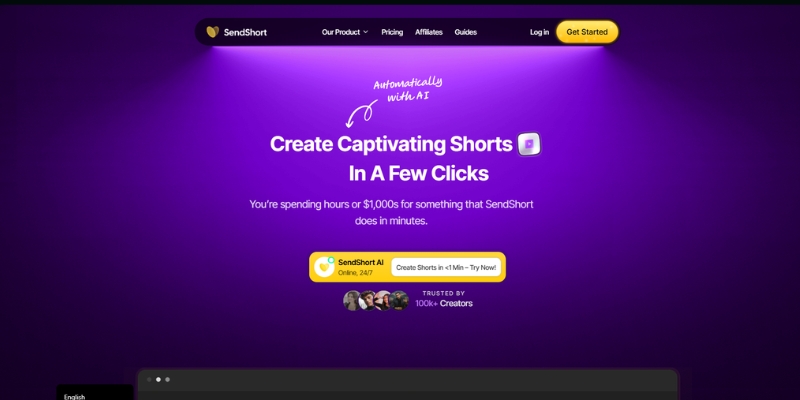
SendShort AI Review (2025): The Best AI Clipper for Agencies?

Our SendShort AI review tests its white-label features for agencies. Discover how it automates viral shorts, enhances client perception. Try now!
Jun Pham

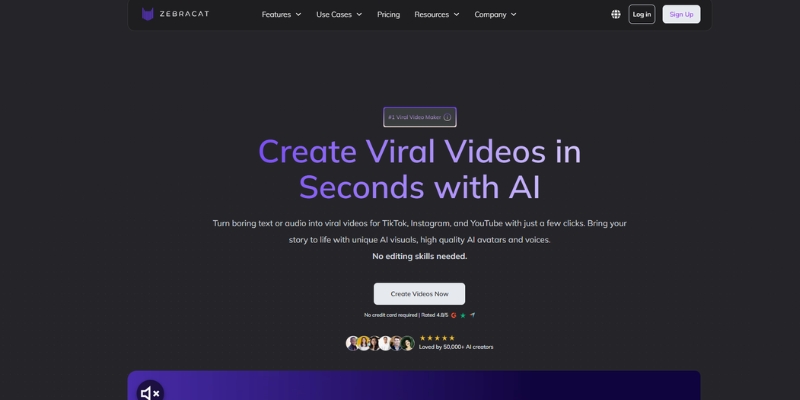
Zebracat Review (2025): Is This Hybrid AI Ad Generator Worth It?

Our Zebracat review (2025) assesses this hybrid AI video tool for marketers. Is it worth it for generating ads & repurposing content fast? See it now!
Jun Pham

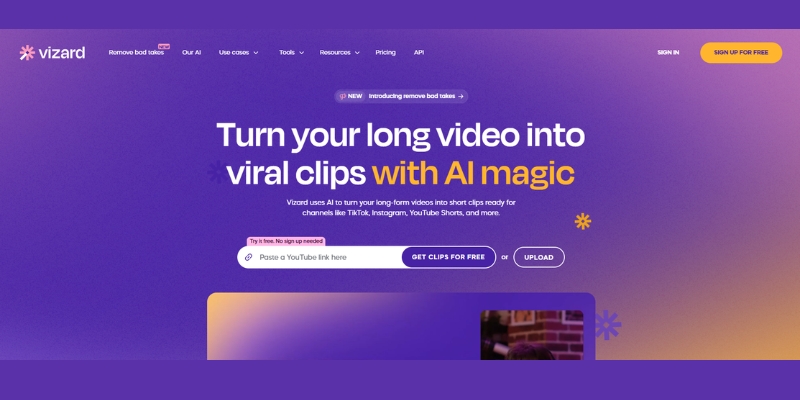
Vizard Review (2025): Is This Hybrid AI Clipper & Editor Better Than OpusClip?

Our expert vizard review reveals if this AI video clipper & editor beats OpusClip for control. Get superior editing & branding for viral shorts. Try now!
Jun Pham

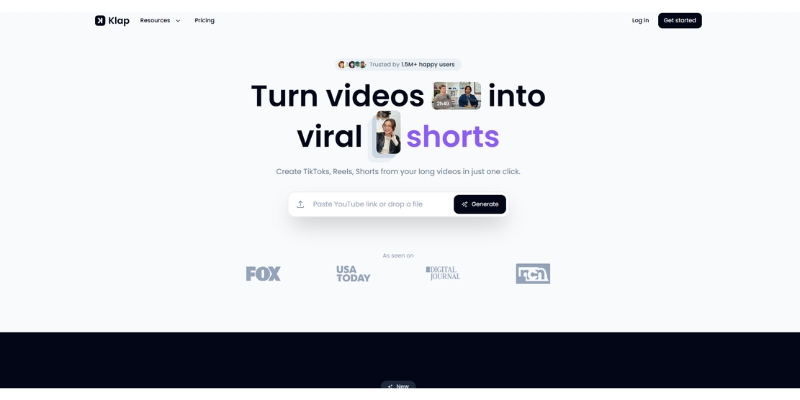
Klap Review (2025): The Best 4K AI Clipper for High-Quality Shorts?

Klap Review (2025): The Best AI Clipper for High-Quality Shorts? Klap Review (2025): The Best 4K AI Clipper for High-Quality Shorts? I have spent ...
Jun Pham

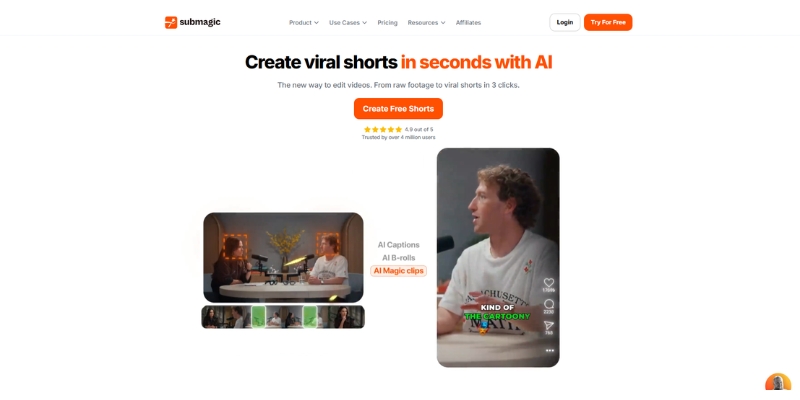
Submagic Review (2025): Is It The Best AI Tool For Hormozi Captions?

This Submagic review (2025) reveals if it's the ultimate AI tool for "Hormozi-style" viral video captions & B-roll. We battle-tested its features, speed, and ROI!
Jun Pham

Lumen5 Review: Is It Still the Best Blog-to-Video Tool for Marketers in 2025?

Lumen5 Review: Is It Still the Best Blog-to-Video Tool for Marketers in 2025?

Lumen5 Review: Is It Still the Best Blog-to-Video Tool for Marketers in 2025?

This Lumen5 review is for marketers tired of spending hours editing simple social media videos. I have spent the last week testing Lumen5 alongside its fiercest competitors in the Text-to-Video category, including its revolutionary Chat to Video AI creative co-pilot and AI Recommendations system launched in 2025. My goal was not just to play with AI, but to see if it actually saves time in real workflows. In this article, we will dissect the updated pricing, test the “smart” AI summarization with real-time waveform audio visualization, and determine if Lumen5 is still the king of Content Repurposing or if newer tools have stolen the crown.

Table of Contents

What Is Lumen5 & Why Marketers Choose It

Lumen5 is an AI Video Generator designed specifically for B2B marketers and enterprises, founded in 2017 and continuously evolved with cutting-edge AI features. Unlike generative tools like Sora that create video from nothing, Lumen5 focuses on workflow automation that turns written content into professional video slideshows matched with stock footage.

The platform positions itself as a “slide-deck on steroids” optimized for repurposing text-based content. If you need to turn a 2,000-word article into a LinkedIn video in 10 minutes, Lumen5 is a powerhouse with its automated Blog-to-Video conversion and extensive royalty-free media library.

Snapshot Verdict: Lumen5 is the best choice for marketing teams needing strict brand consistency and professional polish with access to 500M+ stock assets. It excels at summarizing text but falls short on realistic AI voiceovers compared to dedicated voice tools like ElevenLabs.

Try Lumen5 for Free

(Disclosure: If you purchase through links on this page, we may earn a small commission at no extra cost to you.)

Critical Feature Breakdown: Chat to Video, AI Recommendations & Real-Time Waveform

The “magic” of Lumen5 lies in its URL-to-Video feature combined with groundbreaking 2025 updates. I tested this by feeding it one of my own technical SEO articles, and the process is surprisingly intuitive with the new AI assistance.

Chat to Video (AI Creative Co-Pilot):
The revolutionary Chat to Video turns creative intent into real results. Simply tell it what you want—a product demo, a how-to, or a campaign recap—and it starts building. Behind the chat, powerful AI interprets your direction, assembles the right structure, and brings it to life on screen, acting as your creative partner who understands your vision.

AI Recommendations (Proactive Review System):
This introduces a smarter, more proactive creative system. It recommends the best approach for your video, then another layer reviews it, suggests edits, and makes improvements automatically before you need to step in. The result is a faster path to quality with every scene feeling more polished and intentional.

Real-Time Waveform (Audio Visualization):
Add motion to emotion with Real-Time Waveform that syncs perfectly to your voice. This dynamic visualization adds rhythm and personality to talking-head videos and voiceovers, making every beat feel intentional and creating more engaging visual experiences.

AI Summarization & Visual Mapping:
The NLP engine scans your text and identifies the most important sentences, attempting to find the “hook” and “solution” within your article. If your script says “marketing growth,” the AI automatically pulls a stock video of a graph trending upward from its 500M+ asset library, building the storyboard automatically.

Pricing and Plans: Is the “Professional” Tier Worth It in 2025?

Lumen5 operates on a freemium model with significantly updated pricing for 2025. Let’s break down the Lumen5 pricing to see where the value lies for different user types and whether the premium tiers justify their cost.

Plan Monthly Price Annual Price Best For
Community $0 $0 Testing (5 videos, 2 min, watermark)
Starter $30 $15/month Solopreneurs (10 min, no watermark, 1080p)
Pro $100 $50/month Content Creators (150 min AI voice, 500M+ stock)
Team/Enterprise Custom Custom Agencies (Shutterstock, multiple brand kits)

Check Current Pricing

*Save 50% with annual billing

The “Free” Trap:
The Community plan locks you to 5 videos per month, each maximum 2 minutes, with watermarks and 720p resolution. It is strictly for testing the workflow before committing to paid plans, not suitable for professional distribution or client work.

ROI Analysis for the Professional Tier:
The Pro Plan costs $100/month ($50 annually). This sounds steep until you compare it to hiring a video editor who charges at least $200 for a single video. If you produce just two videos monthly that each drive business results, the ROI is massive with access to 500M+ stock assets and 150 minutes of AI voiceover included.

Lumen5 vs. Pictory: Which Text-to-Video Tool Suits Your Needs?

The most common question I get is: “Should I use Lumen5 or Pictory?” Both are leaders in the Blog-to-Video space, but they serve different masters with distinct strengths that cater to specific workflows.

Where Lumen5 Wins:
Lumen5 is the king of Corporate Polish with cleaner templates better suited for B2B brands. The Chat to Video and AI Recommendations systems provide more intelligent creative guidance. AI scene matching tends to be more contextually accurate for business topics with access to 500M+ stock assets versus Pictory’s smaller library.

Where Pictory Wins:
Pictory excels at Long-form Video editing using text-based transcript editing for Zoom recordings and webinars. Pictory is generally more affordable for solo creators and offers more granular control over timing and transitions, making it better for detailed editing workflows.

Ease of Use:
Lumen5 has a smoother drag-and-drop interface that feels less cluttered, enhanced by the new Chat to Video feature that acts as a creative co-pilot. Pictory offers more granular timeline control, which can be overwhelming for absolute beginners but powerful for experienced editors who need precise adjustments.

Who Should (And Shouldn’t) Use Lumen5 for Video Marketing?

After extensive testing, I have a clear picture of the ideal user profile. This tool is not a one-size-fits-all solution, and understanding who benefits most will save you time and money.

✅ Best For

  • Marketing Teams: Who need to repurpose blog content for LinkedIn and Facebook efficiently.
  • B2B Companies: Who need professional, on-brand video assets with strict brand guidelines.
  • Publishers: Who want to increase “time on page” by embedding video summaries.
  • Agencies: Managing multiple client brands needing 3+ brand kits and team collaboration.

❌ Not For

  • YouTubers: It lacks the pacing and engagement needed for long entertainment videos.
  • Avatar Seekers: If you need talking AI avatars, use Synthesia or HeyGen instead.
  • Budget Creators: The good features (500M+ stock, AI voice) are locked behind $50-$100/month tiers.
  • Timeline Editors: Those needing frame-by-frame control should use Premiere Pro or DaVinci.

Frequently Asked Questions About Lumen5 Video Generator

Does Lumen5 own the video content I create?
No. You own commercial rights to videos you create on paid plans, allowing monetization on YouTube or use for ads without royalty concerns or additional licensing fees.

What is Chat to Video and how does it work?
Chat to Video is Lumen5’s 2025 AI creative co-pilot feature. Simply describe what video you want (product demo, how-to, campaign recap), and the AI interprets your direction, assembles the structure, selects appropriate stock footage, and builds it automatically without manual searching.

Can I upload my own video footage to Lumen5?
Yes. Upload your own B-roll footage and photos to mix with stock media. The tool acts as a hybrid editor allowing custom assets combined with the 500M+ stock library for unique branded content.

How long can Lumen5 videos be?
Free: 2 minutes max. Starter: 10 minutes. Pro/Enterprise: Longer formats supported. The system is optimized for clips under 5 minutes, with performance potentially lagging on 20+ minute projects due to cloud rendering limitations.

Is Lumen5 good for YouTube content creation?
Excellent for YouTube Shorts and educational/listicle-style videos. For main channel vlogs or storytelling content, it feels more template-based than organic, lacking the natural flow that long-form audiences expect.

Read More From Text-to Video

Explore other tools in the AI video generation space to find the perfect fit for your specific workflow and content creation needs.

last update : 02/12/2025

A photo of Jun Pham, AI Tools Strategist at Aibrainjet

About the Author

Jun Pham

Jun Pham is an AI tools strategist, a video creator and tech writer passionate about the future of AI in editing video. As the face of a dedicated team of creators and researchers, Jamie leads hands-on testing of the latest AI video tools. Together, they share honest reviews, workflow insights, and practical tips to help creators turn ideas into cinematic videos with minimal effort.

Latest Posts

Onepage Website Builder Review: Features, Pros, Cons, and Use Cases

Onepage Website Builder Review: Features, Pros, Cons, and Use Cases
Jun Pham

SendShort AI Review (2025): The Best AI Clipper for Agencies?

Our SendShort AI review tests its white-label features for agencies. Discover how it automates viral shorts, enhances client perception. Try now!
Jun Pham

Zebracat Review (2025): Is This Hybrid AI Ad Generator Worth It?

Our Zebracat review (2025) assesses this hybrid AI video tool for marketers. Is it worth it for generating ads & repurposing content fast? See it now!
Jun Pham

Vizard Review (2025): Is This Hybrid AI Clipper & Editor Better Than OpusClip?

Our expert vizard review reveals if this AI video clipper & editor beats OpusClip for control. Get superior editing & branding for viral shorts. Try now!
Jun Pham

Klap Review (2025): The Best 4K AI Clipper for High-Quality Shorts?

Klap Review (2025): The Best AI Clipper for High-Quality Shorts? Klap Review (2025): The Best 4K AI Clipper for High-Quality Shorts? I have spent ...
Jun Pham

Submagic Review (2025): Is It The Best AI Tool For Hormozi Captions?

This Submagic review (2025) reveals if it's the ultimate AI tool for "Hormozi-style" viral video captions & B-roll. We battle-tested its features, speed, and ROI!
Jun Pham

Luma Dream Machine vs Kling AI: Which Generator is More Realistic? (2025)

Luma Dream Machine vs Kling AI: The Ultimate Realism Battle (2025)

Luma Dream Machine vs Kling AI: The Ultimate Realism Battle (2025)

The race for the “Sora-killer” title has narrowed down to a direct Luma Dream Machine vs Kling AI confrontation. As high-end creators, we are constantly hunting for tools that deliver true photorealism.

I understand the pressure you face. You need generative AI tools that automate video production without creating “nightmare fuel.” Quality cannot be sacrificed for speed.

This AI Generative Video comparison is battle-tested. I have spent hundreds of dollars on credits to determine which tool generates usable footage for professional projects.

In this article, we will analyze Realism, Physics Simulation, and ROI to help you decide where to invest your budget.

Table of Contents

Luma Dream Machine vs. Kling AI: The Battle of the “Sora Competitors”

Luma Dream Machine and Kling AI are currently the two most advanced video generation models available publicly. They both promise to democratize cinematic video creation.

Luma Dream Machine is developed by Luma Labs, a US-based company. It is celebrated for its high availability, ease of access, and ability to generate highly consistent, cinematic camera movements.

Kling AI, developed by the Chinese tech giant Kuaishou, is a powerhouse focused on advanced Physics Simulation. It recently opened global access, challenging Western models with superior temporal stability.

Marketers are under immense “performance pressure.” We need tools that work instantly. Luma offers a quick web interface, while Kling brings heavy-duty rendering power previously seen only in closed betas.

We tested both models extensively using identical prompts. Our goal was to push them to their breaking points to see which one hallucinated first.

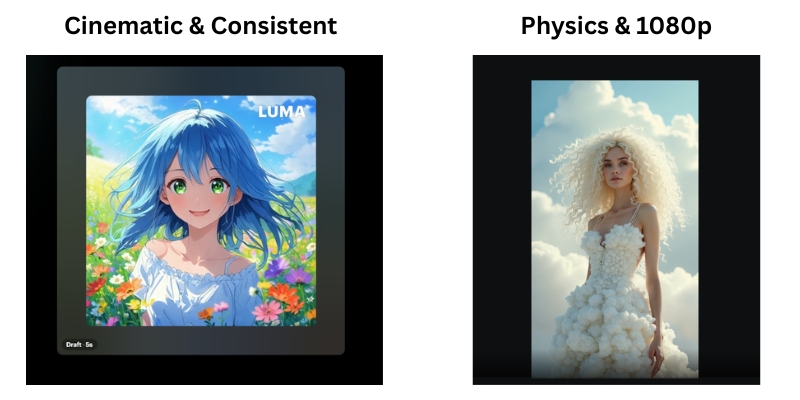
Luma Dream Machine vs Kling AI comparison infographic showing key strengths of each AI video generator.
The battle lines are drawn: Luma’s artistic coherence vs. Kling’s physical realism.

Realism & Image Quality: Which Tool Generates Better Visuals?

When it comes to raw Text-to-Video quality, the difference lies in the “digital signature.” Both tools aim for photorealism but achieve it differently.

Texture and Lighting: Luma Dream Machine tends to dramatic lighting. It often adds a “film grain” effect that hides imperfections. Kling AI produces sharper, cleaner images that look like high-end digital video.

Human Avatars: This is the ultimate test. Luma excels at artistic portraits but struggles with skin texture in motion. Kling handles skin pores and micro-expressions with frightening accuracy, reducing the “Uncanny Valley” effect.

Resolution: Kling AI supports 1080p generation in its Pro and Professional modes. Luma often requires upscaling to reach similar sharpness, which can introduce artifacts.

Cinematic Aesthetics (Luma Dream Machine)

Luma Dream Machine is built for filmmakers. Its strength lies in Scene Consistency. If you ask for a specific mood, Luma holds that color grade throughout the entire clip.

In our tests, Luma handled Image-to-Video tasks beautifully. It took static Midjourney images and animated them without warping the original art style. It understands “vibe” better than any other tool.

Photorealism and Detail (Kling AI)

Kling AI is built for reality. It generates textures like fur, water, and food with incredible precision. A close-up of a cat generated in Kling looks indistinguishable from 4K stock footage.

The sharpness is a double-edged sword. Because Kling AI is so detailed, any glitch is immediately visible. However, when it hits, the 1080p resolution is broadcast-ready.

Motion Physics & Consistency: Analyzing Complex Movements

Static quality means nothing if the video falls apart in motion. We analyzed how both engines handle complex Physics Simulation.

Object Interaction:
Kling excels here. We tested “a person eating noodles.” Kling understood that noodles must enter the mouth. Luma often “morphed” the noodles into the person’s face. Kling respects biological physics.

Morphing Issues:
Luma suffers from “morphing” during fast cuts. Objects tend to blend into each other like a dream. Kling maintains object solidity. A car remains a car; it doesn’t turn into a bus mid-frame.

Temporal Stability:
Kling offers superior stability over long durations. In a 10-second clip, the background in Kling stays static. Luma’s backgrounds often shift or “breathe” slightly over time.

Camera Movement:
Luma wins on camera emulation. Pans and zooms feel like they were shot by a human cinematographer. Kling has better character movement, but its camera moves can feel robotic.

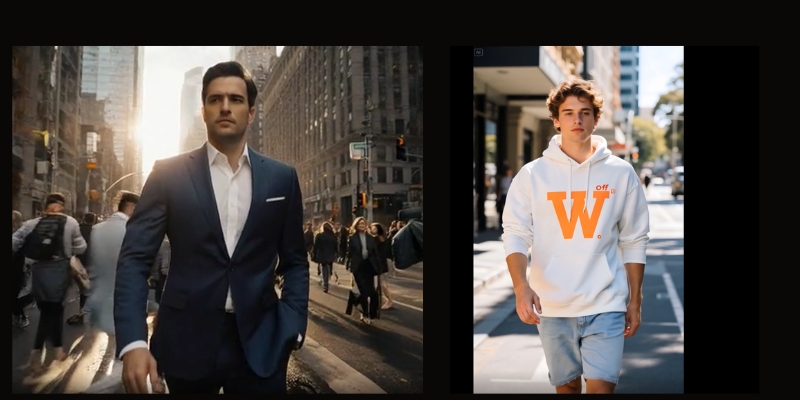
Side-by-side comparison of walking physics in Luma Dream Machine versus Kling AI.
Kling AI (right) demonstrates superior foot-to-ground contact compared to Luma (left).

Accessibility, Speed, and User Interface

For a freelancer, access is everything. You cannot wait days for a render. We compared the “Ease of Entry” for both platforms.

Platform Access:
Luma is strictly web-based and instantly accessible via Google login. Kling was historically difficult (Chinese number required) but has now opened global access via email, leveling the playing field.

Generation Speed:
Luma is often slower. Due to immense viral traffic, free generations can take hours. Kling’s paid tiers are surprisingly fast, often delivering clips in under 5 minutes.

User Experience (UI):
Luma’s dashboard is minimalist and Western-centric. It is intuitive for beginners. Kling’s interface is feature-rich but can feel cluttered. It offers more controls, which seasoned editors will appreciate.

Pricing & Credit Models: Comparing ROI for Creators

We analyzed the pricing to see which tool offers better ROI for commercial projects. Both use a “credit-based” economy.

Luma Pricing:
Luma operates on a monthly subscription. The “Plus” plan starts around $30/month. However, cinematic shots consume credits fast. The free tier is strictly for non-commercial experimentation.

Kling Pricing:
Kling uses a daily credit system for free users and subscription packs for pros. Their “Pro” outcome allows for longer videos (up to 2-3 minutes via extension), offering better value per second of footage.

Commercial Rights:
Both platforms grant commercial rights on paid plans. If you are a marketer, you must upgrade. Do not risk client work on free tiers.

Value Verdict:
For high-volume production, Kling offers cheaper “per-second” generation. Luma is better for low-volume, high-quality “hero” shots.

Feature Luma Dream Machine Kling AI
Starting Price ~$29.99/mo (Plus) ~$10-$30/mo (Global Plan)
Free Tier 30 generations/month Daily free credits (~6 videos)
Max Duration 5 seconds (extendable) 5s or 10s (extendable to 2-3m)
Best For Cinematic Short Clips Long-form Realistic Motion
Action Visit Luma Try Kling AI

(Disclosure: If you purchase through links on this page, we may earn a small commission at no extra cost to you. This helps us maintain our “battle-tested” reviews.)

Final Verdict: Should You Choose Luma Labs or Kling AI?

After testing over 500 prompts, the winner depends entirely on your specific use case. There is no single “best” tool, only the right tool for the job.

Choose Luma Dream Machine If:

  • You need artistic, cinematic shots for music videos or mood boards.
  • You prioritize ease of use and a clean interface.
  • You are animating Midjourney images and want to keep the style.

Choose Kling AI If:

  • You need complex human motion (eating, running, fighting).
  • You require 1080p photorealism for stock footage replacement.
  • You need clips longer than 5 seconds with physics consistency.

🏆 The “Sora-Killer” Conclusion

If I had to pick just one subscription today, I would choose Kling AI. Its superior physics engine and ability to generate 10-second clips natively make it more viable for professional video production right now.

However, Luma Dream Machine remains the king of “vibes” and artistic interpretation.

Start Creating with Kling AI

Frequently Asked Questions about Luma vs. Kling

Is Kling AI available in the US/Europe?
Yes. Kling has launched its global 1.0 and 1.5 models. You can now sign up with a standard email address without needing a Chinese phone number.

Can Luma Dream Machine generate 1080p video?
Not natively. Luma generates at 720p resolution (1280×720) by default. You will need to use the built-in upscaler or external tools like Topaz Video AI for true 1080p quality.

Which tool is better for Image-to-Video?
Luma Dream Machine is generally better at preserving the original “art style” of an uploaded image. Kling tends to “realify” images, which might alter your original artistic intent.

Are there free alternatives to Luma and Kling?
Yes. Tools like Runway Gen-3 Alpha and Hailuo AI (MiniMax) are strong competitors. However, Luma and Kling currently hold the top spots for realism.

Read More From AI Generative Video

Stay ahead of the curve with our latest deep dives into the generative video revolution. Check out these related comparisons:

last update : 01/12/2025

A photo of Jun Pham, AI Tools Strategist at Aibrainjet

About the Author

Jun Pham

Jun Pham is an AI tools strategist, a video creator and tech writer passionate about the future of AI in editing video. As the face of a dedicated team of creators and researchers, Jamie leads hands-on testing of the latest AI video tools. Together, they share honest reviews, workflow insights, and practical tips to help creators turn ideas into cinematic videos with minimal effort.

Latest Posts

Onepage Website Builder Review: Features, Pros, Cons, and Use Cases

Onepage Website Builder Review: Features, Pros, Cons, and Use Cases
Jun Pham

SendShort AI Review (2025): The Best AI Clipper for Agencies?

Our SendShort AI review tests its white-label features for agencies. Discover how it automates viral shorts, enhances client perception. Try now!
Jun Pham

Zebracat Review (2025): Is This Hybrid AI Ad Generator Worth It?

Our Zebracat review (2025) assesses this hybrid AI video tool for marketers. Is it worth it for generating ads & repurposing content fast? See it now!
Jun Pham

Vizard Review (2025): Is This Hybrid AI Clipper & Editor Better Than OpusClip?

Our expert vizard review reveals if this AI video clipper & editor beats OpusClip for control. Get superior editing & branding for viral shorts. Try now!
Jun Pham

Klap Review (2025): The Best 4K AI Clipper for High-Quality Shorts?

Klap Review (2025): The Best AI Clipper for High-Quality Shorts? Klap Review (2025): The Best 4K AI Clipper for High-Quality Shorts? I have spent ...
Jun Pham

Submagic Review (2025): Is It The Best AI Tool For Hormozi Captions?

This Submagic review (2025) reveals if it's the ultimate AI tool for "Hormozi-style" viral video captions & B-roll. We battle-tested its features, speed, and ROI!
Jun Pham

Pictory Review (2025): Is It The Fastest Text-to-Video Generator?

Pictory Review (2025): Is It The Fastest Text-to-Video Generator?

Pictory Review (2025): Is It The Fastest Text-to-Video Generator?

If you are looking for an honest Pictory review, you probably have a backlog of blog posts that need to become videos yesterday.

In the crowded world of text-to-video tools, Pictory promises to solve the “performance pressure” marketers face by automating the heavy lifting of video production. But does it actually deliver usable results, or just random stock footage compilations?

I have tested over 10 different AI video generators this year. In this review, I will break down Pictory’s features, speed, and whether its “Blog-to-Video” capability is truly the time-saving solution for content repurposing that creators are looking for.

Table of Contents

What Is Pictory AI? (And Why It’s The “Speed King” For Content Repurposing)

Pictory AI is a cloud-based software designed specifically for Content Repurposing. Unlike traditional video editors that require manual timeline management, Pictory uses Artificial Intelligence to scan text and automatically create a video sequence.

For modern marketers and creators, the biggest bottleneck is time. You have the blog post, but turning it into a YouTube video usually takes hours of editing. Pictory claims to solve this performance pressure instantly.

It operates entirely in your browser as a SaaS (Software as a Service). There is no software to download, and it relies on a massive integrated stock library (over 3 million Storyblocks videos) to visualize your words without you lifting a camera.

I have used complex tools like Adobe Premiere Pro for years. However, when I need speed over “cinematic perfection,” Pictory has become my go-to tool. It prioritizes workflow efficiency above granular control.

Pictory AI Dashboard showing all main content creation modes.
The Pictory dashboard offers 7 distinct ways to generate video content.

Pictory Core Features Review: Hands-On Test Results

To give you a battle-tested review, I put Pictory through its paces using its four primary modes plus the new AI Studio feature launched in November 2025. I wanted to see if the Script-to-Video and blog conversion features could actually produce a publishable video.

Script to Video (Best For YouTube Automation):
This is the bread and butter for Faceless YouTube channels. You simply paste your script into the editor. Pictory’s AI analyzes keywords and automatically pulls relevant clips from Storyblocks’ 3+ million video library.

During my test, the AI Logic was surprisingly accurate for general topics. When I typed “digital marketing,” it pulled a clip of a team at a computer. It saves hours of hunting for stock footage.

Blog to Video (The “Killer Feature” for Marketers):
This is Pictory’s unique selling point. You paste a URL, and the AI extracts the key sentences to form a script. It then matches visuals to those summaries using intelligent scene categorization.

We turned a 2,000-word article into a concise video script in under 60 seconds. For bloggers wanting to drive traffic from social media without filming, this URL-to-Video feature is a game changer.

Edit Video Using Text (Descript-Style Editing):
This feature works like magic for webinar repurposing. You upload a “talking head” video, and Pictory transcribes it. If you delete a sentence in the text, it automatically cuts that scene from the video.

It also includes a one-click Remove Filler Words function. It instantly strips out “ums” and “ahs,” making you sound polished without manual audio editing.

AI Studio (NEW November 2025):
The latest addition is a chat-based workspace for image generation. AI Studio currently supports five leading AI models including Flux Schnell, Amazon Titan, Bytedance Seedream, Google Nano Banana, and Amazon Nova Canvas. You can generate custom visuals from your script or custom prompts with full control over style and aspect ratio.

Zapier Integration (NEW 2025):
Pictory is now live on Zapier, enabling automation across 8000+ apps. You can connect Pictory with Google Drive, Dropbox, Notion, and HubSpot to automatically trigger video creation based on your unique workflows. This integration eliminates manual video production bottlenecks for agencies and content teams.

Modern Storyboard Interface (2025 Update):
Pictory has launched a completely redesigned storyboard experience with faster performance, a modern interface, and more responsive controls. The new storyboard makes creating videos easier, quicker, and more intuitive than the previous version.

Pictory Script to Video editor interface with text and video preview.
Pictory automatically highlights keywords and pairs them with stock footage from Storyblocks.

AI Voice Quality & Stock Library: Is It Good Enough?

A major concern with automated video tools is quality. Does the stock footage look cheap? Do the AI voices sound like robots? Here is my honest assessment after testing.

The Stock Library (Storyblocks):
This is where Pictory shines. It integrates directly with Storyblocks, providing access to over 3 million premium stock videos. Buying a Storyblocks subscription separately costs significantly more, but it is included here. This adds massive production value to your videos.

Audio Library:
You get access to over 15,000 music tracks. The auto-sync feature works well to duck the music when the voiceover speaks, ensuring your audio levels are balanced automatically without manual mixing.

AI Voiceover Analysis (ElevenLabs Integration):
Pictory has significantly improved AI voice quality through ElevenLabs integration. The Professional plan includes 120 minutes of ElevenLabs AI voices, which feature natural breathing, pauses, and emotional inflection. This represents a massive upgrade from earlier versions and standard voices.

The standard voices are available unlimited in seven languages, making Pictory suitable for global content strategies. While not perfect, the ElevenLabs voices are now competitive with leading voice AI platforms and sufficient for most professional video content.

If you want a truly human-sounding video, I still recommend recording your own voiceover or generating audio externally. However, for quick informational videos where voice naturalness is less critical, the integrated voices are now quite impressive.

Pictory vs. Competitors: How It Stacks Up

Choosing the right tool depends on your specific goals. Here is how Pictory compares to the other big players in the AI video market.

Pictory vs. InVideo:
InVideo is a full-featured cloud editor. It offers granular control with thousands of templates but has a steeper learning curve. Pictory is purely about automation and speed. Choose Pictory for bulk creation; choose InVideo for design control and template variety.

Pictory vs. Fliki:
Fliki excels at short-form content (TikTok/Reels) with excellent AI voices. However, Pictory is significantly better at long-form content and matching relevant B-roll footage with superior AI matching algorithms. If you make YouTube videos, stick with Pictory.

Pictory vs. Lumen5:
Lumen5 targets corporate enterprise clients with “safe,” professional templates optimized for LinkedIn. Pictory is more versatile for creators and YouTubers who need a wider variety of stock footage styles and faster generation speeds.

Pictory Pricing & Plans: Which Tier Offers Best ROI?

Is Pictory worth the cost? Let’s look at the official pricing structure for November 2025 to see where the value lies for content creators.

Free Trial:
Pictory offers a free trial that allows you to create 3 videos. Crucially, no credit card is required upfront. This lowers the barrier to entry completely and lets you test the platform risk-free.

Starter Plan ($25/month or $19/month annually):
Best for beginners and hobbyists. You get 30 videos per month with basic editing tools and access to the Storyblocks library. It is a good starting point if you only produce a few videos per week and don’t need advanced features.

Professional Plan ($49/month or $39/month annually):
This is the plan I recommend for serious YouTubers and full-time content creators. It offers 60 videos per month, brand kits for consistent branding, 120 minutes of ElevenLabs AI voices, priority support, and full access to advanced AI features including AI Studio. The ROI here is highest for active creators.

Teams Plan ($119/month or $99/month annually):
Designed for agencies with 3+ team members. It includes collaboration features, shared brand kits, and higher video limits that solo creators won’t need but are essential for client work workflows.

Enterprise Plan (Custom Pricing):
For companies needing to scale video creation with 10+ users. Custom pricing and features tailored to enterprise needs with dedicated support.

Plan Monthly Price Annual Price Key Features Action
Free Trial $0 3 Videos total Try Free
Starter $25 $19/mo ($228/yr) $114/yr 30 Videos/mo Get 50% OFF
Professional $49 $39/mo ($468/yr) $234/yr 60 Videos/mo + Brand Kits + 120min ElevenLabs Get 50% OFF
Teams $119 $99/mo ($1,188/yr) $594/yr 3+ Users + Collaboration Get 50% OFF

Pricing accurate as of November 2025

(Disclosure: If you purchase through links on this page, we may earn a small commission at no extra cost to you. This helps us maintain our “battle-tested” reviews.)

Pros and Cons: The Honest Truth After 30 Days

After using this tool consistently for a month to manage a faceless YouTube channel, here are the real advantages and frustrations I encountered.

✅ Pros (Advantages)

  • Speed: I turned blog posts into videos in minutes, not hours.
  • Stock Library: Access to 3+ million Storyblocks videos is incredible value.
  • Cloud-Based: Works on any computer without lagging or storage issues.
  • Ease of Use: Absolutely no video editing experience required to start.
  • Auto-Captions: Accurate subtitles generated automatically save significant time.
  • AI Studio: New image generation with 5 leading AI models adds creative flexibility.
  • Zapier Integration: Automate workflows with 8000+ apps for seamless content production.
  • ElevenLabs Voices: Professional plan includes 120 minutes of natural-sounding AI voices.

❌ Cons (Limitations)

  • Matching Accuracy: Sometimes the AI picks irrelevant clips you must swap manually.
  • No Mobile App: It is strictly a desktop browser tool with no mobile workflow.
  • Learning Curve: Understanding how to optimize prompts takes practice.
  • Price for High Volume: Starter plan limits may be restrictive for power users.
  • AI Credits: AI Studio editing consumes additional AI Credits requiring top-ups.

Final Verdict: Who Should (And Shouldn’t) Buy Pictory AI?

So, is Pictory worth it? The answer depends entirely on your workflow priorities. It is not a tool for Hollywood filmmakers, but it is a powerful weapon for content marketers focused on volume.

Who is it for?
Bloggers who need to repurpose written content quickly, Faceless YouTube creators scaling automation channels, and Marketers needing quick social media snippets. It is built for volume production and speed over perfection.

Who is it NOT for?
If you need granular frame-by-frame control or cinematic transitions with custom graphics, look at traditional editors. Also, professional cinematographers requiring complete creative control will find the automation limiting.

My Conclusion: For pure ROI and speed, Pictory remains the market leader for text-to-video automation focused on blog repurposing. With the November 2025 updates (AI Studio with 5 image generation models, Zapier integration with 8000+ apps, modern storyboard interface, and enhanced ElevenLabs voice integration), it has significantly expanded its capabilities while maintaining its core strength: transforming the “drudgery” of editing into a simple review process.

Start Your Free Trial Now

Frequently Asked Questions About Pictory AI

Does Pictory own the videos I make?
No. You own the commercial rights to all videos you create, provided you have an active subscription. You are the copyright holder of your output and can use it however you wish.

Can I monetize Pictory videos on YouTube?
Yes, absolutely. Since the stock footage from Storyblocks and the music tracks are fully licensed for commercial use, you can monetize your channel without risk of copyright strikes or claims.

Is there a Pictory Lifetime Deal?
Currently, there is no active lifetime deal. The platform operates on a monthly or annual subscription model.

Does Pictory support other languages?
Yes, Pictory supports multiple languages for both transcription and AI voiceovers. The standard AI voices are available unlimited in seven languages, making it suitable for global content strategies and international audiences.

Read More From Text-to Video

If you are still researching the best AI video tools, check out our other battle-tested reviews and comparisons in this category.

last update : 30/11/2025

A photo of Jun Pham, AI Tools Strategist at Aibrainjet

About the Author

Jun Pham

Jun Pham is an AI tools strategist, a video creator and tech writer passionate about the future of AI in editing video. As the face of a dedicated team of creators and researchers, Jamie leads hands-on testing of the latest AI video tools. Together, they share honest reviews, workflow insights, and practical tips to help creators turn ideas into cinematic videos with minimal effort.

Latest Posts

Onepage Website Builder Review: Features, Pros, Cons, and Use Cases

Onepage Website Builder Review: Features, Pros, Cons, and Use Cases
Jun Pham

SendShort AI Review (2025): The Best AI Clipper for Agencies?

Our SendShort AI review tests its white-label features for agencies. Discover how it automates viral shorts, enhances client perception. Try now!
Jun Pham

Zebracat Review (2025): Is This Hybrid AI Ad Generator Worth It?

Our Zebracat review (2025) assesses this hybrid AI video tool for marketers. Is it worth it for generating ads & repurposing content fast? See it now!
Jun Pham

Vizard Review (2025): Is This Hybrid AI Clipper & Editor Better Than OpusClip?

Our expert vizard review reveals if this AI video clipper & editor beats OpusClip for control. Get superior editing & branding for viral shorts. Try now!
Jun Pham

Klap Review (2025): The Best 4K AI Clipper for High-Quality Shorts?

Klap Review (2025): The Best AI Clipper for High-Quality Shorts? Klap Review (2025): The Best 4K AI Clipper for High-Quality Shorts? I have spent ...
Jun Pham

Submagic Review (2025): Is It The Best AI Tool For Hormozi Captions?

This Submagic review (2025) reveals if it's the ultimate AI tool for "Hormozi-style" viral video captions & B-roll. We battle-tested its features, speed, and ROI!
Jun Pham

How to Use Kaiber AI: The Ultimate Guide to Creating Audio-Reactive Music Videos (2025)

How to Use Kaiber AI: The Ultimate Guide to Creating Audio-Reactive Music Videos (2025)

How to Use Kaiber AI: The Ultimate Guide to Creating Audio-Reactive Music Videos (2025)

If you have been wondering how to use Kaiber to create stunning, viral-worthy visuals, you are in the right place. As creatives, we know the struggle of needing high-end animation without a Hollywood budget.

Kaiber has emerged as a powerhouse in the Generative AI space, specifically for its ability to sync visuals directly to audio beats. With the launch of Superstudio in late 2024, it is no longer just a tool—it is an entire creative ecosystem integrating multiple AI models.

In this battle-tested guide, we will move beyond basic features. We will dive deep into creating full Audio-Reactive music videos, mastering the new Superstudio interface, and optimizing prompts for professional results.

Table of Contents

What is Kaiber AI and Superstudio? The Evolution of Creative AI Platforms

Kaiber is a generative AI video platform designed to transform your ideas into animated visual stories. Unlike standard editors, it generates new frames based on text prompts, images, and audio inputs using advanced diffusion models.

In October 2024, Kaiber launched Superstudio—a revolutionary infinite canvas workspace that integrates multiple best-in-class AI models including Luma, Veo, Kling, Minimax, Mochi, and Runway. This positions Kaiber as a unified creative platform rather than a single-model tool.

Its primary strength lies in its Audio-Reactive engine. While other tools focus on realism, Kaiber excels at artistic, stylized interpretations that pulse and evolve dynamically with your music—making it the go-to choice for musicians and visual artists.

We have tested dozens of AI video generators, and Kaiber stands out for audio-visual synchronization. It solves the massive pain point of creating engaging music visualizers affordably and quickly.

Kaiber Superstudio dashboard showing infinite canvas and integrated AI models.
Kaiber’s Superstudio interface brings together image, video, and audio AI models on a single infinite canvas.

Complete Workflow: How to Use Kaiber Superstudio for Audio-Reactive Videos

This is the core Kaiber tutorial you need for 2025. We will walk through the exact process using the new Superstudio interface to generate professional music visualizers. Follow these steps precisely.

Step 1: Access Superstudio Canvas
Log into Kaiber and select “Superstudio” from the main menu. You will see an infinite canvas workspace—this is your creative playground where all elements come together.

Step 2: Upload Your Audio Track
Drag and drop your audio file (MP3 or WAV) onto the canvas. Kaiber’s AI will automatically analyze the beat structure, rhythm, and frequency ranges. This analysis drives the audio-reactive synchronization.

Step 3: Generate Initial Visuals
Click the “+” button to add a video generation node. Choose your preferred AI model (Luma for realism, Kling for stylized animation). In the prompt field, describe what you want to see (e.g., “A futuristic cyberpunk city at night, neon lights pulsing”).

Step 4: Apply Audio Reactivity
Select your video layer and click “Audio Reactivity.” Choose which audio frequency band (Bass, Mid, Treble) drives specific visual parameters like zoom, rotation, or color intensity. For electronic music, link Bass to camera zoom for impactful drops.

Step 5: Refine and Export
Preview your composition on the canvas. Adjust timing, add multiple visual layers, or switch between different AI models for varied aesthetics. Once satisfied, click “Export” to render your final video at up to 4K resolution.

Advanced Audio Reactivity: Mastering Beat Synchronization

To truly understand how to use Kaiber like a pro, you must master the audio reactivity settings. These controls transform random visuals into synchronized experiences that keep your audience engaged.

Understanding Frequency Band Mapping
Kaiber analyzes your audio across Bass (20-250Hz), Mid (250Hz-4kHz), and Treble (4kHz+) frequencies. Map camera zoom to Bass for thump-driven motion, Mid for vocal emphasis, or Treble for hi-hat sparkle effects.

Reactivity Intensity Control
The “Intensity” slider (0-100%) controls how dramatically visuals respond to audio. Low intensity (10-30%) creates subtle breathing effects perfect for ambient tracks. High intensity (70-100%) produces aggressive morphing ideal for EDM drops.

Multi-Layer Audio Sync
In Superstudio, you can have multiple video layers each responding to different frequency bands. Create a background layer reacting to Bass while a foreground character responds to Mids—this layering adds professional depth.

Timing Offset Adjustment
Sometimes visual effects need to slightly precede or follow the beat for optimal impact. Use the “+/- milliseconds” offset to fine-tune synchronization, especially critical for bass-heavy genres where visual anticipation enhances drops.

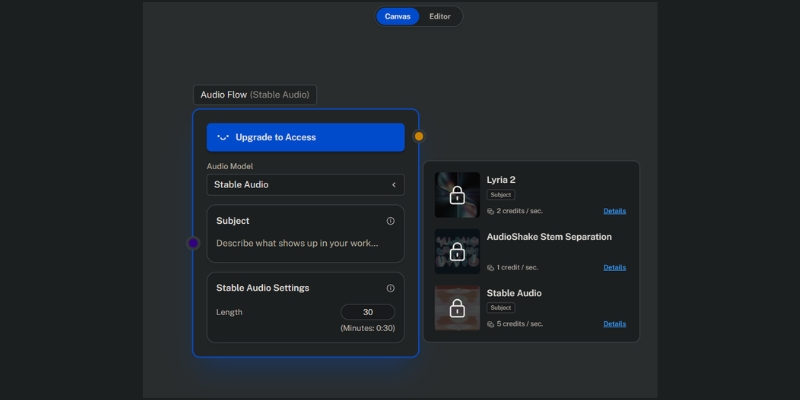
Kaiber Superstudio audio reactivity settings panel with frequency mapping controls.
Fine-tuning frequency band mappings allows precise control over how visuals sync with different musical elements.

Kaiber Prompt Engineering: Best Practices for Artistic Styles

Your output is only as good as your input. Mastering Kaiber prompt engineering is essential for avoiding generic, blurry results. Here is our internal formula refined through hundreds of generations.

The Perfect Prompt Formula
[Subject] + [Art Style] + [Lighting/Mood] + [Camera Movement].
Example: “A solitary astronaut walking on Mars, vibrant synthwave aesthetic, neon purple and cyan lighting, slow dolly-out camera movement.”

Style Keywords for Musicians
Specific keywords trigger better aesthetics. Try: “Cyberpunk” for electronic music, “Charcoal sketch animation” for indie folk, “Glitch art” for experimental tracks, or “Watercolor dreamscape” for emotional ballads.

Negative Prompts for Quality Control
Always use the negative prompt field to filter unwanted elements. Our standard formula: “blurry, distorted faces, low resolution, watermark, text overlays, extra limbs, poor anatomy, pixelated, artifacts.”

Model-Specific Prompt Optimization
Different AI models in Superstudio respond better to specific prompt structures. Luma excels with photorealistic descriptions, Kling responds well to anime/stylized terms, and Veo handles complex motion prompts more accurately.

Video-to-Video Transformation: Stylizing Real-World Footage

Kaiber isn’t limited to text-to-video generation. The Transform feature allows you to apply AI artistic filters to existing footage, similar to the technique used in Linkin Park’s “Lost” music video.

Uploading Source Footage
Upload a clip of yourself performing, dancing, or acting. Keep it under 2 minutes for manageable rendering times. Source footage with good lighting and clear subject separation yields significantly better AI tracking results.

Style Transfer Intensity
Use the “Transform” strength slider (0-100%) carefully. Lower values (20-40%) maintain your original form while adding artistic flair. Higher values (70-100%) let the AI completely reimagine you as an anime character, robot, or abstract entity.

Trending Use Case: Performance Videos
We recently transformed a simple iPhone concert clip into a 1990s anime aesthetic video. This technique is massively trending on TikTok and Instagram Reels, driving high engagement for musicians without professional video budgets.

Kaiber Superstudio Pricing 2025: Is It Worth the Investment?

For freelancers investigating the ROI, understanding Kaiber’s current pricing is critical. The platform now operates on a credit-based system within a tiered subscription model designed for different creator scales.

Plan Price/Month Credits Best For Action
Flex $0 (Pay-as-you-go) Buy as needed Single projects or testing Try Flex
Creator $29 1,400 Active creators & freelancers Get Creator
Pro $149 7,500 Power users & small studios Go Pro

The Credit System Explained
Credit consumption varies by AI model selected, resolution, and video length. Standard 1080p generation costs approximately 1 credit per second, while 4K upscaling and premium models like Luma or Runway cost significantly more per frame.

Value Analysis for Musicians
Generating a 3-minute music video typically consumes 300-600 credits depending on quality settings and iterations. On the Creator plan ($29/mo with 1,400 credits), you can produce 2-4 high-quality music videos monthly—an incredible value compared to traditional animation costs of $2,000-$5,000 per video.

Commercial Rights & Watermarks
Crucially, all paid plans (Creator and above) grant you full commercial rights to generated content. Free/Flex plan outputs include watermarks and lack monetization rights, making paid plans essential for professional use.

(Disclosure: If you purchase through links on this page, we may earn a small commission at no extra cost to you. This helps us maintain our “battle-tested” reviews.)

Our Verdict

If you are a musician or visual artist needing stylized, audio-reactive content quickly, Kaiber’s Superstudio platform is the current market leader. The integration of multiple AI models on a single canvas dramatically accelerates creative workflows while maintaining artistic quality.

Start Creating with Superstudio

Frequently Asked Questions About Using Kaiber

Is Kaiber free to use?
Kaiber offers a Flex plan (pay-as-you-go) where you purchase credits only when needed, starting from $5 for 300 credits. However, to remove watermarks and gain commercial rights, you need a Creator plan ($29/mo) or higher.

How long can a Kaiber video be?
Video length is limited only by your credit balance. The Creator plan’s 1,400 monthly credits can generate approximately 23 minutes of standard 1080p video, or 4-7 minutes of high-quality 4K content with upscaling.

Can I use my own music in Kaiber?
Yes. The platform is specifically built around this capability. You upload your track, and Kaiber’s AI analyzes the beat structure, rhythm, and frequency content to automatically synchronize visual animations with your audio.

What is the best alternative to Kaiber?

DomoAI vs Kaiber is a strong competitor for anime-style transformations, while Deforum (Stable Diffusion) offers more granular control but requires significantly more technical expertise to use effectively.

Does Kaiber Superstudio work on mobile devices?
Superstudio is optimized for desktop browsers (Chrome, Safari, Edge) due to its complex canvas interface and rendering requirements. While accessible on tablets, the experience is significantly better on laptop or desktop computers with larger screens.

Read More From AI Generative Video

Expand your knowledge with our deep dives into other tools and comparisons in the generative video space.

last update : 30/11/2025

A photo of Jun Pham, AI Tools Strategist at Aibrainjet

About the Author

Jun Pham

Jun Pham is an AI tools strategist, a video creator and tech writer passionate about the future of AI in editing video. As the face of a dedicated team of creators and researchers, Jamie leads hands-on testing of the latest AI video tools. Together, they share honest reviews, workflow insights, and practical tips to help creators turn ideas into cinematic videos with minimal effort.

Latest Posts

Onepage Website Builder Review: Features, Pros, Cons, and Use Cases

Onepage Website Builder Review: Features, Pros, Cons, and Use Cases
Jun Pham

SendShort AI Review (2025): The Best AI Clipper for Agencies?

Our SendShort AI review tests its white-label features for agencies. Discover how it automates viral shorts, enhances client perception. Try now!
Jun Pham

Zebracat Review (2025): Is This Hybrid AI Ad Generator Worth It?

Our Zebracat review (2025) assesses this hybrid AI video tool for marketers. Is it worth it for generating ads & repurposing content fast? See it now!
Jun Pham

Vizard Review (2025): Is This Hybrid AI Clipper & Editor Better Than OpusClip?

Our expert vizard review reveals if this AI video clipper & editor beats OpusClip for control. Get superior editing & branding for viral shorts. Try now!
Jun Pham

Klap Review (2025): The Best 4K AI Clipper for High-Quality Shorts?

Klap Review (2025): The Best AI Clipper for High-Quality Shorts? Klap Review (2025): The Best 4K AI Clipper for High-Quality Shorts? I have spent ...
Jun Pham

Submagic Review (2025): Is It The Best AI Tool For Hormozi Captions?

This Submagic review (2025) reveals if it's the ultimate AI tool for "Hormozi-style" viral video captions & B-roll. We battle-tested its features, speed, and ROI!
Jun Pham

Vidu Review 2025: Is This Chinese AI Finally the “Sora Killer”?

Vidu Review: Is This Hyper-Realistic AI The Real Sora Competitor?

Vidu Review: Is This Hyper-Realistic AI The Real Sora Competitor?

In this comprehensive Vidu review, we are diving deep into what might be the most significant breakthrough in the “Sora-killer” race coming out of China this year.

As Marketers and Creators, we constantly hunt for AI Video Generators that don’t just promise hype but deliver usable assets.

I have tested Vidu extensively to see if it lives up to the “hyper-realistic” claims.

In this article, I will analyze its unique physics engine, compare it directly against Kling AI and Sora, and give you the brutal truth about its ROI.

Table of Contents

What Is Vidu AI? The “Sora Competitor” from ShengShu Technology

Vidu AI is a large-scale video model developed by the Chinese tech firm ShengShu Technology in collaboration with Tsinghua University.

It has quickly positioned itself as a direct competitor to OpenAI’s Sora.

At its core, Vidu utilizes the Universal Vision Transformer (U-ViT) architecture.

This technical foundation allows it to process multiple modalities—text and vision—simultaneously, resulting in higher coherence than older diffusion models.

We see Vidu as a significant leap forward because it supports generating 1080p videos in a single shot.

Unlike earlier tools that stitched clips together, Vidu generates 16-second clips with consistent timelines.

This addresses the “temporal consistency” problem that frustrates many creators.

In our tests, characters didn’t morph randomly into different people, which is a common failure in Luma Dream Machine or early Runway versions.

Vidu AI interface showing ShengShu Technology branding and text-to-video input field.
Vidu is developed by ShengShu Technology, leveraging the U-ViT architecture for high-fidelity video.

Vidu AI Key Features Analysis: Realism, Physics, and Consistency

To understand the hype behind this Sora competitor, we must look beyond the glossy demos.

I analyzed the raw output to see how the engine handles complex prompts and real-world logic.

Understanding Physical Laws:
Vidu excels at simulating real-world physics.

In our tests, objects fell with correct gravity, and light reflected accurately off water.

It understands that shadows must move when the light source shifts.

Temporal Consistency:
This is the standout feature for Marketers.

If you generate a character wearing a red jacket, Vidu keeps that jacket red for the full 16 seconds.

The identity remains stable even when the character turns around.

Complex Camera Control:
We achieved cinematic results using terms like “drone flyover” or “dolly zoom.”

The background shifts in perfect perspective while the subject remains focused, mimicking professional camera work without manual keyframing.

Multi-Style Generation:
Vidu is versatile.

It switches effortlessly between photorealistic cinematic shots and stylized anime.

This flexibility makes it a viable tool for both storyboard artists and commercial ad creators.

Single-Shot Generation:
It generates up to 16 seconds in one pass.

This reduces the artifacts that usually appear when you try to extend a 4-second clip into a longer video, saving significant editing time.

Lots of frames from a Vidu AI video showing the same character maintaining consistent facial features over time.
Temporal consistency is Vidu’s major advantage, keeping characters stable throughout the clip.

How to Get Access to Vidu AI: Waitlist, Beta, and Usage Guide

Finding a way to use Vidu has been a challenge for international users, but access is opening up.

Here is the workflow we used to get into the system and start generating.

Step 1: Visit the Official Portal:
Navigate to the official Vidu website at www.vidu.com.

Be careful of fake clone sites; always verify the domain matches the developer.

Step 2: Account Registration:
You can typically sign up using a Google account or a phone number.

Since it is a Chinese platform, you might occasionally need to verify via email codes.

The process is straightforward for global users now.

Step 3: Navigating the Dashboard:
The interface is clean and English-friendly.

You will see a text box for prompts and an image upload area for Image-to-Video functions.

It resembles the layout of Midjourney or Kling AI.

Step 4: Generating Your First Clip:
Enter a detailed prompt.

We recommend using the “Subject + Action + Environment + Camera + Style” formula.

Hit generate and wait. Generation times vary based on server load but are generally fast.

(Disclosure: If you purchase through links on this page, we may earn a small commission at no extra cost to you. This helps us maintain our “battle-tested” reviews.)

Try Vidu AI Now

Vidu vs. Kling AI vs. Sora: The Battle of Hyper-Realistic Video Generators

This is the comparison that matters most.

Users often ask us: “Should I wait for Sora, or use Vidu/Kling today?”

We broke down the differences based on current availability and output quality.

Vidu vs. Sora:
Sora is the benchmark for quality, but it remains largely inaccessible to the public.

Vidu offers 90% of Sora’s realism but is available now.

Vidu also handles “Oriental aesthetics” better than Sora, thanks to its Chinese training data.

Vidu vs. Kling AI:
These are the two Chinese titans.

Kling AI currently has a slight edge in generating longer clips (up to 2 minutes in some modes).

But Vidu often feels more “cinematic” and stable in short bursts, especially for character-driven animations.

Vidu vs. Luma Dream Machine:
Luma is the Western alternative.

While Luma is great for quick morphs, Vidu demonstrates superior physics understanding.

Vidu characters interact with their environment more naturally than Luma’s generations.

The Verdict on Motion:
Vidu wins on dynamic camera movements.

If you need a complex drone shot, Vidu adheres to the physics of the camera lens better than Kling, which sometimes distorts the background perspective.

Feature Vidu AI Kling AI OpenAI Sora
Availability Available (Beta) Available Restricted
Max Duration 16 Seconds ~2 Minutes ~1 Minute
Physics Engine High Precision Medium High Precision
Best Use Case Cinematic Shorts Long-form Clips Research/Demos

Pros and Cons: A Marketer’s Honest Perspective on Vidu

After spending hours generating clips for client mockups, we have a clear picture of where Vidu shines and where it falls short.

Here is our objective evaluation.

Why We Recommend Vidu (Pros)

  • Hyper-realism: The texture quality on skin and fabrics is nearly indistinguishable from real footage.
  • Physics engine: Objects obey gravity and collision laws, reducing “AI weirdness.”
  • Consistency: Characters stay recognizable throughout the entire 16-second clip.
  • Single-shot speed: Generating long clips without stitching saves massive editing time.

Current Limitations (Cons)

  • Access restrictions: Server overload can sometimes lead to wait times or waitlists.
  • Audio synchronization: Like most AI video, lip-syncing and sound effects are still experimental.
  • Prompt adherence: It sometimes ignores very specific details in complex, multi-layered prompts.

My Expert Verdict: Vidu is currently one of the best “Sora alternatives” you can actually use.

While it lacks the 2-minute duration of Kling, its visual fidelity and physics make it superior for high-end B-roll.

Check Vidu Availability

Frequently Asked Questions About Vidu AI Video Generator

Is Vidu AI free to use?
Vidu typically operates on a freemium model.

New users often get free credits to generate a few clips, but high-resolution or commercial usage usually requires a subscription plan or credit purchase.

How does Vidu compare to Runway Gen-3?
Runway Gen-3 gives you more granular control over motion brushes.

However, Vidu often produces sharper 1080p results out of the box without needing as much fine-tuning or settings adjustment.

Can I use Vidu videos for commercial purposes?
This depends on the specific plan you purchase.

Generally, paid tiers grant commercial rights, but you must check the specific terms of service on the ShengShu website before using it for client work.

Who owns ShengShu Technology?
ShengShu Technology is a Beijing-based technology company backed by teams from Tsinghua University.

They are a legitimate player in the AI space, contributing significantly to the U-ViT research papers.

Is there a Vidu AI mobile app?
Currently, Vidu is primarily web-based.

While you can access the dashboard via a mobile browser, there is no dedicated native iOS or Android app available globally at this moment.

Read More From AI Generative Video

If you are serious about automating your video production workflow, check out our other deep dives into the best tools available right now.

last update : 30/11/2025

A photo of Jun Pham, AI Tools Strategist at Aibrainjet

About the Author

Jun Pham

Jun Pham is an AI tools strategist, a video creator and tech writer passionate about the future of AI in editing video. As the face of a dedicated team of creators and researchers, Jamie leads hands-on testing of the latest AI video tools. Together, they share honest reviews, workflow insights, and practical tips to help creators turn ideas into cinematic videos with minimal effort.

Latest Posts

Onepage Website Builder Review: Features, Pros, Cons, and Use Cases

Onepage Website Builder Review: Features, Pros, Cons, and Use Cases
Jun Pham

SendShort AI Review (2025): The Best AI Clipper for Agencies?

Our SendShort AI review tests its white-label features for agencies. Discover how it automates viral shorts, enhances client perception. Try now!
Jun Pham

Zebracat Review (2025): Is This Hybrid AI Ad Generator Worth It?

Our Zebracat review (2025) assesses this hybrid AI video tool for marketers. Is it worth it for generating ads & repurposing content fast? See it now!
Jun Pham

Vizard Review (2025): Is This Hybrid AI Clipper & Editor Better Than OpusClip?

Our expert vizard review reveals if this AI video clipper & editor beats OpusClip for control. Get superior editing & branding for viral shorts. Try now!
Jun Pham

Klap Review (2025): The Best 4K AI Clipper for High-Quality Shorts?

Klap Review (2025): The Best AI Clipper for High-Quality Shorts? Klap Review (2025): The Best 4K AI Clipper for High-Quality Shorts? I have spent ...
Jun Pham

Submagic Review (2025): Is It The Best AI Tool For Hormozi Captions?

This Submagic review (2025) reveals if it's the ultimate AI tool for "Hormozi-style" viral video captions & B-roll. We battle-tested its features, speed, and ROI!
Jun Pham

Runway ML Pricing Explained (2025): Costs, Credits & Hidden Fees

Runway ML Pricing Explained (2025): Costs, Credits & Hidden Fees

Runway ML Pricing Explained (2025): Costs, Credits & Hidden Fees

If you are serious about AI filmmaking, understanding the Runway ML pricing structure is the first hurdle you must clear. It is not as simple as paying a flat fee; it is a complex ecosystem of credits, generation models, and tier-specific features.

In this guide, we dive deep into the Generative AI market’s most comprehensive subscription model. We have spent thousands of dollars on credits to determine if the “Unlimited Plan” is a genuine bargain or a marketing gimmick.

We will break down the math behind the credit system, compare the Standard vs. Pro tiers, and reveal exactly how much a minute of Gen-3 or Gen-4 video truly costs. Here is everything you need to know about Runway ML costs before you swipe your card.

Table of Contents

Runway ML Pricing Overview: Is It Worth the Investment?

Runway ML positions itself as the “Adobe of AI Video,” and its pricing reflects that premium status. It operates on a SaaS pricing model that combines a monthly subscription with a consumption-based credit system.

Unlike basic apps, Runway is a professional video suite. You are paying for advanced features like Gen-4 character consistency, camera controls, timeline editing, and the high-fidelity Gen-3 Alpha model—not just random video generation.

For casual users, the cost might seem steep compared to competitors like Luma or Pika. However, for professionals needing precise control over camera movement, character consistency across scenes, and integrated editing tools, the investment ROI is justified.

QUICK VERDICT:

Buy Immediately if: You are a professional editor, agency, or filmmaker who needs high-resolution output and “Unlimited” relaxed generations for background rendering and iteration.

Wait if: You are just experimenting. The Free Trial with 125 one-time credits is enough to learn the interface and test your workflow before committing to a paid plan.

It is important to note that the Free Plan is not a forever-free tier. It gives you a one-time allocation of 125 credits that never renew. Once they are gone, you must upgrade to continue using the platform’s generation tools.

Try Runway ML Free

(Disclosure: If you purchase through links on this page, we may earn a small commission at no extra cost to you. This helps us maintain our “battle-tested” reviews.)

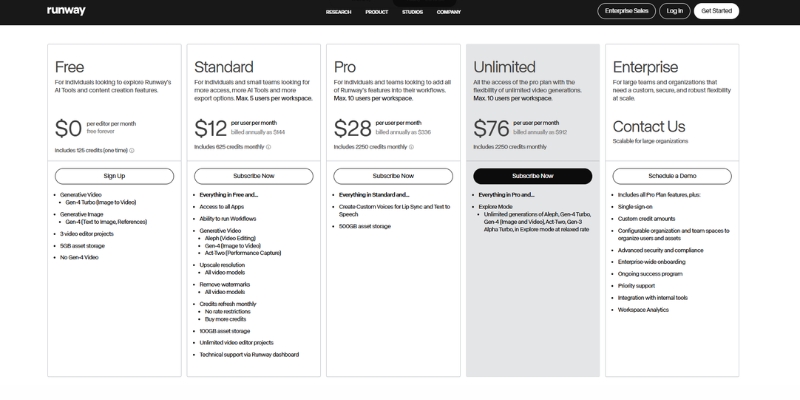
Runway ML pricing plans overview showing Free, Standard, Pro, and Unlimited tiers.
A snapshot of Runway ML’s current pricing structure for November 2025.

The Runway Credit System Explained: How Much Does Video Actually Cost?

The most confusing part of the Runway ML cost is the credit currency. You do not buy “minutes of video”; you buy “Credits.” Understanding the exchange rate between credits and video seconds is crucial for accurate budgeting.

We have calculated the exact burn rate for the current generation models. Keep in mind that higher quality models like Gen-3 Alpha and Gen-4 consume credits significantly faster than legacy models.

Credit Consumption by Model:
Gen-3 Alpha (High Quality): Approximately 10 credits per second of video generation.
Gen-3 Turbo (Fast Mode): Approximately 5 credits per second—ideal for rapid iteration.
Gen-4 (Character Consistency): Varies by complexity, typically 10-15 credits per second due to advanced processing.

Let’s do a Reality Check on the Standard Plan. You get 625 credits per month. If you exclusively use Gen-3 Alpha, that equals approximately 62 seconds of high-quality footage per month—just over one minute.

This math reveals why professional creators often skip the Standard plan. Sixty seconds of footage is barely enough for a single social media teaser, let alone iterating on a full project with multiple takes.

However, if you strategically use Gen-3 Turbo for testing and iteration, your 625 credits will generate approximately 125 seconds (over 2 minutes) of video. Managing your credit allocation wisely across different models is the key to staying within budget.

Breakdown of Runway ML Pricing Plans (Free vs. Standard vs. Pro vs. Unlimited)

Choosing the right plan depends entirely on your production volume and feature needs. Below is a detailed breakdown of the Runway ML plans, focusing on the hidden limits and perks of each tier.

Free Plan ($0/forever):
This is strictly for testing and learning the interface. You get 125 one-time credits that never renew. You are locked to 720p resolution and cannot access upscaling. Crucially, all videos include a permanent watermark. Use this to verify your workflow before committing financially.

Standard Plan ($12/month):
The entry-level paid tier. It removes the watermark and unlocks 1080p generation and upscaling capabilities. You get 625 credits monthly. This is best for hobbyists creating occasional content who need clean, watermark-free outputs but don’t require high volume.

Pro Plan ($28/month):
This is where professional features unlock. You get 2,250 credits/month—approximately 3.5 minutes of Gen-3 Alpha footage or 7.5 minutes using Gen-3 Turbo. It includes increased cloud storage (500GB) and access to all generation models including Gen-4 for character consistency work.

Unlimited Plan ($76/month):
The “Holy Grail” for high-volume creators and agencies. You get the same 2,250 “Fast Credits” as Pro, but you also gain Unlimited Relaxed Generations. “Relaxed Mode” allows infinite video generation at slower processing speeds without consuming credits—essential for drafting, experimentation, and overnight batch rendering.

Feature Standard Pro Unlimited
Monthly Price $12 $28 $76
Monthly Credits 625 2,250 2,250 + Unlimited Relaxed
Watermark None None None
Gen-4 Access Limited ✅ Full ✅ Full
Action Choose Standard Choose Pro Go Unlimited

Which Runway ML Plan Should You Choose? (Real-World Scenarios)

We have tested these plans across various production workflows. Here is our consultative advice on which tier fits your specific use case, helping you avoid overspending on features you won’t fully utilize.

For the Hobbyist & Explorer:
Stick to the Standard Plan. If you are creating occasional content for TikTok or learning prompt engineering, 625 credits suffices. The key benefit is removing the watermark so your content maintains a professional appearance.

For the Freelancer & Content Creator:
We strongly recommend the Pro Plan. You need the higher credit volume for trial-and-error iteration. More importantly, full access to Gen-4 enables character consistency across scenes, which is essential for branded content and serialized storytelling.

For the Agency & Production Studio:
The Unlimited Plan is mandatory. In a studio environment, you will exhaust 2,250 credits within days during active projects. The “Relaxed Mode” allows overnight batch processing of hundreds of experimental renders without credit costs, dramatically improving workflow efficiency.

Strategic Budgeting Advice:
If you are on the Pro plan and consistently run out of credits, purchasing “Top-up credits” becomes expensive. It is often more cost-effective to upgrade to Unlimited for intensive project months and then downgrade during quieter periods.

Runway ML vs. Competitors: Pricing Comparison (Pika & Luma)

When comparing Runway ML vs Pika or Luma Dream Machine, you must look beyond simple price tags. You are comparing a comprehensive production suite against specialized generation tools.

Runway vs. Pika Labs:
Pika’s Pro plan at $35/month offers 2,300 credits—similar to Runway’s Pro plan credit count. However, Pika lacks Runway’s integrated timeline editor, advanced camera controls, and Gen-4 character consistency. You pay more for Runway to access a complete production ecosystem.

Runway vs. Luma Dream Machine:
Luma’s Plus plan at $29.99/month provides 10,000 credits—significantly more than Runway. However, Luma’s credit consumption per generation is also higher, and it lacks Runway’s professional editing tools. For pure generation volume, Luma wins; for production control, Runway justifies its premium.

The Value Proposition:
If you just need quick, random video generations, Luma or Pika offer better credit-per-dollar ratios. If you need to *direct* shots—controlling camera pan, zoom, character consistency, and timeline compositing—Runway’s feature suite justifies its higher cost per credit.

How to Manage Your Subscription and Save Money

Smart users develop “credit hygiene” habits that can save hundreds of dollars annually. We have developed several strategies through extensive testing.

Strategy 1: Test with Lower-Cost Models:
Never start with Gen-3 Alpha or Gen-4 for initial prompt testing. Use Gen-3 Turbo (half the credit cost) to test composition and motion. Once the prompt works, upgrade to the premium model for the final render.

Strategy 2: Maximize Relaxed Mode:
If you are on the Unlimited plan, reserve “Fast Credits” exclusively for time-sensitive client deliverables. Use Relaxed Mode for all experimentation, iteration, and overnight batch rendering—it costs zero credits.

Strategy 3: The Annual Billing Discount:
Runway offers approximately 20% savings on annual billing. If you know you will use the tool for at least 8 months, the Annual Billing option pays for itself and provides budget predictability.

Cancellation Policy:
Monthly plan credits typically do not roll over upon cancellation. Always exhaust your remaining credit balance before canceling to avoid wasting purchased credits. Top-up credits may have different expiration terms.

Frequently Asked Questions About Runway ML Costs

Do unused credits roll over to the next month?
Monthly subscription credits generally do not roll over. However, separately purchased “Top-up” credits typically have longer validity periods. Always check your account dashboard for specific credit expiration dates.

Can I upgrade my plan mid-month?
Yes. If you start on Standard and realize you need more capacity, you can perform an immediate plan upgrade. Runway typically prorates the cost difference or starts a new billing cycle depending on timing.

Is there a student or educational discount?
Runway has offered educational pricing programs in the past. We recommend contacting their support team directly with your .edu email address to inquire about current student discount availability before subscribing.

Does the Free plan reset every month?
No. This is a common misconception. The Free plan provides a one-time allocation of 125 credits that never renew. Once exhausted, you must subscribe to a paid plan to continue generating videos.

Read More From AI Generative Video

Expand your knowledge on AI video tools with our detailed comparisons and tutorials. These guides help you maximize the potential of your creative software stack.

last update : 30/11/2025

A photo of Jun Pham, AI Tools Strategist at Aibrainjet

About the Author

Jun Pham

Jun Pham is an AI tools strategist, a video creator and tech writer passionate about the future of AI in editing video. As the face of a dedicated team of creators and researchers, Jamie leads hands-on testing of the latest AI video tools. Together, they share honest reviews, workflow insights, and practical tips to help creators turn ideas into cinematic videos with minimal effort.

Latest Posts

Onepage Website Builder Review: Features, Pros, Cons, and Use Cases

Onepage Website Builder Review: Features, Pros, Cons, and Use Cases
Jun Pham

SendShort AI Review (2025): The Best AI Clipper for Agencies?

Our SendShort AI review tests its white-label features for agencies. Discover how it automates viral shorts, enhances client perception. Try now!
Jun Pham

Zebracat Review (2025): Is This Hybrid AI Ad Generator Worth It?

Our Zebracat review (2025) assesses this hybrid AI video tool for marketers. Is it worth it for generating ads & repurposing content fast? See it now!
Jun Pham

Vizard Review (2025): Is This Hybrid AI Clipper & Editor Better Than OpusClip?

Our expert vizard review reveals if this AI video clipper & editor beats OpusClip for control. Get superior editing & branding for viral shorts. Try now!
Jun Pham

Klap Review (2025): The Best 4K AI Clipper for High-Quality Shorts?

Klap Review (2025): The Best AI Clipper for High-Quality Shorts? Klap Review (2025): The Best 4K AI Clipper for High-Quality Shorts? I have spent ...
Jun Pham

Submagic Review (2025): Is It The Best AI Tool For Hormozi Captions?

This Submagic review (2025) reveals if it's the ultimate AI tool for "Hormozi-style" viral video captions & B-roll. We battle-tested its features, speed, and ROI!
Jun Pham

Pika vs DomoAI (2025): Which AI Video Generator Wins?

Pika vs DomoAI Comparison (2025): Best for Realism or Anime?

Pika vs DomoAI Comparison (2025): Best for Realism or Anime?

Choosing between Pika vs DomoAI is the most critical decision a modern creator faces when diving into the world of AI Video Generators.

While both tools are powerful, they serve two completely different artistic purposes.

We understand the pressure of needing high-performance content without wasting budget on the wrong subscription.

In this generative video comparison, we break down exactly how these tools differ in real-world workflows.

Whether you need cinematic realism or stylized anime aesthetics, this guide will determine which AI video tool fits your creative goals.

Table of Contents

Pika vs DomoAI: The Quick Verdict for Creators

If you are in a rush to decide, here is the battle-tested truth.

There is no single winner, only the right tool for the specific job you have in mind.

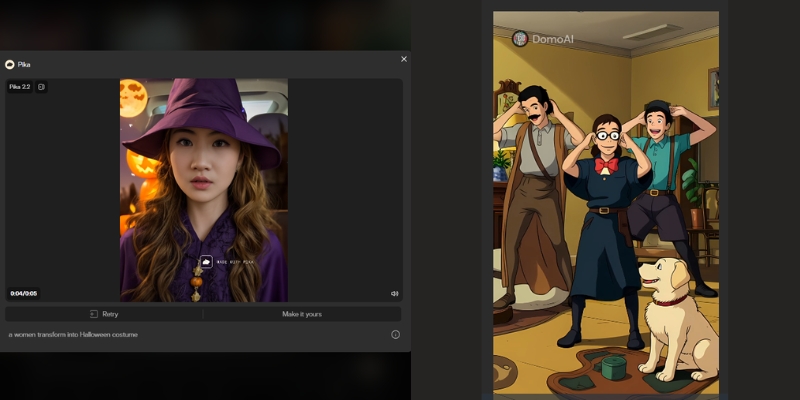
Pika (The Realism Specialist): We define Pika as the clear winner for “Text-to-Video” realism.

If you need cinematic shots, realistic physics (like hair blowing in the wind), or advanced camera controls, Pika is your choice.

DomoAI (The Stylization Powerhouse): DomoAI is the undisputed king of “Video-to-Video” transformations.

If your goal is to turn real footage into consistent Anime, cartoons, or specific artistic styles, this is the tool you need.

DomoAI also excels at anime-style lip sync with its Talking Avatar feature.

To help you visualize the differences quickly, we have compiled this comparative summary based on our extensive testing of both platforms.

Attribute Pika 2.2/2.5 DomoAI
Best For Realistic & Cinematic Video Anime & Stylized Art
Core Strength Text-to-Video Generation Video-to-Video Transformation
Platform Web Dashboard + Discord Web + Discord
Key Feature Scene Ingredients & Pikaframes Talking Avatar & Anime Lip Sync
Video Length Up to 10s (25s with Pikaframes) 5s-60s (Pro: 20s/30s/60s)

Try Pika for Realism Try DomoAI for Anime

(Disclosure: If you purchase through links on this page, we may earn a small commission at no extra cost to you. This helps us maintain our “battle-tested” reviews.)

Visual Style Comparison: Realistic Generation vs. Anime Aesthetics

The biggest difference between these two lies in the output quality.

We analyzed hundreds of generations to see how they handle visual fidelity.

Realistic Quality (Pika):
Pika excels at understanding lighting, texture, and real-world physics.

In our tests, Pika 2.2 consistently produced clips that looked like cinematic b-roll or high-quality stock footage.

The Scene Ingredients feature allows you to upload custom characters and objects for seamless integration.

Pika realistic video vs DomoAI anime style comparison
Pika focuses on photorealism, while DomoAI dominates the stylized art niche.

Anime & Art Styles (DomoAI):
DomoAI dominates when you need “Flat” or “2D” rendering.

It provides superior consistency when converting real footage into Anime or Illustration styles.

With **70+ style presets**, DomoAI avoids the dreaded “uncanny valley” effect that plagues other tools.

Motion Consistency:
Pika focuses on fluid, realistic motion within a scene.

DomoAI, however, focuses on maintaining style consistency across frames.

This ensures your anime character doesn’t flicker or change appearance wildly.

Feature Face-Off: Text-to-Video vs. Image-to-Video Capabilities

Beyond style, the technical capabilities define your workflow.

Here is how the features stack up in a direct head-to-head comparison.

Text-to-Video (Pika’s Strength):
Pika demonstrates superior prompt adherence.

It builds complex scenes from scratch using just text commands.

Pika understands camera movements like “zoom in” or “pan right” much better than its competitor.

Image-to-Video & Video-to-Video (DomoAI’s Strength):
This is DomoAI’s killer feature.

You can upload a video of yourself dancing, and it transforms you into an anime character.

The movement stays 100% perfect while the style changes completely.

Talking Avatar & Lip Sync (Both Tools):
Both platforms now offer lip sync capabilities, but with different strengths.

Pika excels at realistic talking heads for marketing videos and virtual presenters.

DomoAI specializes in **anime and stylized character lip sync**, supporting 5+ languages with text-to-speech.

DomoAI’s Talking Avatar is particularly strong for non-human and cartoon characters.

Control Tools:
Pika gives you specific camera controls and region modification through Scene Ingredients.

DomoAI provides “style strength” sliders and motion reference uploads.

These allow you to dictate how much the AI should deviate from your original reference.

Platform & Workflow: Web Dashboard vs. Discord Commands

Usability is often the deciding factor for new users.

We evaluated the onboarding process and daily workflow for both tools.

Pika (Web & Discord):
Pika offers a dedicated web interface (Pika Art), which is a game-changer.

It makes the tool accessible for users who dislike Discord commands.

The UI is clean and intuitive, similar to traditional software.

DomoAI (Web + Discord):
DomoAI now operates on both web (DomoAI.app) and Discord.

The web interface provides a streamlined experience with visual controls.

Discord commands (like `/generate`) remain available for power users who prefer the community ecosystem.

User Experience Verdict:
We recommend Pika for professionals wanting cinematic realism.

We recommend DomoAI for anime creators, music video producers, and those seeking unique artistic styles.

Pricing Models & Credit System: Which Offers Better Value?

Both tools use a credit-based system, but the value proposition differs depending on your output needs.

Here is our ROI analysis.

Free Plans:
Both Pika and DomoAI offer generous free trials, but outputs come with watermarks.

Pika refreshes 150 credits monthly.

DomoAI gives you 50 welcome credits to test their anime generator capabilities.

Plan Tier Pika Pricing DomoAI Pricing
Free 150 credits/month
Watermarked
50 welcome credits
Watermarked
Basic/Standard $10/mo (700 credits)
No commercial use
$7.99/mo (500 credits)
~100 videos, no watermark
Pro/Standard $35/mo (2,300 credits)
Commercial rights
$15.99/mo (1,500 credits)
~300 videos, Unlimited Relax
Premium/Pro $95/mo (6,000 credits, Fancy)
Fastest generations
$39.99/mo (4,000 credits)
~800 videos, 20s/30s/60s
Link Check Pika Prices Check DomoAI Prices

Subscription Value:
For high-volume users, Pika’s higher-tier plans offer excellent value for realistic footage.

DomoAI is significantly cheaper for anime creators who need hundreds of stylized clips per month.

DomoAI’s “Relax Mode” (unlimited generations with slower processing) is a standout feature at the Standard tier.

Commercial Rights:
Both platforms grant you full ownership of your generated videos once you subscribe to any paid plan.

This is essential for Freelancers selling services on Upwork or Fiverr.

ROI Assessment:
If you sell realistic stock footage or create ads, Pika pays for itself faster.

If you run a faceless YouTube channel focused on anime trends or music videos, DomoAI offers a better cost-per-video ratio.

When to Choose Which? Recommendations for Marketers & Artists

To help you make the final call, we have categorized the ideal user scenarios for each tool.

These recommendations are based on our Pika review experience.

Choose Pika If:
You are a filmmaker needing realistic b-roll.

You require photorealistic characters for marketing campaigns.

You prefer a clean web interface over Discord commands.

Choose DomoAI If:
You are an anime artist or music video creator.

You want to participate in viral “AI dance” trends (Video-to-Video transformations).

You need anime-style lip sync for character animations and talking avatars.

You want to convert static images into highly stylized artistic renders with 70+ style presets.

The “Hybrid” Approach:
Many professional creators we know use both tools strategically.

They generate a realistic base video in Pika.

Then they run it through DomoAI to apply a unique artistic filter or anime transformation.

Frequently Asked Questions About Pika vs DomoAI

Can I use Pika and DomoAI for free?
Yes, both offer free tiers.

However, videos will have watermarks, and generation speed is slower.

You need a paid plan for commercial use and watermark removal.

Which is better for creating AI anime?
DomoAI is significantly better for anime.

It is trained specifically on stylized datasets with 70+ anime and art style presets.

Pika tends to revert to realistic 3D looks even when prompted for anime.

Does DomoAI support lip sync?
Yes! DomoAI has a powerful Talking Avatar feature with lip sync.

It supports 5+ languages, text-to-speech, and is specially optimized for anime and stylized characters.

Most videos are generated in under 5 minutes.

Does Pika support Video-to-Video?
Yes, Pika supports Video-to-Video, but it changes the structure of the video more.

DomoAI is better at keeping the original motion while only changing the visual style.

Can I remove the watermark?
You must subscribe to the “Basic” or “Standard” plan or higher on either platform.

This removes the branding watermarks from your exported videos.

Are these tools safe for commercial use?
Yes, once you are on a paid subscription, you own the commercial rights to the videos you generate.

This makes them safe for client work and YouTube monetization.

How long can DomoAI videos be?
DomoAI supports 5-10 second videos on Basic/Standard plans.

The Pro plan unlocks 20-60 second generations, including 60-second Talking Avatar videos.

Read More From AI Generative Video

Expand your knowledge with our other in-depth guides on stylized video generation and tool reviews.

Last updated: November 30, 2025

A photo of Jun Pham, AI Tools Strategist at Aibrainjet

About the Author

Jun Pham

Jun Pham is an AI tools strategist, a video creator and tech writer passionate about the future of AI in editing video. As the face of a dedicated team of creators and researchers, Jamie leads hands-on testing of the latest AI video tools. Together, they share honest reviews, workflow insights, and practical tips to help creators turn ideas into cinematic videos with minimal effort.

Latest Posts

Onepage Website Builder Review: Features, Pros, Cons, and Use Cases

Onepage Website Builder Review: Features, Pros, Cons, and Use Cases
Jun Pham

SendShort AI Review (2025): The Best AI Clipper for Agencies?

Our SendShort AI review tests its white-label features for agencies. Discover how it automates viral shorts, enhances client perception. Try now!
Jun Pham

Zebracat Review (2025): Is This Hybrid AI Ad Generator Worth It?

Our Zebracat review (2025) assesses this hybrid AI video tool for marketers. Is it worth it for generating ads & repurposing content fast? See it now!
Jun Pham

Vizard Review (2025): Is This Hybrid AI Clipper & Editor Better Than OpusClip?

Our expert vizard review reveals if this AI video clipper & editor beats OpusClip for control. Get superior editing & branding for viral shorts. Try now!
Jun Pham

Klap Review (2025): The Best 4K AI Clipper for High-Quality Shorts?

Klap Review (2025): The Best AI Clipper for High-Quality Shorts? Klap Review (2025): The Best 4K AI Clipper for High-Quality Shorts? I have spent ...
Jun Pham

Submagic Review (2025): Is It The Best AI Tool For Hormozi Captions?

This Submagic review (2025) reveals if it's the ultimate AI tool for "Hormozi-style" viral video captions & B-roll. We battle-tested its features, speed, and ROI!
Jun Pham

VideoGen Review (2025): Is This AI Ad Generator Worth It for E-commerce?

VideoGen Review (2025) : Is This AI Ad Generator Worth It for E-commerce?

VideoGen Review (2025): Is This AI Ad Generator Worth It for E-commerce?

If you’re looking for a videogen review that cuts through the noise, you’re in the right place. As a marketer testing dozens of Text-to Video tools, I know that speed and ROI are all that matter. VideoGen 3.0 with its revolutionary 3-stage workflow, AI Avatars, Google Veo 3 integration, and 12 million+ stock assets promises to eliminate the bottleneck of daily video ad production. In this article, I will dissect VideoGen’s features, test its speed, and compare it against competitors to help you decide if this is the right tool for your business.

Table of Contents

What Is VideoGen 3.0? The Revolutionary 3-Stage Workflow

VideoGen is not a generic video editor. It is a specialized AI Ad Generator that automates finding footage, syncing audio, and adding subtitles through a redesigned 3-stage workflow: Overview (project planning), Outline (structured sections), and Editor (visual fine-tuning with interactive canvas).

Unlike tools like Sora that generate pixels from scratch, VideoGen 3.0 compiles and intelligently organizes 12 million+ copyright-free assets from Pexels, Wikimedia Commons, and iStock. It acts as an intelligent production assistant particularly powerful for E-commerce where speed and visual variety are critical for testing ad variations.

The platform allows you to upload your own media (product shots, brand assets) in Overview, then generates an AI-structured outline breaking your video into sections with specific narration modes (AI voice, avatar, or script-only), and finally provides a full-featured editor with multi-layer timeline control for precision adjustments.

VideoGen 3.0 dashboard interface showing the 3-stage workflow
VideoGen 3.0’s redesigned interface for structured video creation.

Game-Changing Features: AI Avatars, Veo 3, and Web Access

I tested these Summer 2025 updates for e-commerce use cases—creating Facebook ads for fitness products. Here is how the revolutionary new features performed with measurable time savings.

AI Avatars (100+ Realistic Presenters):
The platform now offers 100+ lifelike AI avatar presenters (Business plan) that sync lip movements perfectly with any voiceover script. This eliminates the need for filming talent or expensive UGC creators, allowing you to add a human face to product demos without stepping in front of a camera.

Google Veo 3 Generative Video:
VideoGen exclusively integrates Google’s most advanced video model, Veo 3, for generating fully synthesized 8-second clips from text prompts. At just $74/month for Business plan access (versus Google’s $250/month Ultra plan), this delivers 3X value for money, enabling unique visual hooks that stock footage cannot provide.

Automatic Web Access (Real-Time Data):
The AI script writer now has live web access, meaning your videos reflect the latest news, trends, and research in real-time. Simply prompt “Create a video about today’s stock market performance” and get an up-to-date researched video instantly.

Interactive Canvas & Enhanced Timeline:
The new interactive canvas allows direct manipulation of elements with real-time visual feedback. Drag, resize, and position text overlays directly on screen while the multi-layer timeline gives precise control over assets, voice/avatar tracks, and title screens with zoom animations.

12M+ Stock Assets & Collaboration:
The expanded library includes 12 million+ assets from Pexels and Wikimedia Commons with an intelligent AI music agent that analyzes your video outline and selects the perfect background track. Teams collaboration with project sharing is now seamless across all tiers.

VideoGen 3.0 Pricing: Updated Plans & ROI Analysis

VideoGen operates on a credit-based model with significantly updated tiers as of November 2025, offering exceptional value compared to hiring editors or purchasing separate stock subscriptions.

Plan Price Videos/Month Key Features
Free $0 3 videos Watermarked, testing only
Pro $19/month 25 videos 150+ voices, 50GB storage, no watermark
Business $74/month Higher limits AI Avatars, Veo 3, Teams, 200GB storage

Start Free Trial (3 Videos)

(Disclosure: If you purchase through links on this page, we may earn a small commission at no extra cost to you.)

Pro Plan ($19/month – RECOMMENDED):
Offers 25 videos monthly, 150+ AI voices, 50GB storage, no watermarks, and API access. At $0.76 per video, this costs less than 2% of what a freelance editor charges ($50+ per video), making it ideal for creators and small businesses.

Business Plan ($74/month – BEST FOR AGENCIES):
Unlocks 100+ AI Avatars with lip-sync, Google Veo 3 generative clips, Teams collaboration, 300+ voice minutes, and 200GB storage. The Veo 3 access alone justifies the cost at 3X less than Google’s direct pricing.

ROI Calculation:
If you create just two ads monthly that each generate $500 in revenue with 3X ROAS ($1,500 return), the $19 monthly investment delivers 79X ROI ($1,500 / $19), making it one of the highest-leverage tools in your marketing stack.

VideoGen vs. Competitors: How It Stacks Up

VideoGen vs. Creatify AI:
Creatify AI excels at grabbing images from Product URLs and creating UGC-style ads. VideoGen wins on stock footage quality (12M+ assets vs 10K+ B-roll), AI avatar realism (100+ presenters), and Veo 3 generative capabilities.

VideoGen vs. InVideo:
InVideo offers 5000+ templates with more manual control. VideoGen 3.0 is more automated with AI-driven asset selection. Choose VideoGen for speed and AI automation; choose InVideo for template customization and longer content.

Pros and Cons: The Unfiltered Truth

✅ Pros

  • Revolutionary Workflow: 3-stage process for structured creation.
  • AI Avatars: 100+ realistic presenters with perfect lip-sync.
  • Veo 3 Integration: Google’s generative video at 3X better value.
  • 12M+ Stock Library: Massive expansion with diverse assets.
  • Interactive Canvas: Direct manipulation with real-time feedback.
  • Web Access: AI pulls current data for timely content.

❌ Cons

  • Learning Curve: 3-stage workflow requires initial orientation.
  • Free Plan Limited: Only 3 videos, strictly for testing.
  • Veo 3 Generation Time: Up to 5 minutes per 8-second clip.
  • Mobile Limitations: Full power requires desktop.
  • Niche Focus: Optimized for ads, not vlogs or documentaries.

Final Verdict: Should You Buy VideoGen 3.0?

Expert Verdict: VideoGen 3.0 is a must-have for dropshippers, e-commerce brands, and agencies needing high-volume ad production. The 3-stage workflow, AI Avatars, and Veo 3 integration represent the biggest leap in AI video automation this year.

Who Should Buy: E-commerce marketers running daily Facebook/TikTok ads, YouTube automation creators, agencies managing multiple campaigns, and solopreneurs testing product-market fit with rapid creative variations.

ROI Reality: At $19/month for 25 videos ($0.76 each) versus $50-$100 from freelancers, the tool pays for itself immediately. Time savings (10 minutes vs 2-4 hours) deliver 12-24X productivity improvement.

Who Should Avoid: Filmmakers needing Hollywood VFX, creators wanting frame-by-frame control like Premiere Pro, or brands requiring exclusively custom-shot footage without stock assets.

Final Rating: 4.7/5 for E-commerce Utility.

Start Your Free VideoGen 3.0 Trial Now

No credit card required • 3 free videos

Frequently Asked Questions About VideoGen

Is VideoGen free to use?
Yes, it has a free plan with 3 video generations monthly, but exports are watermarked. You need Pro ($19/month) to remove watermarks for commercial use.

What is VideoGen 3.0?
VideoGen 3.0 is the major redesign introducing a 3-stage creation flow (Overview, Outline, Editor), interactive canvas, enhanced timeline, unified rendering, and expansion to 12M+ stock assets.

Can I use AI Avatars on the Pro plan?
No, AI Avatars (100+ presenters) are exclusive to Business ($74/month) and Enterprise plans. Pro users get 150+ AI voices but not avatar presenters.

Does VideoGen work for YouTube automation?
Absolutely. It is excellent for faceless YouTube channels relying on stock footage, AI voiceovers, and structured scripts. The web access feature keeps content timely with current events.

Is the content copyright-free?
Yes, Pro and Business plans include commercial rights to stock footage, AI voices, and music, making it safe for Facebook, TikTok, and YouTube ads.

Read More From Text-to Video

Explore more tools to automate your video production workflow and scale your marketing efforts.

last update : 30/11/2025

A photo of Jun Pham, AI Tools Strategist at Aibrainjet

About the Author

Jun Pham

Jun Pham is an AI tools strategist, a video creator and tech writer passionate about the future of AI in editing video. As the face of a dedicated team of creators and researchers, Jamie leads hands-on testing of the latest AI video tools. Together, they share honest reviews, workflow insights, and practical tips to help creators turn ideas into cinematic videos with minimal effort.

Latest Posts

Onepage Website Builder Review: Features, Pros, Cons, and Use Cases

Onepage Website Builder Review: Features, Pros, Cons, and Use Cases
Jun Pham

SendShort AI Review (2025): The Best AI Clipper for Agencies?

Our SendShort AI review tests its white-label features for agencies. Discover how it automates viral shorts, enhances client perception. Try now!
Jun Pham

Zebracat Review (2025): Is This Hybrid AI Ad Generator Worth It?

Our Zebracat review (2025) assesses this hybrid AI video tool for marketers. Is it worth it for generating ads & repurposing content fast? See it now!
Jun Pham

Vizard Review (2025): Is This Hybrid AI Clipper & Editor Better Than OpusClip?

Our expert vizard review reveals if this AI video clipper & editor beats OpusClip for control. Get superior editing & branding for viral shorts. Try now!
Jun Pham

Klap Review (2025): The Best 4K AI Clipper for High-Quality Shorts?

Klap Review (2025): The Best AI Clipper for High-Quality Shorts? Klap Review (2025): The Best 4K AI Clipper for High-Quality Shorts? I have spent ...
Jun Pham

Submagic Review (2025): Is It The Best AI Tool For Hormozi Captions?

This Submagic review (2025) reveals if it's the ultimate AI tool for "Hormozi-style" viral video captions & B-roll. We battle-tested its features, speed, and ROI!
Jun Pham

Renderforest Review 2025: Is This The Ultimate All-in-One Branding Platform?

Renderforest Review 2025: Is This The Ultimate All-in-One Branding Platform?

Renderforest Review 2025: Is This The Ultimate All-in-One Branding Platform?

If you are a freelancer or business owner looking for a Renderforest review that cuts through the noise, you are in the right place. In the crowded market of Text-to Video tools, Renderforest positions itself not merely as a video maker, but as a complete All-in-One Branding Platform with a revolutionary new AI Video Generator launched just days ago (November 25, 2025). In this battle-tested analysis, I will dissect whether Renderforest’s “all-in-one” promise holds up in 2025, testing its new AI capabilities, video templates, and calculating the real ROI for your business.

Table of Contents

What Is Renderforest? (The All-in-One Ecosystem)

Renderforest is a Cloud-based design suite that unifies multiple creative tools into a single dashboard. Unlike standalone video editors, it integrates a Video Maker, Logo Maker, Website Builder, and Mockup Generator with access to industry-leading AI models including OpenAI Sora, MiniMax Hailuo, Pixverse, and ByteDance Seed.

For freelancers and agencies, this ecosystem is a massive time-saver. Instead of paying for four separate subscriptions, you get a centralized Branding Suite that ensures your visual identity remains consistent across all media formats while leveraging the latest generative AI technology.

Renderforest dashboard interface showing all-in-one branding tools with AI video generator
The Renderforest dashboard acts as a central hub for all your branding needs powered by multiple AI models.

NEW AI Video Generator: Revolutionary 4-Way Creation System

On November 25, 2025, Renderforest launched a completely redesigned AI Video Generator that fundamentally changes how creators approach video production. After extensive testing, I found this update to be the most significant evolution in template-based video creation this year.

The 4 Creation Flows:
Unlike competitors that force you into a single workflow, Renderforest now offers four distinct creation paths optimized for different content types and quality requirements.

1. Cartoonish with Templates:
This flow provides professional 2D and 3D animated templates supporting up to 4K quality. It’s perfect for explainers, educational content, and fun brand stories where you need broadcast-quality motion graphics without After Effects expertise. The templates are scene-based for rapid assembly.

2. Realistic with Stock Clips:
Ideal for corporate or lifestyle videos, this flow automatically finds and matches stock footage from Renderforest’s 5 million+ asset library to your script. The AI’s keyword matching is accurate, resulting in polished, professional-looking videos suitable for business presentations and marketing campaigns.

3. AI-Generated Images:
This flow generates original image packs in any visual style you choose (60+ styles available including cinematic, anime, claymation, 3D, retro, sci-fi) and builds videos from them. Perfect when you want customized design without shooting or sourcing visuals yourself, eliminating stock footage repetition.

4. From Scratch with Generative AI:
The most advanced option creates every element from the ground up using high-end models like Pixverse (cinematic quality with rich lighting), Hailuo (highly realistic rendering with strong prompt fidelity), and Seedance (diverse artistic styles for complex multi-shot narratives). This delivers truly unique content impossible to achieve with stock libraries.

Smart Edit & Scene Regeneration:
Once generated, you can fine-tune specific scenes without regenerating the entire project. If a scene is too dark or the background doesn’t match your theme, simply describe the change you want and the AI adjusts only that element while keeping everything else consistent, saving both time and credits.

Image-to-Video Animation:
Upload any still photo, describe the movement or mood, and the AI turns it into animated clips lasting 4-12 seconds. Using the Sora 2 model, you can even make images talk with natural lip-syncing, perfect for adding motion to static product shots or creating talking characters from simple photos.

Advanced Voiceovers: 50+ Languages with Emotion Control

The voiceover system received a major upgrade. You can now choose from male or female voices in different accents with emotional tones including calm, excited, or dramatic. This level of control ensures your narration matches your content’s mood perfectly.

Crucially, Renderforest offers multilingual voice artists who can record the same voice in several languages. This is perfect for global campaigns where you want your message to sound consistent across different regions, maintaining brand identity while reaching international audiences effectively.

You can also turn voiceover off entirely if you prefer music-only videos or plan to add your own narration later. The flexibility accommodates every workflow from silent motion graphics to fully narrated explainers.

Beyond Video: Testing The Unified Branding Tools

Most reviews ignore this, but the “All-in-One” claim is Renderforest’s killer feature that separates it from pure video tools. I spent time testing the non-video tools to see if they are actually usable or just marketing gimmicks.

The Logo Maker:
This is a surprisingly robust AI-powered tool that generates hundreds of options when you enter your brand name. While some look generic, the ability to export vector files (SVG) makes it a legitimate tool for Small Businesses that need professional branding without hiring designers.

Mockup Generator:
This is a hidden gem for dropshippers and product creators. You can instantly place your new logo onto t-shirts, mugs, or iPhone screens with photorealistic rendering that rivals standalone tools like Placeit, allowing you to visualize products before manufacturing.

Website Builder:
I built a landing page in about 15 minutes. It’s basic and block-based, perfect for a portfolio or event page. It won’t replace WordPress for complex sites, but for quick Website Creation tasks when you need a simple online presence immediately, it’s incredibly efficient.

The real magic lies in the synergy. Once I created a logo, Renderforest automatically suggested a Video Intro with that exact logo animated in 3D. This seamless integration allows a freelancer to deliver a full brand kit (logo + animated intro + landing page) in under 30 minutes.

Renderforest Pricing 2025: Which Plan Offers Best ROI?

Understanding Renderforest pricing is crucial because they offer both subscription and “pay-per-product” models. Prices were recently updated in November 2025, so here’s the current breakdown for regular users.

Plan Price Best For Key Feature Action
Free $0/month Testing 500MB storage, 360p with watermark Try Free
Lite $18/month New Creators 10GB + Unlimited HD720 videos Get Lite
Pro $35/month Freelancers 30GB + HD1080 + 5M+ stock assets Get Pro
Business $56/month Agencies 50GB + 4K video + Reseller license Get Business

(Disclosure: If you purchase through links on this page, we may earn a small commission at no extra cost to you. This helps us maintain our “battle-tested” reviews.)

Free Plan:
Good for testing workflows, but limited to 360p with watermarks. It’s strictly for validation; you cannot use these videos for professional client work due to low quality and branding. However, it gives full access to test all four creation flows.

Lite Plan ($18/month):
This is the entry point for creators, offering 10GB storage and unlimited HD720 videos. For 2025 standards, 720p is often considered bare minimum for social media, making this suitable only for content where resolution isn’t critical or for testing paid features.

Pro Plan ($35/month – RECOMMENDED):
This is the sweet spot. You unlock Unlimited HD1080 exports and access to 5 million stock assets. If you sell just one logo intro on Fiverr for $40, this subscription pays for itself immediately, making it ideal for freelancers monetizing their services.

Business Plan ($56/month):
Designed for agencies and heavy users. It adds 4K export, a reseller license allowing you to sell videos to clients legally, and team management for collaborative workflows. The reseller license alone justifies the cost if you run an agency or white-label video services.

Renderforest vs. Competitors: InVideo, Canva, Steve AI

To help you decide, I compared Renderforest directly against its biggest rivals using real-world testing scenarios.

Renderforest vs. InVideo:
InVideo is superior for long-form content and AI avatar-based videos with realistic human presenters. However, Renderforest wins decisively on 3D motion graphics, logo animations, and the new generative AI capabilities with access to multiple AI models. Choose InVideo for YouTube documentaries; choose Renderforest for branding intros and explainers.

Renderforest vs. Canva:
Canva offers more design freedom with its drag-and-drop canvas for graphics. But Renderforest’s motion graphics are “broadcast quality” with professional 3D rendering, whereas Canva’s animations can feel flat. Renderforest is better for heavy Video production; Canva is better for static social media graphics with simple animation.

Renderforest vs. Steve AI:
Steve AI focuses heavily on 2D cartoon generation from text for faceless content. If you need specific 3D Explainer styles or access to cutting-edge generative AI models like Sora and Hailuo, Renderforest is the stronger choice due to its vast library and multi-model approach.

Pros and Cons of Using Renderforest for Business

After using this tool extensively for client projects and testing the new AI features, here is my honest assessment stripped of marketing fluff.

✅ Pros

  • Revolutionary AI system: Access to Sora, Hailuo, Pixverse, Seedance in one platform.
  • 4 creation flows: Flexibility to choose templates, stock, AI images, or full generative AI.
  • All-in-One ecosystem: Solves logo, video, and web needs in one subscription.
  • Smart Edit: Regenerate specific scenes without redoing entire project, saving time and credits.
  • 60+ visual styles: From cinematic to anime, offering unmatched creative diversity.
  • 50+ languages: Multilingual voiceovers with emotion control for global reach.
  • High-end 3D templates: Industry-leading motion graphics quality up to 4K.

❌ Cons

  • Scene-based editing: No timeline control for fine-tuning frame-by-frame timing like Premiere Pro.
  • Credit system: Generative AI features require credits, which can run out quickly for heavy users.
  • Learning curve: Four creation flows can be overwhelming for beginners initially.
  • Pricing complexity: Mix of subscription vs. pay-per-product can confuse new users.

MY EXECUTIVE VERDICT: Renderforest is now the Best for creators needing cutting-edge AI video generation with template convenience. The new multi-model approach (Sora, Hailuo, Pixverse, Seedance) combined with Smart Edit and 4 creation flows makes it unbeatable for rapid, professional content creation.

Buy Recommendation: Ideal for freelancers, agencies, and small businesses needing a complete branding suite (logo + video + website) with access to the latest generative AI technology without paying for multiple subscriptions.

Skip Recommendation: If you need frame-by-frame timeline editing like Premiere Pro or exclusively want AI avatar-based videos with realistic human presenters, consider InVideo or Synthesia instead.

Try Renderforest’s New AI Generator Free

Frequently Asked Questions About Renderforest

Is Renderforest truly free?
Yes, but with limitations. You can create and edit indefinitely, but downloading requires a watermark and is limited to 360p quality. It’s a “freemium” model designed for testing all features including the new AI generator before committing to a paid plan.

Can I sell Renderforest videos to clients?
Absolutely, but you need at least a commercial license included with paid plans. The Business plan ($56/month) even offers a reseller license for agencies, allowing you to white-label and sell videos as your own services legally.

Which AI models does Renderforest support?
Renderforest integrates OpenAI Sora, MiniMax Hailuo, Pixverse, and ByteDance Seed. Each model has unique strengths: Sora for realism, Hailuo for prompt fidelity, Pixverse for cinematic quality, and Seedance for diverse artistic styles.

How long can AI-generated videos be?
A single generation can produce videos up to 3 minutes long. You can extend projects beyond this by generating additional scenes within the same timeline to create longer, seamless stories for comprehensive content.

Does Renderforest have a mobile app?
Yes, available for both iOS and Android. Currently, mobile supports templates and stock media creation. The desktop version offers full access to all four creation flows including generative AI features for the most comprehensive experience.

Read More From Text-to Video

Expand your knowledge with our curated list of battle-tested reviews and comparisons in the AI video space to find the perfect tool for your specific workflow.

last update : 30/11/2025

A photo of Jun Pham, AI Tools Strategist at Aibrainjet

About the Author

Jun Pham

Jun Pham is an AI tools strategist, a video creator and tech writer passionate about the future of AI in editing video. As the face of a dedicated team of creators and researchers, Jamie leads hands-on testing of the latest AI video tools. Together, they share honest reviews, workflow insights, and practical tips to help creators turn ideas into cinematic videos with minimal effort.

Latest Posts

Onepage Website Builder Review: Features, Pros, Cons, and Use Cases

Onepage Website Builder Review: Features, Pros, Cons, and Use Cases
Jun Pham

SendShort AI Review (2025): The Best AI Clipper for Agencies?

Our SendShort AI review tests its white-label features for agencies. Discover how it automates viral shorts, enhances client perception. Try now!
Jun Pham

Zebracat Review (2025): Is This Hybrid AI Ad Generator Worth It?

Our Zebracat review (2025) assesses this hybrid AI video tool for marketers. Is it worth it for generating ads & repurposing content fast? See it now!
Jun Pham

Vizard Review (2025): Is This Hybrid AI Clipper & Editor Better Than OpusClip?

Our expert vizard review reveals if this AI video clipper & editor beats OpusClip for control. Get superior editing & branding for viral shorts. Try now!
Jun Pham

Klap Review (2025): The Best 4K AI Clipper for High-Quality Shorts?

Klap Review (2025): The Best AI Clipper for High-Quality Shorts? Klap Review (2025): The Best 4K AI Clipper for High-Quality Shorts? I have spent ...
Jun Pham

Submagic Review (2025): Is It The Best AI Tool For Hormozi Captions?

This Submagic review (2025) reveals if it's the ultimate AI tool for "Hormozi-style" viral video captions & B-roll. We battle-tested its features, speed, and ROI!
Jun Pham

Steve AI Review: Is It The Best Text-to-Animation Tool in 2025?

Steve AI Review: Is It The Best Text-to-Animation Tool in 2025?

Steve AI Review: Is It The Best Text-to-Animation Tool in 2025?

In this in-depth Steve AI review, I will determine if this tool is the ultimate solution for your video creation needs. If you are a marketer or creator struggling to produce engaging content quickly, especially faceless videos, this article is for you. While many tools promise magic, Steve AI 3.0 positions itself uniquely as a specialist in Text-to-Animation with 100% AI-generated visuals. As an expert in the Text-to-Video category, I have battle-tested this platform to see if it lives up to the hype.

Table of Contents

What Is Steve AI 3.0 and How Does It Work?

Steve AI is an artificial intelligence platform designed to democratize video creation for the next generation of faceless content creators. Unlike many competitors that focus solely on stock footage, Steve AI 3.0 distinguishes itself by offering hybrid Generative AI that creates 100% AI-generated visuals without relying on stock libraries.

At its core, the tool utilizes a revolutionary “Unified Prompt Flow” mechanism. You simply input a text prompt, blog URL, audio file, or document, and the AI analyzes the context to automatically build a complete video with generated visuals, characters, and voiceovers in minutes.

This platform is specifically built for Faceless Content Creators, Marketers, Educators, and YouTube Automation. The latest version launched in April 2025 (with a major Product Hunt update in August 2025) focuses on enabling creators to scale their channels without ever appearing on camera.

Steve AI 3.0 dashboard interface showing unified prompt flow for video creation.
The new Unified Prompt Flow allows creators to go from idea to video with a single prompt.

The most significant upgrade is the shift from library-based assets to AI-generated content, powered by industry-first hybrid Generative AI technology. This positions Steve AI as a leader in the rapidly evolving AI Animation Generator market for 2025.

Core Features: 10x Quality with Hybrid Generative AI

To understand the real value in this Steve AI review, we must look at the revolutionary features introduced in version 3.0 that set it apart from competitors.

Unified Prompt Flow (Game-Changer):
The new Prompt Dashboard allows you to go straight from your idea to a fully rendered video with just a few clicks. Input your prompt with supporting URLs, voiceovers, or text documents, and the AI handles the rest—transforming your concept into a high-quality video instantly without navigating complex menus.

100% AI-Generated Visuals (No Stock Footage):
Steve AI 3.0 leverages hybrid Generative AI technology to create visuals entirely from scratch. No pre-recorded clips or overused stock footage. This means your content is unique, avoiding the “template look” that plagues competitors, making it far superior to traditional tools for creating original content.

10x Quality Improvement:
Enhanced algorithms deliver relevant visuals, smoother animations, and advanced processing that give your videos a professional look and feel. The platform provides crystal-clear, high-definition content with natural AI motion and no awkward transitions, eliminating the robotic feel of older AI video tools.

2X Faster AI Processing:
Say goodbye to long wait times. Steve AI 3.0 speeds up video creation, allowing you to generate high-quality content in half the time compared to version 2.0. Whether creating for YouTube, Instagram, or TikTok, you can create and share content faster than ever before.

AI Image Generation:
Instantly generate high-quality visuals with Steve AI’s new image generation model, perfect for creating faceless content that requires no personal presence. This feature integrates seamlessly with the animation workflow, ensuring visual consistency throughout your video.

One-Click YouTube Upload:
Download or directly publish to YouTube without hassle. The platform is optimized for social media with export-ready videos for Instagram, TikTok, and YouTube Shorts. Unlimited publishing helps you grow your reach without manual upload workflows.

160M+ Premium Media Assets:
Despite the focus on AI-generated content, you still have access to a vast library of 160 million+ stock footage, music, and graphics to enhance your videos when needed, providing endless possibilities for hybrid content creation.

Steve AI 3.0 Pricing & Plans: Is It Worth the Cost?

Understanding the Steve AI pricing structure is crucial for determining value. The platform operates on a freemium model with three main paid tiers designed for different content production volumes.

Plan Monthly Price Yearly Price Best For Action
Basic $20/month $15/month Hobbyists / Beginners Start Basic
Starter $60/month $45/month Creators / Small Biz Start Starter
Pro/Generative $80/month $60/month Agencies / Power Users Start Pro

(Disclosure: If you purchase through links on this page, we may earn a small commission at no extra cost to you. This helps us maintain our “battle-tested” reviews.)

Free Plan:
This is strictly for testing the workflow. It comes with watermarks, limited to 720p resolution, and very few generative credits. I recommend using this only to verify if the Unified Prompt Flow suits your creative style before investing.

Basic Plan ($20/month or $15/month yearly):
The entry-level paid tier offers 100 minutes of AI videos per month, 800 AI images and premium stock assets, 120 seconds of generative credits, and 720p downloads. It removes watermarks and includes unlimited video exports with 100+ animated characters, making it suitable for individuals creating a few videos monthly.

Starter Plan ($60/month or $45/month yearly):
This is the “sweet spot” for most creators. You unlock 300 minutes of AI videos, 2,400 AI images and premium stock assets, 1080p resolution, and 300+ animated characters. If you are a YouTuber or content marketer producing regular faceless content, this is the minimum plan I would recommend.

Pro/Generative Plan ($80/month or $60/month yearly):
Designed for heavy users and agencies, this tier offers 400 minutes of AI videos, 3,200 AI images, 5 minutes of generative credits, 2K resolution, 100% human-like voices, and priority support. The value proposition is undeniable if you are replacing a freelance animator or scaling multiple YouTube channels simultaneously.

Value Proposition:
Compared to hiring an animator for $500+ per minute of animation, spending $60-$80/month for unlimited potential with 10x quality improvements is a massive bargain. The ROI is particularly strong for faceless YouTube channels, where AI-driven videos increase watch time by an average of 30%, leading to higher ad revenue.

Performance Test: Quality of Animation & Speed

I tested Steve AI 3.0 extensively to see if the output truly delivers on the “10x quality” promise. The animation quality has dramatically improved from previous versions, now featuring smooth, natural motion and crystal-clear visuals that rival professional motion graphics.

For faceless content and educational videos, this is perfect. The AI-generated visuals avoid the “stock footage fatigue” that viewers experience with traditional video tools. The movement is fluid and contextually relevant, ensuring your audience stays engaged throughout the video duration.

Customization Level:
You have robust control over the output through the new workspace editor. You can make edits directly on the workspace, assign multiple voices to different characters, swap backgrounds, and adjust scene duration. The interface is intuitive, allowing beginners to make sophisticated edits without a steep learning curve.

Rendering Speed (2X Faster):
Speed is a major competitive advantage. A 1-minute video typically renders in under 60 seconds with the new processing engine, which is 2X faster than version 2.0. Compared to manual editing in After Effects, which could take days, Steve AI 3.0 offers an incredible ROI on time for high-volume creators.

Playback Optimization:
The platform now offers lag-free playback with no buffering or delays, ensuring smooth high-quality exports. Your creative momentum isn’t hindered by technical delays, allowing you to iterate rapidly on multiple video concepts before finalizing your content.

Who Should Use Steve AI 3.0? Ideal Use Cases

Based on my analysis, Steve AI 3.0 is a specialized solution for creators who prioritize speed, scalability, and faceless content creation over hands-on cinematic control.

Faceless Content Creators & YouTube Automation:
This is the primary use case. With 90% of content predicted to be AI-created by 2026, faceless influencers can leverage Steve AI to scale their channels without ever filming themselves. The platform makes it easier than ever to create high-quality faceless videos for niche how-to content, educational channels, and cash cow channels.

Marketers & Agencies:
It excels for promotional videos and social media ads where animation grabs attention better than generic stock footage. The ability to create unique, AI-generated visuals helps your ads stand out in crowded feeds, increasing engagement rates and reducing ad fatigue from overused templates.

Educators & Corporate Trainers (L&D):
Using animated characters and AI-generated visuals reduces cognitive load for learners. It transforms boring compliance documents into engaging visual stories, significantly improving information retention. The one-click export feature streamlines distribution to learning management systems.

Small Business Owners:
If you have a limited budget but need brand storytelling, Steve AI is ideal. It eliminates the need for expensive animation studios, allowing you to explain your product’s value proposition affordably while maintaining a professional appearance that builds trust with potential customers.

Steve AI vs. Competitors: How It Stacks Up

To give a fair review, we must compare Steve AI 3.0 against its main rivals in the AI video generation landscape.

Steve AI vs. Pictory:
This is the most critical comparison. Pictory is the winner for realistic live-action stock footage videos and blog-to-video content repurposing. However, Steve AI wins decisively for animation and AI-generated visuals. If you want 100% unique animated content without stock footage, choose Steve. For traditional blog-to-video with stock clips, choose Pictory.

Steve AI vs. Vyond:
Vyond is the industry standard for enterprise animation with granular control, but it is expensive and requires manual scene building. Steve AI 3.0 is the budget-friendly, AI-automated alternative. It automates what Vyond requires you to do manually, making it 10X faster but with less frame-by-frame control for advanced animators.

Steve AI vs. Renderforest:
Renderforest relies heavily on fixed templates with limited customization. Steve AI 3.0 offers AI-driven generative content creation, giving you significantly more flexibility in unique storytelling. Steve AI feels like a creator tool powered by intelligence, while Renderforest is a template library with basic customization.

For detailed comparisons, check our Steve AI vs Pictory guide.

Pros and Cons: A Balanced Perspective

After using Steve AI 3.0 for multiple projects, here is my honest summary of its strengths and weaknesses.

✅ Pros

  • Revolutionary AI Generation: 100% AI-created visuals eliminate stock footage repetition.
  • 10x Quality Upgrade: Crystal-clear visuals with smooth natural motion.
  • 2X Faster Processing: Industry-leading rendering speed for high-volume creators.
  • Unified Prompt Flow: Simplest workflow in the category for faceless content.
  • One-Click YouTube Upload: Streamlined publishing directly to social platforms.
  • Low Learning Curve: Extremely beginner-friendly with intuitive workspace editor.

❌ Cons

  • Limited Granular Control: Less frame-by-frame control compared to professional tools like Vyond or After Effects.
  • Generative Credits Limit: Pro plan offers only 5 minutes of generative credits monthly, which may not be enough for heavy users.
  • Free Plan Too Restrictive: The free tier has severe limitations making it only suitable for testing.
  • Mobile App Limitations: iOS app (v1.5) still lacks some desktop features, though continuously improving.

Final Verdict: Is Steve AI 3.0 the Best Choice for You?

The Bottom Line: Steve AI 3.0 is an exceptional tool specifically for faceless content creators and animation-focused marketers who value speed, unique AI-generated visuals, and scalability over granular manual control.

Buy Recommendation: I highly recommend this for YouTube Automation, Faceless Creators, Marketers, and Educators. If you need to create unique animated content at scale without ever appearing on camera, this tool is a game-changer with its 10x quality improvement and 2X faster processing.

Skip Recommendation: If you strictly want high-end, cinematic documentary-style videos with realistic human actors and stock footage, you are better off with Pictory or InVideo. Also skip if you need frame-by-frame animation control like professional animators use in Vyond or After Effects.

Try Steve AI 3.0 for Free

The best way to know if it fits your workflow is to test the revolutionary “Unified Prompt Flow” feature yourself. The free trial gives you enough access to experience the magic of instant AI-generated animation without stock footage limitations.

Frequently Asked Questions About Steve AI

Is Steve AI 3.0 truly free?
It has a free tier with limited features. You can create videos, but they will have watermarks and you cannot download them in high quality without upgrading. The generative credits are also very limited, so think of it as a trial to test the workflow.

Can I upload my own voiceover?
Yes, absolutely. You can upload your own audio files directly into the Unified Prompt Flow or workspace editor. The tool will sync the scene duration to match your voiceover length automatically, and you can assign different voices to multiple characters.

Does Steve AI have a mobile app?
Yes, Steve AI now has an iOS mobile app (version 1.5 as of October 2025). However, for the best experience and full control over the workspace editor and generative features, it is highly recommended to use the desktop web version.

Is the content copyright-free?
When you subscribe to paid plans, you own full commercial rights to the videos you create, including the AI-generated assets. You can monetize, share, and use them however you want once exported. Always check your specific plan’s terms for clarity.

How does Steve AI 3.0 differ from version 2.0?
Version 3.0 introduces hybrid Generative AI with 100% AI-created visuals, 10x quality improvement, 2X faster processing, Unified Prompt Flow, one-click YouTube upload, and optimized playback. It’s a complete reimagining focused on faceless content creators rather than just an incremental update.

Read More From Text-to Video

Explore more reviews and comparisons to find the perfect AI video tool for your specific needs.

last update : 30/11/2025