Fliki vs Pika: Which AI Video Tool Is Right For You? (2025 Comparison)

Fliki vs Pika: Which AI Video Tool Is Right For You? (2025 Comparison)

Fliki vs Pika: Which AI Video Tool Is Right For You? (2025 Comparison)

If you are struggling to decide between fliki vs pika, you are likely comparing two completely different types of tools. In the rapidly evolving landscape of AI Generative Video, these two platforms sit on opposite ends of the spectrum.

I have spent hundreds of hours testing both platforms for different marketing campaigns. While both use “AI” to create video, they solve fundamentally different problems for creators.

This comparison will break down the specific use cases, pricing models, and “battle-tested” workflows. I will help you decide if you need a blog-to-video repurposing engine or a creative generative art tool.

Table of Contents

Fliki vs Pika: The Core Difference (Stock Repurposing vs. Generative Video)

The most critical thing to understand is that Fliki and Pika are not direct competitors in function. They serve different stages of the content funnel. We often use them together, but rarely for the same task.

Fliki is an efficiency tool designed to scale content production. Pika is a creative tool designed to generate novel visuals that never existed before. Mixing them up will lead to frustration.

Here is the bottom line up front on how they differ fundamentally:

Fliki – The Content Repurposing Powerhouse:
Fliki is a “Blog-to-Video” tool. It takes your text script or URL and automatically matches it with stock media (images/videos) from libraries like Storyblocks. Its core strength is YouTube Automation and creating educational videos at scale.

Pika – The Creative Generative Engine:
Pika is a “Text-to-Video” generative model. It creates pixels from scratch based on your text prompts. It does not use stock footage. Its core strength is creating high-fidelity, cinematic, or surreal visuals for short creative clips.

In our workflow, if we need to turn a 2,000-word article into a 5-minute video, we use Fliki. If we need a specific 3-second clip of an “astronaut eating pizza on Mars,” we use Pika.
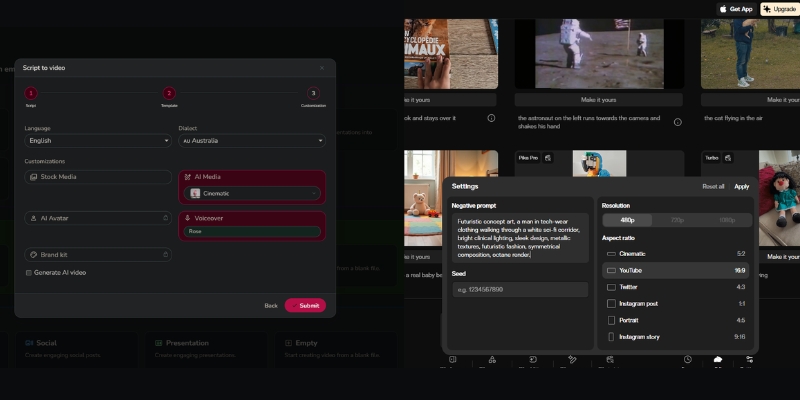
Fliki vs Pika core difference comparison chart.
Fliki relies on stock assets, while Pika generates new pixels from scratch.

Visual Output & Style: Stock Library vs. AI Hallucinations

The visual quality determines where you can use the final video. Your choice depends heavily on whether you need “brand safety” or “creative novelty.”

Fliki’s Visual Approach (Asset-Based):
Fliki produces “safe” and corporate-ready videos. Because it pulls from millions of licensed stock clips (Unsplash, Pixabay, Storyblocks), the visuals are realistic and high quality. You won’t see weird AI morphing or glitches.

We find Fliki ideal for B2B marketing. You can also upload your own assets. The visual consistency makes it perfect for long-form explainer videos where clarity is more important than artistic flair.

Pika’s Visual Approach (Diffusion-Based):
Pika 2.5 creates “experimental” and artistic visuals with enhanced realism. The November 2025 update delivers more realistic motion, sharper details, and smoother expressions. However, it can still suffer from occasional “hallucinations”—where faces might distort slightly.

During our testing with Pika 2.5, we created incredible cinematic shots with improved consistency. The latest model requires fewer re-rolls than previous versions. It is best for music videos, social media hooks, and stylized content.

Expert Verdict: Use Fliki if you need a reliable 10-minute video for YouTube today. Use Pika if you need a 5-10 second viral clip for TikTok that looks like a Pixar movie.

Audio Capabilities: Hyper-Realistic Voices vs. Lip Sync

Audio is half the video experience. This is where Fliki absolutely dominates the comparison, as Pika focuses almost entirely on visuals.

Fliki’s Audio Engine:
Fliki started as a Text-to-Speech tool. It offers over 2,000 neural AI voices that are nearly indistinguishable from humans. It handles pauses, intonation, and emotions perfectly.

For our faceless YouTube channels, Fliki is the go-to choice. We can generate a full 10-minute narration in seconds. It also supports voice cloning, allowing you to narrate videos without recording.

Pika’s Audio Features:
Pika offers Lip Sync and sound effects generation. You can upload an audio file, and Pika will animate a character’s mouth to match. It creates sound effects based on the prompt for enhanced immersion.

However, Pika is not a narration tool. You cannot paste a 1,000-word script and expect a coherent voiceover. It is strictly for short character animations and ambient sounds.

Workflow & Ease of Use: Script-to-Video vs. Prompt Engineering

Marketers under performance pressure need speed. Creators seeking art need control. The workflow of these two tools reflects that divide.

Creating with Fliki (The Editor):
Fliki uses a timeline-based editor. You paste a blog URL, and the “Magic Create” feature summarizes it, picks visuals, and adds voiceovers. You get a full draft in under 2 minutes.

We love the “bulk create” feature. You can produce 50 YouTube Shorts from a CSV file. It is designed for mass production and efficiency.

Creating with Pika 2.5 (The Generator):
Pika operates via a web app at pika.art. You type a prompt with camera directions like “dolly shot, cinematic lighting, slow motion.” Pika 2.5 now supports up to 10-second generations in 1080p resolution.

The workflow is iterative. You generate a 5-10 second clip. If you like it, you can extend it or apply Pikaffects for creative transformations. Stitching a full story requires external editing software like Premiere Pro.
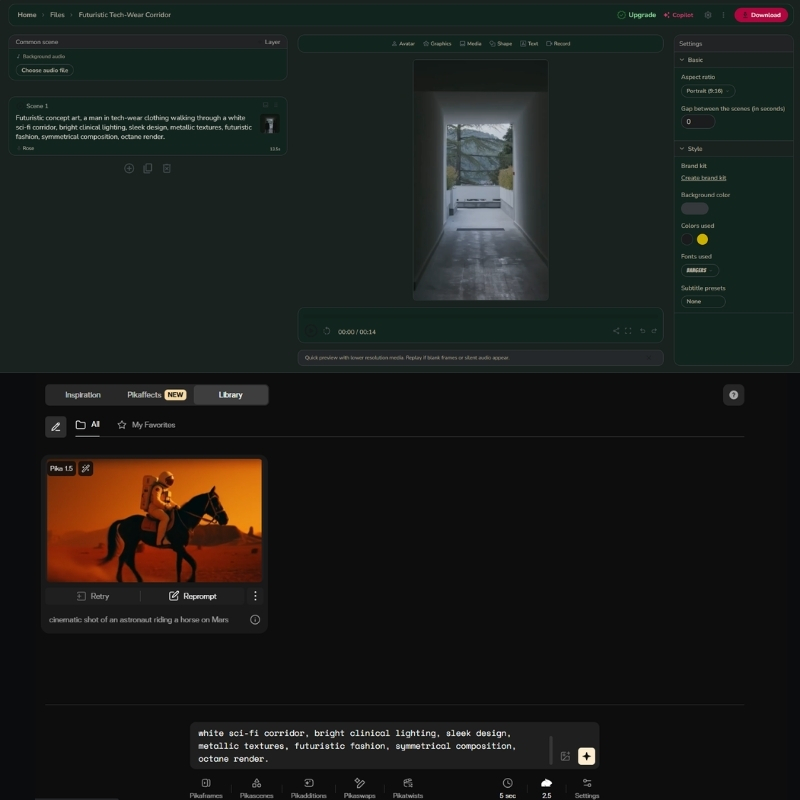
Fliki timeline editor vs Pika 2.5 prompt interface.
Fliki offers a full timeline editor, while Pika uses a prompt-based generation system.

Best Use Cases: When to Choose Fliki or Pika?

Based on our industry data, users often buy the wrong tool because they misunderstand the “Text-to-Video” label. Here is exactly when to use each.

Choose Fliki If:
You are a marketer or business owner. You need to repurpose blog posts into videos for SEO. You run a faceless YouTube automation channel. You need consistent, long-form educational content with professional voiceovers.

Choose Pika If:
You are a creative director or artist. You need specific B-roll that you can’t find on stock sites. You are making a music video, an AI film trailer, or surreal social media shorts with unique visual effects.

The Hybrid Strategy:
Advanced creators use both. We often use Pika to generate a unique character or scene, then import that clip into Fliki to add voiceover and subtitles for a complete video package.

Pricing & Value: Subscription Credits vs. Token Generation

Both tools use a credit system, but they consume credits differently. Understanding this will save you money.

Feature Fliki (Standard) Pika 2.5 (Pro)
Pricing Model Subscription (Minutes) Subscription (Credits)
Free Tier 5 mins/month (Watermarked) 80 credits/month (Watermarked)
Entry Plan $28/mo (180 mins) $10/mo (700 credits)
Pro Plan $88/mo (600 mins) $35/mo (2,300 credits)
Commercial Rights Included in paid plans Pro plan and above
Best Value Try Fliki Free Try Pika Free

Fliki Pricing Model:
Fliki charges based on the duration of the video you export. If you make a 5-minute video, it costs 5 minutes of credits. It is very predictable for budgeting. The Standard plan ($28/mo) gives you 180 minutes of export.

Pika 2.5 Pricing Model:
Pika charges for every generation attempt. If you generate a clip and don’t like it, you still pay. The Pro plan ($35/mo) includes 2,300 credits, commercial rights, and no watermarks. High-quality upscaling and Pikaffects cost extra credits.

(Disclosure: If you purchase through links on this page, we may earn a small commission at no extra cost to you. This helps us maintain our “battle-tested” reviews.)

Final Verdict

If you want to build a business on YouTube, go with Fliki. If you want to create art, go with Pika 2.5.

Frequently Asked Questions About Fliki vs Pika

Can I use Fliki and Pika together?
Yes, absolutely. Generating custom clips in Pika and importing them into Fliki is a powerful workflow. This gives you the best of both worlds: unique visuals and professional voiceovers.

Which tool is better for YouTube Automation?
Fliki is the definitive winner for YouTube Automation. Its ability to turn text into a finished video with voiceovers and captions in minutes is unmatched by Pika.

Do Pika videos have copyright issues?
Copyright for generative AI is still evolving. While Pika grants you commercial rights on Pro plans and above, the legal standing of AI-generated art varies by jurisdiction. Fliki’s stock media is safer for big brands.

Is there a free version for both?
Yes. Fliki allows you to create 5 minutes of video per month for free. Pika gives you 80 credits monthly to generate short clips. Both add watermarks on the free tier.

Read More From AI Generative Video

Dive deeper into our battle-tested reviews and comparisons to find the perfect tool for your creative stack.

last update : 06/12/2025

Fliki vs InVideo: Voice Quality or Visual Templates? (2025 Comparison)

Fliki vs InVideo: Voice Quality or Visual Templates? (2025 Comparison)

Fliki vs InVideo: Voice Quality or Visual Templates? (2025 Comparison)

Choosing between Fliki vs InVideo with November 2025 updates is often battle between audio perfection and visual flexibility. While both are powerful Text-to-Video Tools, they solve different problems for marketers and creators with distinct pricing models ($14-$44 Fliki vs $20-$60 InVideo). I have tested both platforms extensively from generating faceless YouTube channels with 2000+ voices to creating high-conversion social media ads with 4000+ templates.

The right choice depends entirely on your specific workflow and audience goals with voice-first automation (Fliki 2160-7200 mins/year) versus template-first customization (InVideo 60-unlimited exports/month). In this Text-to-Video comparison, we analyze their AI Voice Quality, Stock Media Libraries (InVideo 8M+ iStock vs Fliki millions premium), and Pricing Models to help you decide.

Table of Contents

Fliki vs InVideo: Quick Verdict and Core Differences with 2025 Updates

If you need quick answer with November 2025 capabilities, here is deal: Fliki is “Voice-first Creator” with 2000+ voices (1000+ ultra-realistic), while InVideo is “Template-first Creator” with 4000+ templates and 8M+ iStock access serving completely different workflows.

Fliki excels at turning scripts into videos with hyper-realistic AI voices across 75 languages and 100 dialects. Built for speed and simplicity producing 2160-7200 minutes/year depending on plan, perfect for content where narration carries value with automated scene-by-scene customization.

InVideo functions like “Canva of video” boasting massive 8M+ iStock library (Shutterstock integration) and 4000+ templates with full timeline editor for granular control. Superior for visually rich ads producing 60 exports/month (Plus) or unlimited (Max) with layer-based editing.

Feature Fliki InVideo
Primary Strength AI Voice Quality (2000+ Neural) Visual Templates (4000+) & 8M+ iStock
Best For YouTube Automation / Audio-First (2160-7200 mins/year) Social Media Ads / Visual-First (60-unlimited exports)
Learning Curve Very Low (Minutes) – Block-based editor Medium (Timeline Editor) – Layer-based control
Pricing Model Credit-based (Minutes/Year) $14-$44 Black Friday Subscription (Exports/Month) $20-$60

My Verdict: Choose Fliki if you prioritize voiceover quality (2000+ voices, 75 languages) and speed for long-form content producing 180-600 mins/month. Choose InVideo if you prioritize visual customization (4000+ templates) and premium stock footage (8M+ iStock) for ads with 60-unlimited exports/month.

Try Fliki Free Try InVideo Free

(Disclosure: If you purchase through links on this page, we may earn a small commission at no extra cost to you.)

Audio vs. Visuals: Comparing 2000+ Voices Engine vs. 4000+ Templates Library

This is most critical section for your decision with November 2025 capabilities. We must compare “Voice Engine” of Fliki (2000+ voices, 75 languages) against “Visual Engine” of InVideo (4000+ templates, 8M+ iStock) to see which fits your needs.

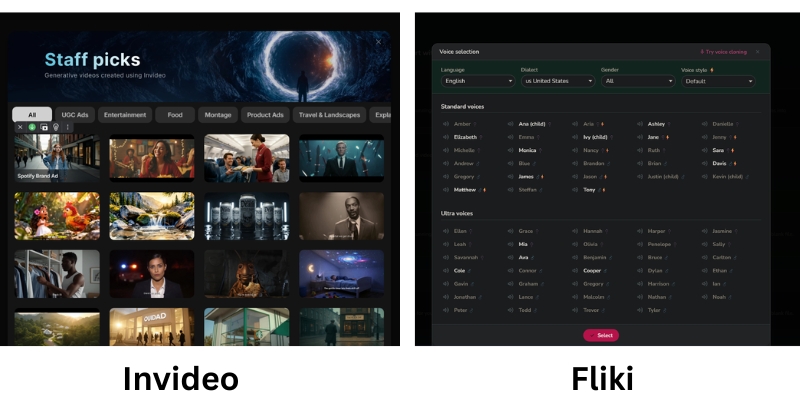
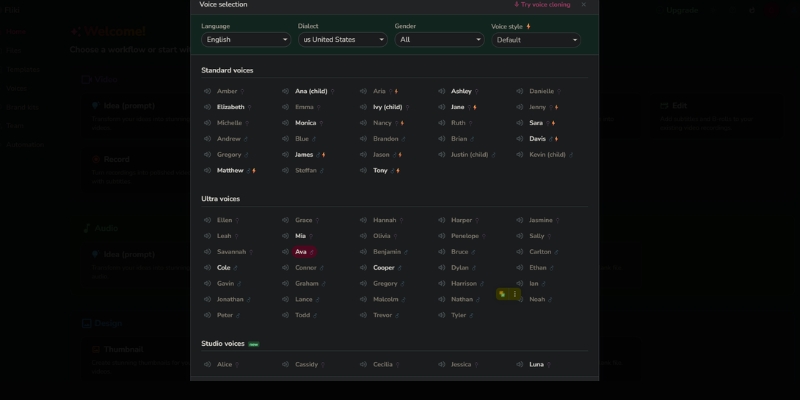
Fliki AI Voice selection panel vs InVideo Template Library
Fliki focuses on audio nuances, while InVideo focuses on visual variety.

Fliki’s Neural Voices (The Audio Engine):
Fliki’s hyper-realistic AI voices arguably best in market with 2000+ voices (1000+ ultra-realistic, 350+ studio-quality Premium) across 75 languages and 100 dialects. I often use them for “faceless” channels because they sound frighteningly human with emotional tones like “Cheery,” “Sad,” or “Terrified” crucial for storytelling retention on YouTube.

Voice cloning allows creating custom voices (multiple cloning Premium), translating content to 80+ languages instantly for global scaling. For educational content or audio-first videos, bad audio kills retention faster than bad visuals—Fliki solves this with personalized avatars (photo avatars Premium) generating AI video clips.

InVideo’s Stock & Templates (The Visual Engine):
InVideo dominates when you need “eye candy” with integration to 8M+ iStock media giving access to premium footage that usually costs hundreds dollars separately. Unlike Fliki’s standard stock (millions premium assets), InVideo pulls high-resolution clips from Getty/iStock directly inside editor making game-changer for professional ads.

With 4000+ templates covering every social format (Real Estate, Fitness, Tech), you are never starting from scratch with drag-and-drop canvas and layer-based timeline editor. For Instagram Reels or Facebook Ads needing 3 seconds to grab attention, InVideo’s superior visual assets ensure stopping scroll with custom fonts, brand kits, and reseller rights.

Pricing & ROI Comparison 2025: Credit-Based Minutes vs. Export-Based Subscription

Pricing structures with November 2025 updates fundamentally different. Fliki sells “time” (minutes/year credit-based), while InVideo sells “access” (exports/month subscription) serving distinct usage patterns and budget priorities.

Model Fliki (Credit Based) InVideo (User Based)
Standard/Plus $28 ($14 Black Friday) – 2160 mins/year, 1000 voices, 15-min max $20 ($25 monthly) – 60 exports, 4000+ templates, 15-min max
Premium/Max $88 ($44 Black Friday) – 7200 mins/year, 2000+ voices, 40-min max $60 – Unlimited HD, 8M+ iStock access, 40-min max
Hidden Cost Edits consume credits (re-render burns minutes) Premium stock included (saves $hundreds on separate iStock)
Ideal For Fixed output (180-600 mins/month) voice-first content Heavy daily usage / Agencies (60-unlimited exports/month)
Link View Fliki View InVideo

Fliki (Credit-Based System November 2025):
FREE: 5 credits/month, watermark, basic features. Standard: $28/month ($14 Black Friday 50% OFF) – 2160 minutes/year, 1000 voices (150 ultra-realistic), 1080p, 15-min max, millions premium assets, voice cloning, commercial rights.

Premium: $88/month ($44 Black Friday) – 7200 minutes/year, 2000+ voices (1000+ ultra-realistic, 350+ studio-quality), 40-min max, multiple brand kits, all AI avatars, photo avatars, generate AI video clips.

Enterprise: Custom – personalized avatars, API access, professional voice cloning, dedicated account manager.

InVideo (User-Based Subscription November 2025):
Plus: $20/month ($25 monthly, $20 annual) – 60 exports, 4000+ templates, 1M+ images/videos, 15-min max, automated text-to-speech, reseller rights. Max: $60/month – Unlimited HD exports, full 8M+ iStock access, 40-min max, unlimited team members, 24/7 LIVE support.

Real value lies in included iStock media—buying clips separately costs hundreds making subscription steal for agencies or heavy users generating daily content needing premium assets.

ROI Analysis:
Fliki best for creators publishing fixed amount content per month (one video/week = 180 mins Standard). Warning: editing and re-rendering same video often burns through monthly credits quickly.

InVideo operates like traditional SaaS with higher tiers offering “Unlimited” exports huge for agencies producing 60+ videos/month with included iStock media saving $hundreds on separate stock subscriptions justifying $60 premium pricing.

Best Use Cases: YouTube Voice Automation vs. Social Media Visual Ads

To help you decide with November 2025 workflows, I have broken down specific personas that should choose each tool based on extensive testing serving different content strategies and audience engagement patterns.

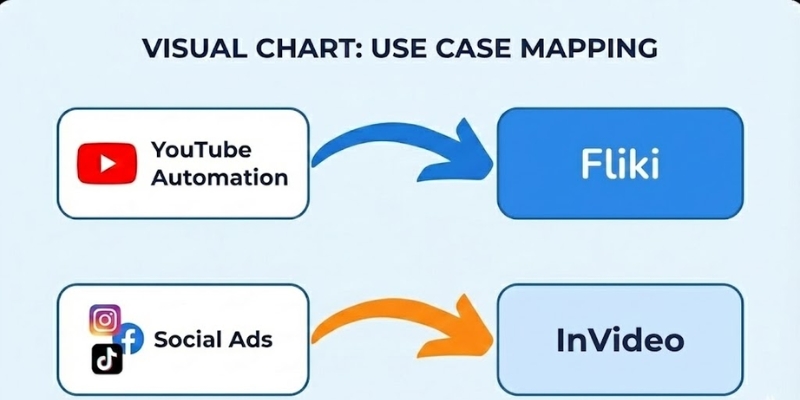
Best use cases for Fliki vs InVideo
Choose tool that aligns with your primary content platform.

✅ Choose Fliki (Content Creator)

  • Faceless YouTube: Top 10 lists, documentaries, explainers where script is king producing 180-600 mins/month.
  • Podcasts/Audiobooks: Superior text-to-speech (2000+ voices, 75 languages) repurposing written content into high-quality audio.
  • Educational Content: Teachers prefer Fliki because information delivery more important than flashy transitions with voice cloning.
  • Multilingual Scaling: Translate content to 80+ languages instantly with 100+ dialects for global audience reach.

✅ Choose InVideo (Marketer)

  • Social Media Ads: TikToks, Instagram Reels, Facebook Ads needing 3-second attention grab with dynamic movement (4000+ templates).
  • Brand Promos: Videos requiring specific brand colors, logos, custom fonts easier with Brand Kit and 8M+ iStock access.
  • Client Work: Freelancers making videos for local businesses where templates look more “high production” professional.
  • Agency Volume: Unlimited exports (Max $60) perfect for producing 60+ videos/month with full iStock integration.

Frequently Asked Questions About Fliki vs InVideo Comparison

Which tool is better for beginners?
Fliki is faster and easier to learn with block-based editor feeling like PowerPoint (minutes to master). InVideo is more familiar if you have used tools like Canva before but has steeper learning curve with timeline editor requiring understanding layers and transitions.

Can I upload my own voiceover?
Yes, both allow this with audio file uploads. However, only Fliki allows creating Voice Clone of your own voice (multiple cloning Premium) for automation producing consistent brand voice across unlimited videos without recording every time.

Do they have copyright-free music?
Yes, both platforms provide extensive libraries of royalty-free audio tracks to use in your videos without strikes. Fliki includes millions premium music assets (Standard+), InVideo includes automated text-to-speech and background music library with 4000+ templates.

Is the content monetizable on YouTube?
Yes, provided you add value with commercial rights (Fliki Standard+, InVideo Plus+). YouTube may demonetize raw stock footage, so ensure you edit and add unique narration with Fliki’s voice cloning or InVideo’s custom text overlays making content transformative.

Read More From Text-to-Video Comparisons and Platform Reviews

If you are still exploring the best generative video tools, check out our other detailed comparisons and reviews with feature analysis.

last update : 05/12/2025

Visla vs Lumen5 Review: Best AI Video Generator for Teams or Marketing? (2025)

Visla vs Lumen5 Review: Best AI Video Generator for Teams or Marketing? (2025)

Visla vs Lumen5 Review: Best AI Video Generator for Teams or Marketing? (2025)

I have spent the last six weeks heavily testing Visla vs Lumen5 with November 2025 updates to answer a critical question that corporate buyers and marketers are struggling with. Both platforms claim to simplify video creation, but their “DNA” is fundamentally different with distinct pricing models and target workflows. If you are looking for a Text-to-Video tool, choosing the wrong one here will kill your workflow. Visla is an efficiency engine built for teams with screen recording and voice cloning (1,000 credits/month free), while Lumen5 is a polishing machine built for marketers with Shutterstock integration (500M+ stock assets Pro). In this battle-tested comparison, I will break down features, November 2025 pricing ($18-$59 Visla vs $15-$50 annual Lumen5), and real-world results to help you decide which tool belongs in your business tech stack.

Table of Contents

Visla vs Lumen5: The Quick Verdict for Busy Teams in 2025

If you don’t have time to read full analysis, here is immediate breakdown based on my testing with November 2025 features. I have used both for internal training and public social media campaigns serving different masters.

The “If/Then” Decision Matrix:

  • Best for Internal Comms & HR: Visla. If you need to record screen, clone voice for updates (2,000 credits one-time), or replace Zoom meetings with video, Visla wins with text-based editor and auto-remove “ums/ahs”.
  • Best for Content Marketing: Lumen5. If you need to turn blog post into branded LinkedIn video with high-end stock footage (500M+ Shutterstock/Getty) in minutes, Lumen5 superior with URL-to-Video automation.
  • Best for Budget: Visla. Offers generous free tier (1,000 credits/month) and lower entry price ($18/month Pro) compared to Lumen5’s effective business tier ($50/month annual Pro).
Try Visla for Free Try Lumen5 for Free

(Disclosure: If you purchase through links on this page, we may earn a small commission at no extra cost to you.)

The Core Philosophy: “Video Workspace for Teams” (Visla) vs. “Brand-to-Social Engine” (Lumen5)

To understand the Visla vs Lumen5 comparison with November 2025 capabilities, you must look at their core missions solving completely different problems for distinct user personas and workflows.

Visla: The Productivity & Collaboration Hub
Positions itself as “All-in-One Video Workspace” with comprehensive video production solution: capture, create, edit, and collaborate. Goal is to reduce meetings and long emails with Asynchronous Communication tools. You aren’t just generating generic videos; recording yourself, sharing screens, and using AI to edit out mistakes with text-based editor removing filler words automatically.

Lumen5: The Marketing & Repurposing Engine
Purely focused on Brand Awareness and external reach as first major player in “Blog-to-Video” space. Mission is helping marketers without video editing skills create “thumb-stopping” social content with 500M+ stock assets (Shutterstock/Getty Pro). Strips away complex features (screen recording) to focus entirely on polish, speed, and media quality with slide-based storyboard automation.

Pricing & Value Comparison 2025: Credit-Based vs. Subscription Model Analysis

Pricing structures with November 2025 updates reveal completely different monetization philosophies. Visla uses confusing credit system, while Lumen5 uses tiered subscription with 50% annual discounts serving distinct budget priorities.

Feature Visla (Pro) Lumen5 (Starter/Pro)
Monthly Price $18 ($108/year) $30 ($15 annual, 50% OFF)
Mid-Tier Price $59 Business ($468/year) $100 Pro ($50 annual, 50% OFF)
Watermark None on Paid (Free has watermark) Yes Starter (None Pro)
Resolution 1080p (credit-based) 720p Starter / 1080p Pro
Stock Media Premium Stock (credit usage) Shutterstock/Getty 500M+ (Pro)
Key Value Screen recording, voice cloning, text-based editor URL-to-Video, automated branding, 3 brand kits
Link Check Visla Check Lumen5

Visla Pricing (November 2025):
Free: $0 – 1,000 credits/month (reset monthly), watermark, basic features. Pro: $18/month ($108/year) – credit-based system, text-based projects (1 credit/second), voice-based (1.5X), visual-based (3X), 2 custom avatars, voice cloning (2,000 credits one-time). Business: $59/month ($468/year) – 3 custom avatars, team collaboration. Enterprise: Custom – unlimited avatars, flexible credits.

Lumen5 Pricing (November 2025):
Free: $0 – 5 videos/month, 2-min max, 2 min AI voiceover, watermark. Starter: $30/month ($15 annual, 50% OFF) – 10-min videos, no watermark, 1080p, brand colors. Pro: $100/month ($50 annual, 50% OFF) – 150 min AI voiceover, 500M+ stock assets (Shutterstock/Getty), 3 brand kits, Chat to Video AI co-pilot, custom fonts. Team: Custom – collaboration, multiple users.

ROI Analysis:
Visla value proposition at $18/month incredibly affordable but confusing credit system (1 credit/second text-based, 3X visual-based) means monitoring usage required. Users complain running out premium credits faster than expected. Lumen5 $15 annual Starter limited (720p watermark), need $50 annual Pro ($600/year) to unlock real power with 500M+ stock assets, custom fonts, and 1080p making it premium tool for serious marketing teams prioritizing brand polish over internal collaboration features.

Feature Deep Dive: Screen Recording & Voice Cloning vs. URL-to-Video & Stock Library

Workflow is where differences become stark with November 2025 capabilities. I tested both tools creating “Product Announcement” video to see how features stacked up for team collaboration versus marketing polish.

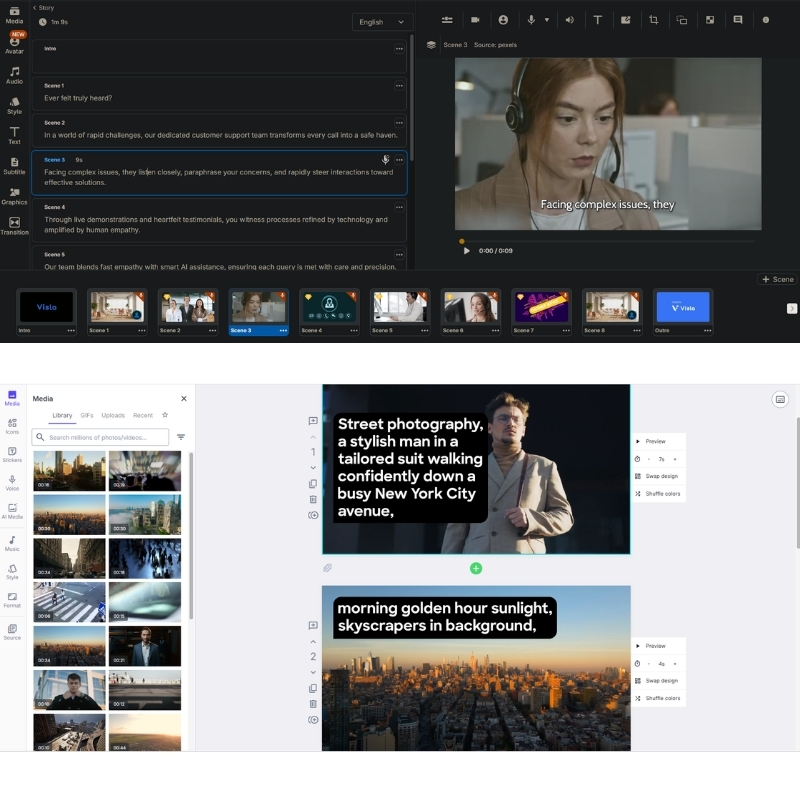
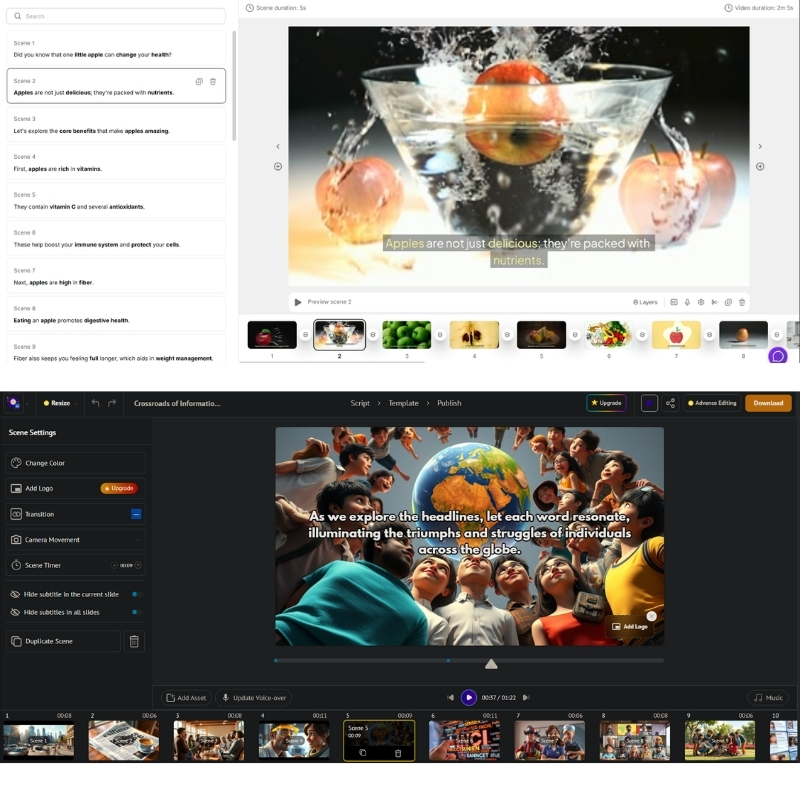
Visla vs Lumen5 editor interface comparison showing text editing vs drag and drop slides.
Visla uses document-style editor (top), while Lumen5 uses slide-based storyboard (bottom).

Input Methods: Screen Recording vs. URL Scraping
Lumen5 is king of URL-to-Video with intelligent scraping of headers and images building storyboard automatically. Pasted link to blog post, it parsed content intelligently for long-form repurposing. Visla shines with “Idea-to-Video” and Screen Recording letting me record screen and camera simultaneously then generates transcript with text-based editor. Lumen5 has zero recording capabilities focusing solely on assembling existing media assets with slide-based interface.

Editing & Stock Quality Comparison
Visla uses “Text-Based Editor” editing video by deleting text in transcript (similar to Descript) with killer feature automatically removing “ums” and “ahs” from recording. Relies on standard libraries (Storyblocks/Pexels) but AI often picks irrelevant B-roll requiring manual swaps. Lumen5 uses drag-and-drop slide-based interface feeling exactly like PowerPoint with partnership to Shutterstock and Getty Images 500M+ giving access to millions premium cinematic clips. AI much better at matching “mood” footage to abstract concepts making it undisputed winner for stock quality and brand polish.

Final Verdict: When to Choose Visla vs Lumen5 Based on Team Role?

After extensively testing both with November 2025 features, here is my final decisive advice for your specific situation based on job title and primary workflow needs.

✅ Choose Visla If

  • HR & L&D Manager: Need onboarding video series for new hires and weekly CEO updates at $18-$59/month.
  • Internal Comms: Screen recording, voice cloning (2,000 credits), text-based editor removing filler words.
  • Budget-Conscious: Generous free tier (1,000 credits/month) and lower entry price than Lumen5 Pro.
  • Team Collaboration: Workspace features, role-based permissions, feedback sharing for async communication.

✅ Choose Lumen5 If

  • Content Marketer: Turn 50 blog posts into LinkedIn videos driving traffic at $15-$50 annual (50% OFF).
  • Brand Awareness: URL-to-Video engine unmatched with 500M+ Shutterstock/Getty stock assets (Pro).
  • Social Media: Slide-based storyboard producing “thumb-stopping” content 3x faster than timeline editing.
  • Marketing Teams: 3 brand kits, custom fonts, Chat to Video AI co-pilot for consistent brand polish.

Frequently Asked Questions About Visla vs Lumen5 Comparison

Does Lumen5 have screen recording?
No. Lumen5 is strictly for assembling existing media assets with URL-to-Video and slide-based storyboard. If you need to record screen for tutorials, must use Visla with screen recording and text-based editor or tool like Loom for separate recording.

Is Visla free to use?
Yes, Visla has generous free plan including 1,000 credits/month (reset monthly) with unlimited recording and 50 minutes video publishing, though with watermarks and limited export resolution requiring Pro ($18/month) for full 1080p and no branding.

Which is better for YouTube Automation?
Visla generally better for YouTube with script-to-video capabilities and text-based editor suiting long-form narrative content better than Lumen5’s slide format prioritizing short-form social media like LinkedIn, Instagram, TikTok with 10-min max videos.

Can I upload my own voiceover to Lumen5?
Yes, upload own audio files with 2-150 min AI voiceover depending on plan tier, but Lumen5 does not offer “Voice Cloning” feature that Visla provides (2,000 credits one-time) for generating AI voiceovers sounding like you for authentic CEO updates.

Read More From Text-to Video Comparisons and Platform Reviews

If you are exploring other AI video tools for your business, check out our related deep-dive reviews and tutorials with detailed feature analysis.

last update : 05/12/2025

InVideo vs Renderforest: Which Tool Wins for Video & Branding in 2025?

InVideo vs Renderforest: Which Tool Wins for Video & Branding in 2025?

InVideo vs Renderforest: Which Tool Wins for Video & Branding in 2025?

Choosing between InVideo vs Renderforest is a defining moment for any small business or freelance creator with November 2025 pricing updates. I’ve tested both platforms extensively, and the difference is far starker than just “template quantity” with fundamentally different philosophies. While both are leaders in the Text-to-Video category serving 8M+ videos/month (InVideo) versus 5M+ stock library (Renderforest), they serve fundamentally different needs. One is a powerhouse for ongoing video production with 4000+ templates and iStock integration, while the other is a holistic branding suite with logo maker, website builder, and mockups. In this guide, we will dissect their features, November 2025 pricing ($20-$60 InVideo vs $9-$69 Renderforest), and ROI comparisons to help you decide exactly which tool deserves your budget.

Table of Contents

The Core Difference: Video-First Timeline Editor vs. All-in-One Branding Suite

In my experience with November 2025 features, the confusion starts because both tools offer “video templates.” However, their DNA is completely different. I view InVideo as specialist and Renderforest as generalist serving distinct workflows.

InVideo Architecture:
“Video-First” platform functioning as cloud-based Premiere Pro Lite. Focuses heavily on stock media access via 8M+ iStock assets and offers full timeline editor for granular control with 60 exports/month (Plus) or unlimited (Max). Created 8M+ videos monthly across 190 countries with AI script generator and text-to-video automation.

Renderforest Architecture:
“All-in-One Branding Platform” going far beyond video to offer Logo Maker, Website Builder, and Mockup Generator all under one roof. Provides 5M+ stock footage, music, and photos with unlimited HD1080/4K exports depending on plan. Focuses on scene-based editor prioritizing ease over flexibility with 400-2000 AI credits/month.

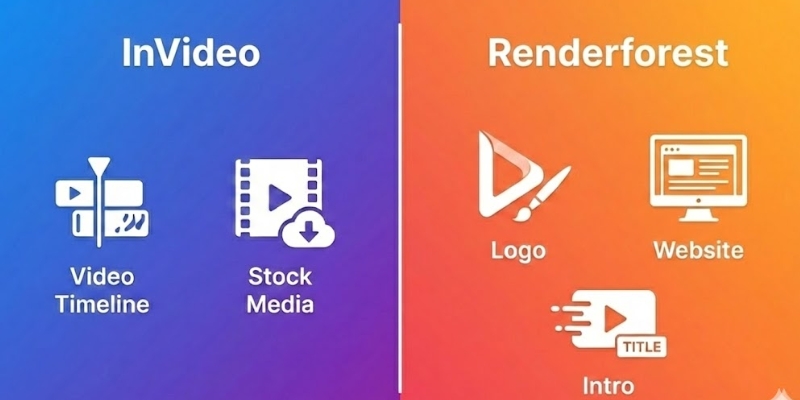
InVideo vs Renderforest core difference infographic showing video focus vs branding focus.
InVideo specializes in deep video editing, while Renderforest covers entire branding spectrum

Pricing Comparison 2025: Timeline Flexibility vs. Branding Bundle Value

For freelancers and small businesses, every dollar counts with November 2025 updates. Here is how pricing models stack up to help you calculate potential Return on Investment (ROI) based on usage patterns.

(Disclosure: If you purchase through links on this page, we may earn a small commission at no extra cost to you.)

Feature InVideo (Plus) Renderforest (Pro)
Monthly Price $20 ($25 monthly, $20 annual) $19 ($39 monthly, 50% OFF first year)
Video Exports 60/month, 15-min max Unlimited HD1080, no watermark
Stock Media 8M+ iStock Integration (Huge Value) 5M+ stock footage, music, photos
Extra Tools AI Script Generator, Text-to-Video Logo, Website, Mockups, 100 min TTS
Best For Frequent Video Creators (60+/month) Branding & One-off Videos
Action Try InVideo Try Renderforest

InVideo Pricing (November 2025):
Plus: $20/month ($25 monthly, $20 annual) – 60 exports, 4000+ templates, 1M+ stock images/videos, 15-min max, automated text-to-speech, reseller rights. Max: $48/month ($60 monthly) – Unlimited HD exports, full 8M+ iStock access, 40-min max videos, unlimited team members, 24/7 LIVE support.

Renderforest Pricing (November 2025):
Lite: $9/month ($14 monthly) – 5 HD720 videos, 200 AI credits, 50 min TTS. Pro: $19/month ($39 monthly, 50% OFF first year) – Unlimited HD1080, 400 AI credits, 100 min TTS, 5M+ stock library, commercial use, priority rendering. Business: $49/month ($69 monthly, 30% OFF) – Unlimited 4K, 2000 AI credits, 300 min TTS, reseller license, team management, 50GB storage.

ROI Analysis:
InVideo “Business” plan incredible deal if you use stock footage. Buying just one clip from iStock normally costs more than month of InVideo subscription with 8M+ assets. If you make 60+ videos/month, InVideo offers better ROI with unlimited timeline editing. Renderforest “All-in-One” model great if you use all tools (Logo + Website + Mockups + Videos). If you only need video, paying for website builder and logo maker you won’t use. Worth it only if you leverage full suite for startup branding at $19/month first year.

Feature Showdown: 4000+ Templates vs. 5M+ Stock Library & Logo Maker

Let’s compare these two head-to-head on features that actually impact your daily output with November 2025 capabilities. This analysis drives “Commercial” intent of your decision based on workflow priorities.

Template Quantity vs. Quality:
InVideo wins on volume with 4000+ templates covering every social format (TikTok, Instagram Reels, YouTube) with full timeline editing. Renderforest wins on high-end 3D animation packs looking like they cost thousands to produce with scene-based editor prioritizing consistency.

AI Capabilities & Editing Flexibility:
InVideo’s AI Video Generator fantastic for turning text scripts into b-roll videos with drag-and-drop canvas where elements move anywhere on timeline. Renderforest’s AI shines in Logo Maker generating brand guidelines based on company description with “scene-based” linear approach restricting to designer’s layout but ensuring consistency.

Final Verdict: When to Choose InVideo vs Renderforest Based on Business Model?

After extensively testing both with November 2025 features, here is my final decisive advice for your specific situation based on primary output goals and budget constraints.

Choose InVideo If:
You are social media manager, YouTuber, or marketer producing 60+ videos/month at $20-$48. Need full timeline control over editing, access to 8M+ iStock premium stock footage, and high-frequency video production capabilities with AI script generator and text-to-video automation for scalable content creation.

Get InVideo Free

Choose Renderforest If:
You are startup founder or freelancer starting from scratch needing unlimited HD1080/4K exports at $19-$49. Need “business-in-a-box” solution giving Logo Maker, Website Builder, Mockup Generator, and simple promo videos in one package with 5M+ stock library and 100-300 min text-to-speech for complete branding suite.

Get Renderforest Free

Frequently Asked Questions About InVideo vs Renderforest Comparison

Does Renderforest have a video editor like InVideo?
No, Renderforest uses scene-based editor excellent for assembling pre-made animations but lacks multi-layer timeline control that InVideo offers with 4000+ templates and drag-and-drop canvas allowing elements to move anywhere.

Can I create a logo in InVideo?
No, InVideo is strictly for video creation with 8M+ iStock access. If you need logo, use Renderforest’s Logo Maker generating brand guidelines, Canva, or dedicated design tool for static branding assets.

Which is better for YouTube videos?
InVideo is superior for YouTube with timeline editing allowing long-form content, precise cuts, and B-roll insertion up to 40-min max (Max plan). Renderforest better suited for short intros with scene-based workflow prioritizing ease over flexibility.

Are the free plans worth it?
Only for testing interface. Watermarks on both platforms make free exports unusable for professional commercial or client work. InVideo allows editing freely but prevents exporting without watermark. Renderforest exports watermarked and low quality (720p max).

Read More From Text-to Video Comparisons and Platform Reviews

Looking for more tools to automate your video production? Check out our other in-depth comparisons and reviews in this category with detailed feature analysis.

last update : 05/12/2025

Pictory vs Steve AI: Which Text-to-Video Tool is Best in 2025?

Pictory vs Steve AI: Which Text-to-Video Tool is Best in 2025?

Pictory vs Steve AI: Which Text-to-Video Tool is Best in 2025?

Choosing between pictory vs steve ai is the biggest dilemma for creators looking to automate video production in the Text-to-Video category with November 2025 pricing updates. As an experienced content creator, I know that making the wrong choice here can waste hours of rendering time and budget on the wrong output style. While both are marketed as powerful AI Video Generators, they serve two completely different purposes with Pictory’s Storyblocks integration versus Steve AI’s 300+ animated characters. This guide cuts through marketing noise to compare their output style, asset libraries (Pictory: unlimited Storyblocks vs Steve AI: 800-3200 AI images/month), and real-world ROI with accurate November 2025 cost analysis.

Table of Contents

The Core Difference: Live-Action Stock Footage (Pictory) vs. Text-to-Animation (Steve AI)

The fundamental battle of pictory vs steve ai boils down to one simple question: Do you want stock footage or cartoons? This distinction defines your entire video strategy with completely different content workflows and target audiences.

Pictory Architecture:
Specializes in Live-Action/Stock Footage with unlimited Storyblocks access (Starter plan up). When we tested its “Text-to-Video” feature, AI immediately matched script with real-world clips of people and business environments with text-based editing that trims by deleting transcript words. Acts like high-speed editor for corporate content with 30-90 videos/month ($19-$99 annual).

Pictory vs Steve AI visual style comparison showing stock footage versus animation
Pictory (Top) focuses on realism, while Steve AI (Bottom) focuses on animated storytelling.

Steve AI Architecture:
Positions itself primarily as Text-to-Animation tool with 300+ animated characters. While it claims to handle live-action, engine defaults to creating animated avatars and colorful, cartoon-style explainer videos with 100-400 mins AI videos/month ($29-Custom). Feels like modern version of Vyond with 90-100% human-like voices depending on plan tier.

Pricing & Plans Comparison 2025: Subscription Models & Cost-Per-Video Analysis

Pricing structures with November 2025 updates reveal completely different value propositions. We need to calculate “value per video” to understand real ROI based on your output volume and content type preferences.

Feature Pictory AI Steve AI
Starter Plan $25/mo ($19 annual, 50% OFF) $29/mo – 100 mins AI videos
Pro/Professional $49/mo ($29 annual) – 60 videos $59/mo – 300 mins AI videos
Primary Asset Storyblocks (Unlimited stock footage) Animation (800-3200 AI images/month)
Resolution 1080p (Starter), 1080p (Pro) 720p (Starter), 2K (Pro), 4K (Enterprise)
Characters/Voices 34+ voices (Starter), expanded (Pro) 300+ characters, 90-100% human-like voices
Action Try Pictory Free Try Steve AI Free

(Disclosure: If you purchase through links on this page, we may earn a small commission at no extra cost to you.)

Pictory Pricing (November 2025):
Starter: $25/month ($19 annual, 50% savings) – 30 videos/month, 10-min max, 34 AI voices, Storyblocks unlimited, 600 transcription minutes. Professional: $49/month ($29 annual) – 60 videos/month, 20-min max, expanded voices, 1200 transcription minutes, brand kits, text-based editing. Teams: $119/month ($99 annual) – 90 videos/month, collaboration, 3600 transcription minutes.

Steve AI Pricing (November 2025):
Starter: $29/month – 100 mins AI videos, 800 AI images, 720p, 90% human-like voices, 300+ characters. Pro: $59/month – 300 mins AI videos, 2400 AI images, 2K resolution, 95% human-like voices, unlimited exports, 3 custom avatars. Enterprise: Custom – 400 mins, 3200 AI images, 4K resolution, 100% human-like voices, team collaboration, reseller rights.

Feature Deep Dive: Blog-to-Video Summarization vs. Script-to-Animation Logic

How well does AI actually read your text? We ran same 500-word blog post through both tools with November 2025 AI improvements to test their processing logic and content understanding capabilities.

Blog Repurposing (Pictory Strength):
Pictory is undisputed king of Summarization. Paste URL, it automatically highlights “golden sentences” with NLP understanding context. Turns long article into punchy video script in seconds making it ideal for Content Repurposing with text-based editing that trims by deleting transcript words eliminating timeline scrubbing.

Script-to-Animation (Steve AI Strength):
Steve AI parses scripts differently looking for “actions” with 300+ animated characters. If script says “The teacher walks into the room,” Steve AI attempts to animate character walking with lip-sync to voiceover (90-100% human-like depending on plan). This Text-to-Animation logic creates narrative flow that Pictory cannot match for storytelling content.

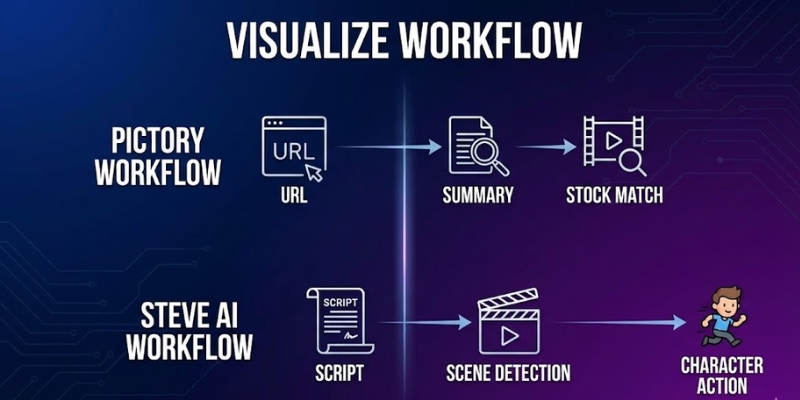
Workflow comparison of Pictory vs Steve AI for video creation.
Pictory excels at summarizing text, while Steve AI excels at visualizing actions.

Final Verdict: When to Choose Pictory vs Steve AI Based on Content Strategy?

After extensively testing both with November 2025 features, the winner depends entirely on your target audience and content type. There is no single “best” tool, only right tool for specific job and workflow requirements.

Choose Pictory If:
You are Marketer, Blogger, or run Faceless YouTube Channel producing 30-90 videos/month at $19-$99 annual. Need to turn text into professional, realistic videos quickly with unlimited Storyblocks access and text-based editing. Blog-to-Video feature makes it unbeatable for business with Pictory AI specializing in content repurposing.

Get Started with Pictory

Choose Steve AI If:
You are Educator, HR Manager, or creating Storytime Videos producing 100-400 mins/month at $29-Custom. Need 300+ animated characters to act out scenarios or explain complex concepts with 90-100% human-like voices and lip-sync. Best tool for engagement through storytelling with Steve AI excelling at animation workflows.

Try Steve AI for Animation

Frequently Asked Questions About Pictory vs Steve AI Comparison

Which is better for YouTube?
For informational or “Top 10” channels, Pictory is better due to realistic stock footage with 30-90 videos/month and unlimited Storyblocks access. For storytelling or kids’ channels, Steve AI’s 300+ animated characters with lip-sync (90-100% human-like voices) are superior.

Can Steve AI create realistic videos?
Yes, Steve AI has live-action mode, but library and matching logic not as robust as Pictory’s integration with Storyblocks unlimited and text-based editing capabilities that revolutionize content repurposing workflows.

Does Pictory have animated characters?
No, Pictory focuses exclusively on stock footage, images, and text overlays with 34+ voices (Starter) and expanded options (Pro). Does not support character animation or avatars like Steve AI’s 300+ animated characters.

Is there a free alternative to both?
Tools like Canva offer basic video creation, but lack AI automation of Pictory (URL-to-video, text-based editing) or Steve AI (script-to-animation, lip-sync). For serious creators, paid features pay for themselves in time saved.

Read More From Text-to-Video Comparisons and Reviews

Explore more comparisons and reviews to find the perfect AI video generation stack for your business with detailed feature analysis.

last update : 04/12/2025

Creatify AI vs VideoGen: Which Tool Creates Better E-commerce Ads?

Creatify AI vs VideoGen (2025): Which Tool Creates Better E-commerce Ads?

Creatify AI vs VideoGen (2025): Which Tool Creates Better E-commerce Ads?

I have spent years testing tools in the crowded AI Video Generator market to find what actually works for sales. Today, we aren’t discussing generic video creation. We are analyzing a specific battle: creatify ai vs videogen for e-commerce performance with November 2025 pricing and features. Marketers and dropshippers are under immense pressure to produce viral ad creatives daily with URL-to-video automation versus template-based workflows. In this Text-to-Video comparison, I will break down which tool saves you time and which one drains your budget with accurate cost-per-ad analysis. You will discover which platform is the true “Product URL-to-Video” expert with 1000+ AI avatars and which relies on 150+ voice templates.

Table of Contents

Creatify AI vs. VideoGen: The Core Difference (URL-to-Video vs. Template Workflow)

At a glance, these tools serve different masters with November 2025 updates. I have found that their fundamental operations create a massive divide in who should use them based on e-commerce workflow needs.

Creatify AI Architecture:
Automated “Scraper” that pulls data directly from product link (Shopify/Amazon). I pasted a Shopify URL, and AI extracted images, prices, and descriptions instantly with 16+ AI models (Kling 2.1, Seedance 1.0, Nano Banana). It prioritizes Speed and direct Automation for physical products with 100+ avatars (Basic) or 1000+ avatars (Premium) creating UGC-style ads.

VideoGen Architecture:
Creative “Assembler” that stitches stock footage together based on text with 150+ voices across 40+ languages. VideoGen works differently, relying on you providing script or topic. AI then matches your text to massive stock library with unlimited creation (Pro $16/month yearly). It offers more Creative Control but requires more manual input for specific product visuals.

Feature Creatify AI VideoGen
Primary Input Product URL (Shopify/Amazon) Text Script or Topic
Asset Source Scraped Product Images + 16+ AI models Stock Footage + 150+ Voices
AI Avatars 100+ Basic, 1000+ Premium, 3 Custom (Pro) Voice-only (no avatars)
Best For Specific Product UGC Ads General Marketing Videos

Workflow Speed Battle-Test: Which Generates Shopify Ads Faster for Dropshipping?

I tested both platforms with live Shopify product to measure friction. Time is money in dropshipping with testing multiple products daily requiring rapid ad creation for A/B testing campaigns.

Creatify AI Workflow (2 Minutes):
Process incredibly streamlined. Pasted product URL and selected 9:16 aspect ratio. AI analyzed content immediately with 16+ AI models (Kling 2.1, Seedance 1.0). Generated script and video in one click automatically using product images with 100+ avatars creating UGC-style review. Avatar held product with outfit/background customization (Pro plan).

VideoGen Workflow (10 Minutes):
Required more steps. Input script first selecting visual style. AI matched stock footage of generic water bottles with 150+ voices. Had to manually upload specific product images to timeline with 50GB storage (Pro). While VideoGen offers unlimited video creation at $16/month yearly, the manual asset replacement adds significant time overhead.

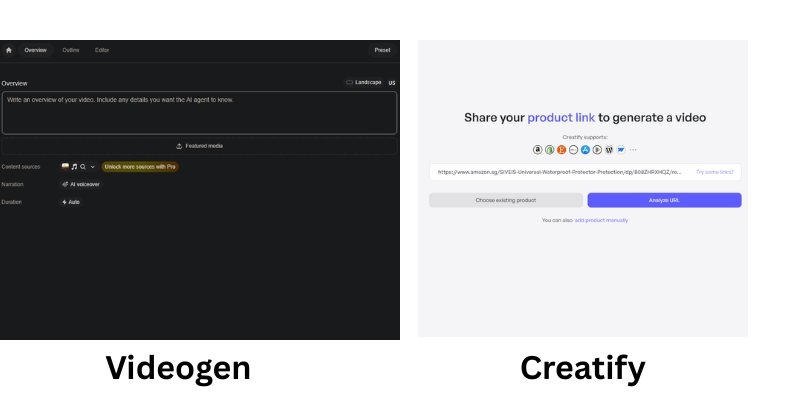
Creatify AI URL input versus VideoGen script editor interface for e-commerce ads
Creatify starts with URL scraping, while VideoGen starts with manual script input.

Pricing & ROI Comparison 2025: Credit-Based vs. Unlimited Model Analysis

Both tools use different pricing philosophies with November 2025 updates. We need to calculate “value per video” to understand real ROI based on your specific volume needs and production workflow.

Plan Type Creatify AI VideoGen
Free Plan 10 credits (2 video ads), watermarked Basic creation test, watermarked
Starter/Pro $39/mo ($19 annual) – 100 credits, 100+ avatars $16/mo yearly ($24 monthly) – Unlimited videos, 150+ voices
Pro/Scale $99/mo – 200 credits, 1000+ avatars, Meta/TikTok ads $66/mo – 300+ voice mins, 200GB storage
Enterprise/Business Custom – 1200 credits/year, AdMax, API, bulk $220/mo – API, branded templates, 1000GB
Focus High Volume Product Ads (UGC-style) General Content Creation (Template-based)
Link View Creatify View VideoGen

Creatify AI Pricing (November 2025):
Starter: $39/month ($19 annual, 50% savings) – 100 credits/month, remove watermark, 16+ AI models, 100+ avatars, 100+ voices, 29 languages, 2-min max. Pro: $99/month – 200 credits/month, 1000+ avatars, 3 custom avatars, Meta/TikTok ads, 22+ AI models (Sora 2 pro, Veo 3.1), avatar holding product, 10-min max. Enterprise: Custom – 1200 credits/year, AdMax (research/optimization/analytics), bulk creation, API, multiple seats.

VideoGen Pricing (November 2025):
Pro: $16/month yearly ($24 monthly) – Unlimited video creation, 150+ voices, 50GB storage, pro templates. Scale: $66/month – 300+ voice minutes, 200GB storage, priority support. Business: $220/month – API access, branded templates, 1000GB+ storage, team management.

ROI Analysis:
If you need 20+ ads/month for dropshipping testing, Creatify offers better ROI despite higher upfront cost. URL scraping saves 8 minutes per video (2 min vs 10 min) = 2.6 hours saved on 20 videos. At $50/hour value, that’s $130 saved justifying the price difference. VideoGen wins for general content creators needing unlimited exports at $16/month but adds manual labor time costs.

(Disclosure: If you purchase through links on this page, we may earn a small commission at no extra cost to you.)

Final Verdict: When to Choose Creatify AI vs. VideoGen Based on Business Model?

After testing both extensively with November 2025 features, I have clear recommendation. Your choice depends entirely on your business model and whether you prioritize automation speed or creative flexibility.

The “Winner” for E-commerce: For specific intent of selling physical products via URL scraping, Creatify AI is the specialist with 1000+ avatars and UGC-style ads. VideoGen is capable generalist with unlimited creation at $16/month but lacks direct product integration requiring manual asset uploads.

✅ Choose Creatify AI If

  • Shopify/Amazon Business: 50 products to promote with zero time for manual editing.
  • UGC-Style Ads: Want “talking head” reviews with 1000+ avatars that look like real customers.
  • URL Scraping: Hate writing scripts manually; prefer automated product data extraction.
  • Meta/TikTok Ads: Launch ads directly to platforms from dashboard (Pro plan).

✅ Choose VideoGen If

  • General Marketer/Agency: Need to turn blog posts into videos with unlimited creation.
  • Budget-Conscious: $16/month yearly (vs $19 annual Creatify) with unlimited exports.
  • Stock Footage Control: Want high-quality stock footage with timeline control over assets.
  • 150+ Voices: Need multilingual content (40+ languages) without avatar requirement.

Frequently Asked Questions About Creatify AI vs VideoGen for E-commerce

Can I use Creatify AI for dropshipping ads?
Yes, it is practically built for it. URL-to-video feature with 16+ AI models allows testing multiple products quickly without manually editing footage with 100-1000+ avatars creating UGC-style reviews. 90% cost reduction reported versus traditional advertising methods.

Does VideoGen have a free plan?
VideoGen offers free trial that lets you test platform with basic creation. However, cannot export watermark-free videos without subscription ($16/month yearly). Good for getting feel for workflow before committing to unlimited creation model.

Which tool creates better viral TikTok ads?
Creatify AI has edge here due to 1000+ AI avatars with avatar holding product feature (Pro plan). “Talking head” UGC-style performs very well on TikTok compared to generic stock footage often used by VideoGen requiring manual product uploads.

Are the AI avatars copyright-free for commercial use?
Generally yes if on paid plan. Both platforms provide commercial rights for ads generated. Creatify offers 3 custom avatars (Pro) and basic/premium libraries (100+/1000+). Always check specific terms of service for assets used.

Read More From Text-to Video Comparisons and E-commerce Tools

Explore more tools to automate your video marketing strategy with our expert guides for dropshipping and product ads.

last update : 04/12/2025

Luma Dream Machine vs Runway ML: Which AI Video Generator is Better? (2025 Review)

Luma Dream Machine vs Runway ML: Which AI Video Tool Is Best? (2025 Comparison)

Luma Dream Machine vs Runway ML: Which AI Video Tool Is Best? (2025 Comparison)

If you are deciding between Luma Dream Machine vs Runway ML, you are likely torn between two distinct needs: raw video quality versus creative control. I have spent hundreds of credits testing both platforms to give you a definitive answer.

Luma Dream Machine has rapidly positioned itself as a specialist in hyper-realistic generation, challenging the status quo. Meanwhile, Runway ML remains the “Adobe of AI,” offering a comprehensive editing suite that goes far beyond simple text-to-video prompts.

In this AI Video Generators comparison, we strip away the marketing hype. We analyze specific use cases, pricing models, and feature sets to help you decide which tool deserves your marketing budget.

Table of Contents

Luma Dream Machine vs. Runway ML: The Core Differences

This comparison isn’t about which tool is “better” in a vacuum; it is about which tool fits your specific workflow. We are comparing a specialized High-Quality Generator (Luma) against a broad Full Creative Studio (Runway).

The “One-Line” Verdict:
Luma Dream Machine is the go-to for hyper-realistic raw generation and simple prompts. Runway ML is the superior choice for controlled editing and a full creative suite.

Positioning Luma Dream Machine:
We define Luma as the “New Standard for Quality.” In our tests, it excels at physics and Scene Consistency. If you need a “one-shot” cinematic clip that looks real immediately, this is your tool.

Positioning Runway ML:
Runway acts as the “Adobe of AI Video.” It is not just about the video generation models; it offers an AI Video Editing Suite. Features like Green Screen and advanced editing make it an All-in-one platform for pros.

Target Audience Fit:
Stop reading and choose Luma if you want quick, perfect clips for social media. Choose Runway if you are a video editor needing granular control over motion and composition.

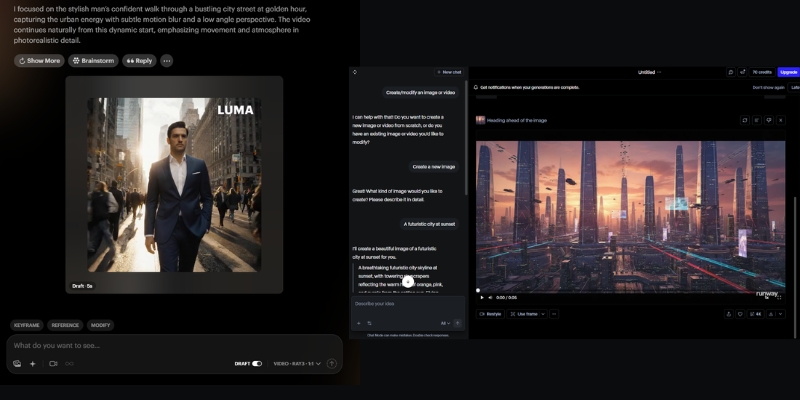
Luma Dream Machine vs Runway ML Interface Comparison
Luma focuses on raw output quality, while Runway offers a comprehensive editing suite.

Video Generation Quality: Hyper-Realism vs. Stylized Art

For marketers, text-to-video quality is the primary metric. We ran identical prompts through both systems to test their limits. The difference in how they handle reality versus style is stark.

Realism and Texture:
Luma Dream Machine dominates in hyper-realistic textures. When we generated close-ups of human skin, Luma retained pore details and lighting physics better than Runway ML, which occasionally smoothed over details.

Motion and Consistency:
This is Luma’s “killer feature.” It maintains coherent scenes where the subject doesn’t morph into something else mid-video. Runway sometimes struggles with “temporal flickering,” where objects shift shape across different generation models.

Stylization Capabilities:
Runway hits back hard here. While Luma aims for reality, Runway excels at abstract and artistic styles. If you are making a stylized music video or anime-style ad, Runway’s aesthetic flexibility is superior.

Prompt Adherence:
Luma seems to understand complex physics better. When we prompted “a coffee cup spilling in slow motion,” Luma simulated the liquid dynamics accurately. Runway required several rerolls to get the physics right.

Creative Control & Features: Advanced Editing vs. Simple Generation

The biggest difference between these platforms lies in their philosophy. Luma is built for speed and quality, while Runway is built for control and flexibility.

Runway’s Editing Arsenal:
Runway offers a complete video editing suite. You can generate a clip, remove the background, adjust timing, and apply effects without leaving the platform. This integrated workflow is powerful for professionals who need to iterate quickly.

Camera Controls:
Runway offers a “Director Mode” where you can set specific zooms and pans. Luma supports camera prompts, but they are less granular than the dedicated UI controls found in the Runway dashboard.

Editing Ecosystem:
Runway is a full editor. You can trim clips, extend footage, and slow down segments all within the same interface. Luma is strictly a “generate and download” workflow, forcing you to use external software for post-production edits.

Image-to-Video Performance:
Both tools animate images well. Runway gives you timeline controls to adjust animation speed and intensity. Luma animates the whole scene based on its internal logic, which is high quality but offers less granular control.

Runway ML Editing Interface
Runway’s comprehensive editing suite allows for precise control over generated footage.

Workflow Speed & Ease of Use for Marketers

Time is money for freelancers. We measured the “Time-to-Value”—how fast you can go from a blank screen to a usable video asset for your campaign.

The Learning Curve:
Luma is “Pick up and play.” The interface is minimalist—just a text box and a generate button. Runway has a steeper learning curve because it mimics professional software like After Effects.

Generation Time:
In our current tests, Luma creates 5-second clips relatively quickly, often beating Runway’s generation times during peak hours. Runway’s queue system can sometimes slow down your workflow.

Web Interface Experience:
Luma feels like a modern SaaS app—clean and focused. Runway feels like a workstation. If you just need a clip for TikTok, Luma’s simplicity prevents “feature fatigue.”

Mobile Experience:
Luma’s simple interface works surprisingly well on mobile browsers for quick generations on the go. Runway’s complex timeline is really meant for a desktop environment.

Pricing & ROI: Which Tool Saves You Money?

Both platforms utilize a credit-based system. However, the ROI depends on your “trash rate”—how many generations you have to throw away before getting a good one.

Credit Systems Explained:
You aren’t just paying for access; you pay for seconds of video. Efficiency matters. If you have to reroll a video 5 times to get it right, the “cheaper” tool becomes expensive.

Luma Dream Machine Pricing:
Luma offers a generous Free Plan with daily limits (and watermarks). Their paid tiers are straightforward, focusing purely on generation credits. It is cost-effective if you need high-quality raw footage.

Runway ML Pricing:
Runway’s subscription covers the entire suite, including storage and editing tools. If you already pay for Premiere Pro or other tools, Runway might allow you to consolidate your software stack.

ROI Analysis:
Luma: Better ROI for “One-Shot” users. Because the quality is higher per generation, you waste fewer credits rerolling bad clips.
Runway: Better ROI for “Power Users” who utilize the editing tools, saving money on external software subscriptions.

Feature Luma Dream Machine Runway ML
Core Strength Hyper-Realism & Physics Control & Editing Suite
Free Plan Yes (Daily Limit + Watermark) Yes (125 credits one-time)
Pricing Model Credit Subscription Suite Subscription
Best For Quick, High-End B-Roll Complex Creative Projects
Action Try Luma Free Try Runway Free

(Disclosure: If you purchase through links on this page, we may earn a small commission at no extra cost to you. This helps us maintain our “battle-tested” reviews.)

Final Verdict: When to Choose Luma vs. Runway

After extensive testing, the choice comes down to whether you need a Video Generator or a Video Studio. Here is our decisive advice for your next project.

Choose Luma Dream Machine If:
You need the highest possible Hyper-realism for your output.
You want coherent, cinematic shots for B-roll without complex prompting.
You prefer a simple text-prompt workflow and don’t need to edit inside the tool.

Choose Runway ML If:
You need an all-in-one editing platform with timeline controls.
You require background removal, speed adjustments, and other post-production tools.
You are a professional editor who needs to direct and refine generated content.

The Hybrid Approach:
For the ultimate workflow, we often generate the base video in Luma Dream Machine for its superior physics, and then import that footage into Runway ML to apply advanced edits and effects.

Ready to Start Creating?

Both tools offer free tiers, so you can test the quality yourself. Don’t rely on theory—generate your first clip today.

Try Luma Dream Machine Try Runway ML

FAQs About Luma Dream Machine and Runway ML

Is Luma Dream Machine free?
Yes, Luma offers a free tier that allows for a limited number of generations per day. However, these videos come with a watermark and cannot be used for commercial purposes.

Can Runway ML edit videos generated in Luma?
Absolutely. You can download your MP4 file from Luma and upload it into Runway’s editor. This is a powerful workflow to combine Luma’s quality with Runway’s editing tools.

Which tool is better for AI avatars?
Neither tool specializes in lip-syncing talking heads. For that, you should look at tools like HeyGen or Synthesia. Luma and Runway are for cinematic scene generation.

Does Runway ML have more control than Luma?
Yes. Runway offers timeline editing, background removal, and various adjustment tools. Luma focuses purely on generation quality with minimal post-processing options.

Read More From AI Video Generators

Dive deeper into our battle-tested comparisons and reviews to build the perfect AI video stack for your business.

last update : 03/12/2025

Steve AI vs Renderforest: Which Tool Wins for Marketers in 2025?

Steve AI vs Renderforest: Which Tool Wins for Marketers in 2025?

Steve AI vs Renderforest: Which Tool Wins for Marketers in 2025?

If you are deciding between Steve AI vs Renderforest, you are likely torn between speed and style. As a marketer who has tested dozens of video tools with November 2025 updates, I know that choosing the wrong platform can cost hours of production time. This comparison is not just about features; it is about finding the right fit for your workflow in the competitive text-to-video category with accurate pricing and feature analysis. We will analyze which tool delivers the best ROI for creating animated explainers, social media ads, and brand assets. By the end of this guide, you will know exactly whether to choose the AI-first automation of Steve AI with 300+ animated characters or the polished branding suite of Renderforest with 5M+ stock footage.

Table of Contents

Steve AI vs Renderforest: The Short Answer for Busy Marketers in 2025

I will get straight to the point. This is a battle between an AI-first tool (Steve AI) with 300+ animated characters and a Template-first platform (Renderforest) with comprehensive branding suite. Your choice depends entirely on whether you value automation speed or granular design control with November 2025 pricing considerations.

Choose Steve AI if:
You need to convert blog posts or scripts into animated cartoon videos instantly (100-400 mins/month) without manual scene selection. Perfect for quick social media content and explainers where volume matters more than pixel-perfect custom branding. Pricing: $29-$59/month with 300+ characters and 95-100% human-like voices.

Choose Renderforest if:
You need a cohesive branding suite including high-quality 3D animation, logos, and mockups with 5M+ stock footage library. Better for polished, professional corporate presentations where you need to control exact look of every scene manually. Pricing: $19-$49/month with unlimited HD1080/4K exports and reseller license.

Try Steve AI Free Try Renderforest Free

(Disclosure: If you purchase through links on this page, we may earn a small commission at no extra cost to you.)

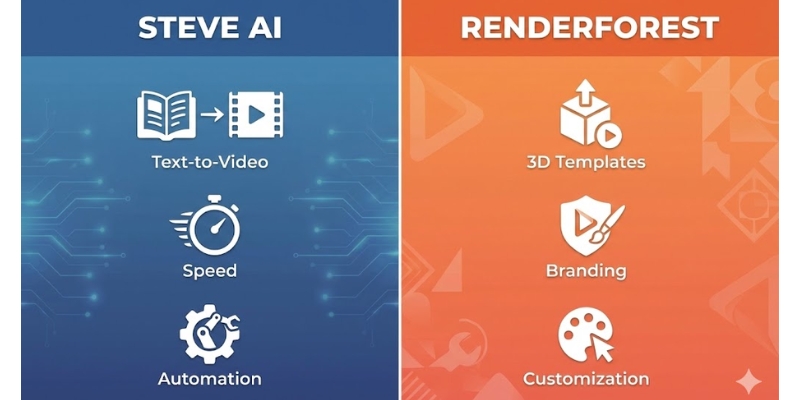
Steve AI vs Renderforest comparison infographic showing core features.
Quick snapshot of core differences between Steve AI’s automation and Renderforest’s branding suite.

Core Architecture: AI Text-to-Animation vs. Template Library Ecosystem

To understand the performance difference, we must look at underlying technology. These two tools approach video creation from completely opposite directions in the software architecture spectrum.

Steve AI Architecture:
Functions as true Text-to-Animation engine utilizing Natural Language Processing (NLP) to read your script, understand context (e.g., “dog running”), and automatically fetch relevant assets from library with 300+ animated characters to build scenes. Steve AI 2.0 introduces text animations, advanced video editing, transitions, and music visualizers for enhanced production quality.

Renderforest Architecture:
Operates as massive Template Library with 5M+ stock footage, music, and photos. It does not “generate” video from text the same way. Instead, relies on “scene-selection” workflow where you manually pick pre-designed blocks to construct narrative with AI assistant helping suggest templates based on text input.

This creates classic “Speed vs. Control” trade-off. Steve AI automates scene creation significantly reducing production time (100-400 mins/month depending on plan). Renderforest provides manual customization ensuring visual style remains consistent with high-end templates reaching unlimited HD1080 or 4K exports.

Pricing Comparison 2025: AI Credits vs. Unlimited Exports Model

Both platforms use subscription Pricing Models with November 2025 updates, but the value proposition differs enormously. We need to calculate the “value per video” to understand real ROI for your specific workflow.

Feature Steve AI (Pro) Renderforest (Pro)
Monthly Price $59/month $19/month ($39 monthly, 50% OFF first year)
Video Exports 300 mins AI videos/month, 2K resolution Unlimited HD1080, 400 AI credits/month
Key Features 300+ characters, 95% human-like voices, 2400 AI images 5M+ stock library, 100 min TTS, AI assistant, priority rendering
Resolution Up to 2K (4K Enterprise) Up to HD1080 (4K Business $49)
Best For High-volume AI animation All-in-one branding suite
Action View Steve AI View Renderforest

Steve AI Pricing (November 2025):
Starter: $29/month – 100 mins AI videos, 800 AI images, 720p, 90% human-like voices, 300+ characters. Pro: $59/month – 300 mins AI videos, 2400 AI images, 2K resolution, 95% human-like voices, unlimited exports. Enterprise: Custom – 400 mins AI videos, 3200 AI images, 4K resolution, 100% human-like voices, team collaboration, reseller rights.

Renderforest Pricing (November 2025):
Lite: $9/month ($14 monthly) – 5 HD720 videos, 200 AI credits, 50 min TTS. Pro: $19/month ($39 monthly, 50% OFF first year) – Unlimited HD1080, 400 AI credits, 100 min TTS, 5M+ stock library, commercial use. Pro AI: $38/month ($59 monthly) – 2000 AI credits. Business: $49/month ($69 monthly, 30% OFF first year) – Unlimited 4K, 2000 AI credits, 300 min TTS, reseller license, team management.

ROI Analysis:
Steve AI cost justified if you are high-volume creator producing 10+ social media videos monthly where automation saves hours of salary costs. Renderforest uses “One subscription for everything” model incredible if you also need logos, mockups, and graphics. If you only want video, might feel like paying for features you don’t use.

Head-to-Head Comparison: Performance & Output Quality Analysis

Now, let’s put them against each other in “Battle-Tested” comparison. I measured both tools against key Marketer KPIs to see which one performs better in real-world crunch time scenarios.

✅ Steve AI Strengths

  • Ease of Use: Learning curve nearly zero with Text-to-GenAI automation.
  • Rendering Speed: 1-minute video rendered in under 2 minutes in tests.
  • Volume Production: 100-400 mins/month perfect for content factories.
  • 300+ Characters: Diverse library ensures videos don’t look repetitive.

✅ Renderforest Strengths

  • Animation Fluidity: Pre-baked professional templates with flawless movement.
  • 3D Quality: Broadcast-quality 3D explainer toolkits with professional lighting.
  • Branding Suite: Logo maker, mockups, website builder all-in-one dashboard.
  • 5M+ Stock Library: Comprehensive footage/music/photos collection.

Ideal Use Cases: When to Choose Steve AI vs Renderforest Based on Workflow?

Based on data and testing with November 2025 features, here is my final recommendation on which tool fits your specific User Persona. Choosing the right one depends on your end goal and production volume needs.

For Content Creators (TikTok/Shorts):
Steve AI is your winner. You need volume and speed with 300+ characters producing 100-400 mins/month. Ability to turn trending news article into video in minutes is crucial for keeping up with algorithms.

For Freelancers & Agencies:
Renderforest is superior choice. Clients pay for “polish” with 3D animations and 5M+ stock library. Being able to deliver full brand package (Logo + Intro Video + Website + Mockups) allows charging higher ticket prices with reseller license.

For Educators/Trainers:
Recommend Steve AI. Educators often have long text lessons. Steve AI converts text-heavy documents into digestible animated lessons (100-400 mins depending on plan) much faster than building scene-by-scene in Renderforest.

Frequently Asked Questions About Steve AI vs Renderforest Comparison

Is Steve AI completely free?
No. Steve AI has free tier but places watermark on your videos and limits video quality to 720p. To download 1080p/2K videos without branding, must upgrade to paid plan ($29-$59/month).

Can Renderforest create AI-generated videos from text?
Not exactly. Renderforest has AI assistant that suggests templates based on text, but it is primarily template-based builder. It does not “generate” animation from scratch like Steve AI; it suggests pre-designed scenes for manual arrangement.

Which tool is better for YouTube automation?
Steve AI is better for YouTube automation (faceless channels) because it can mass-produce content from scripts quickly with 300+ characters producing 100-400 mins/month. Renderforest is too slow for high-volume daily upload strategy requiring manual scene selection.

Does Renderforest have a watermark?
Yes, free version of Renderforest imposes large watermark. However, subscription plans ($9-$49/month) are quite affordable for removing it with unlimited HD1080/4K exports compared to hiring professional animator.

Read More From Text-to Video Comparisons and Reviews

If you found this comparison helpful, check out our other battle-tested reviews and lists in AI video generation category to refine your toolkit.

last update : 03/12/2025

InVideo vs Wave.video: Which All-in-One Platform Wins in 2025?

InVideo vs Wave.video: Which All-in-One Platform Wins in 2025?

InVideo vs Wave.video: Which All-in-One Platform Wins in 2025?

The battle of invideo vs wave.video is more than just comparing features; it is about choosing the right engine to power your content strategy. Marketers today face immense performance pressure to produce more videos in less time. As an expert who has tested dozens of Text-to Video tools with November 2025 updates, I know that picking the wrong platform can drain your budget and hours. This isn’t just about editing software; it’s about finding a partner for your growth with accurate pricing and feature comparisons. In this battle-tested comparison, I will break down the price, hosting capabilities, and editing power of both platforms to help you decide exactly which one deserves your subscription.

Table of Contents

InVideo vs. Wave.video: The Quick Verdict for Busy Marketers in 2025

I understand that many of you need an answer immediately. Both platforms claim to be “all-in-one” solutions, but after years of using them with 2025 feature updates, I have found they serve two very different masters with distinct philosophies.

InVideo is what I call a “Content Factory” built entirely for speed and volume. Its primary goal is helping creators generate high-quality social media videos rapidly using massive library of 4000+ pre-made templates with 8M+ stock assets from Shutterstock and Storyblocks integration.

Wave.video acts more like a “Marketing Command Center.” While it can edit video, its true strength lies in Video Hosting (400M+ assets) and Live Streaming. It replaces tools like Vimeo and StreamYard, not just Adobe Premiere, offering complete video marketing infrastructure.

Choose InVideo if: You need to churn out social media ads, TikToks, or YouTube Shorts rapidly using Text-to-Video with 4000+ templates and premium stock footage. You want a “Canva for Video” experience with 60 exports/month at $20.

Choose Wave.video if: You need a place to host your videos without ads (replacing Vimeo at $30/month), want to live stream to multiple platforms simultaneously, or need a video marketing platform that goes beyond just editing.

Try InVideo for Free or Try Wave.video for Free

(Disclosure: If you purchase through links on this page, we may earn a small commission at no extra cost to you.)

Core Editing Features: 4000+ Templates vs. Granular Timeline Control

When comparing the Video Editor capabilities with November 2025 updates, the philosophy of each tool becomes clear. This is where the rubber meets the road for your daily workflow and content production speed.

Template Library Showdown:
InVideo dominates with over 4000+ templates covering every niche from real estate to fitness. Wave.video has decent library but lacks the sheer volume and trend-focused variety of InVideo’s constantly updated template marketplace optimized for social media conversion.

InVideo template library showing 4000+ pre-made video templates across multiple niches.
InVideo offers massive library of 4000+ templates optimized for social media conversion.

Text-to-Video & Interface:
Both tools offer this feature, but InVideo’s AI is more aggressive at automating the process, quickly matching scenes with 8M+ stock footage from Shutterstock/Storyblocks. InVideo feels incredibly intuitive like using Canva with drag-and-drop. Wave.video uses more traditional timeline approach giving control but can feel “clunky” for beginners requiring more familiarity with video editing concepts.

Stock Media Libraries: 8M+ Assets vs. 400M+ Comprehensive Collection

One of biggest hidden costs in video production is paying for stock footage. Single clip from Shutterstock can cost $60+. This is where the InVideo vs Wave.video value comparison shifts heavily based on your volume needs.

InVideo’s Stock Power:
Direct integration with 8M+ stock videos and images through partnerships with Shutterstock and Storyblocks. Even on Plus plan ($20/month), you get access to 1M+ premium clips instantly elevating your video from “amateur” to “professional agency” quality with iStock-level footage.

Wave.video’s Massive Library:
Wave offers enormous 400M+ stock library (200M+ videos, images, audio tracks) with AI-powered search helping find exactly what you need. The platform offers more unique footage that doesn’t look like typical stock content, though it may lack some premium iStock branding polish.

Beyond Editing: Hosting and Live Streaming (Wave.video’s Exclusive Advantage)

This section highlights the rare attributes of Wave.video. If InVideo makes videos, Wave.video makes, hosts, and distributes them. InVideo has zero hosting capabilities; you must export and upload elsewhere to YouTube or social platforms.

Video Hosting Infrastructure:
Wave.video allows you to host ad-free videos with customizable player embedded on landing pages or blog posts. This feature alone replaces a $20-30/month Vimeo subscription while maintaining professional branding with password protection and domain whitelisting.

Wave.video hosting dashboard with customizable video player and ad-free hosting features.
Wave.video allows you to host videos ad-free and customize the player to match your brand colors.

Live Streaming & Marketing Tools:
Massive differentiator: Wave.video lets you stream directly to Facebook, YouTube, and LinkedIn simultaneously (multistreaming). You can invite guests, share screen, and brand your stream similar to StreamYard. Wave goes further by generating instant video landing pages for businesses to send prospects branded video links without needing developers.

Pricing Comparison 2025: Which Tool Offers Better ROI for Your Workflow?

Price is often the deciding factor, but we need to look at the Return on Investment (ROI) with accurate November 2025 pricing. Are you paying for features you don’t use, or are you saving money on other subscriptions through consolidation?

Feature InVideo (Plus) Wave.video (Creator)
Monthly Price $20 ($25 monthly) $30 ($24 annual)
Video Exports 60/month (15-min max) Unlimited (30-min max)
Stock Library 8M+ (Shutterstock/Storyblocks) 400M+ comprehensive collection
Video Hosting No (Export only) Yes (Ad-free, 150GB bandwidth)
Live Streaming No Yes (Multistreaming)
Best For Social Media Content Creation Complete Video Marketing
Link Check InVideo Check Wave

InVideo Pricing (November 2025):
Plus: $20/month ($25 monthly, $20 annual) – 60 exports, 4000+ templates, 1M+ stock access, 15-min max, automated text-to-speech. Max: $48/month ($60 monthly) – Unlimited exports, full premium stock access, 40-min max videos.

Wave.video Pricing (November 2025):
Streamer: $20/month – 5-min edit limit, basic streaming. Creator: $30/month ($24 annual) – 30-min max, no watermark, 150GB bandwidth, background removal. Business: $60/month ($48 annual) – 2-hour max, 500GB bandwidth, team collaboration.

ROI Analysis:
InVideo value is in assets. If you were to buy stock footage separately, it would cost hundreds. Subscription pays for itself creating just two videos monthly using premium clips. Wave.video value is in bundling. By using Wave, cancel Vimeo hosting ($20/mo) and StreamYard subscription ($25/mo), consolidating marketing stack into one $30-60 bill saving $15-45 monthly.

Final Verdict: When to Choose InVideo vs Wave.video Based on Workflow?

We have analyzed the features, the assets, and the costs with 2025 updates. Now, let’s make a final decision based on who you are and your daily tasks.

✅ Choose InVideo For

  • Social Media Managers: Need speed turning blog post into video in 10 minutes with 4000+ templates.
  • Content Creators: 60 exports/month at $20 with 8M+ stock access beats separate subscriptions.
  • Freelancers: Editing ads for clients faster with premium iStock-level footage looking expensive.
  • Template Lovers: “Canva for Video” experience with drag-and-drop simplicity for beginners.

✅ Choose Wave.video For

  • Business Owners: Need to host tutorials, embed videos on site, run weekly webinars without YouTube ads.
  • Course Creators: Video hosting infrastructure with password protection and domain whitelisting.
  • Live Streamers: Multistreaming to Facebook, YouTube, LinkedIn simultaneously replaces StreamYard.
  • Agencies: Managing entire client video strategy including hosting offers more billable services.

Frequently Asked Questions About InVideo vs Wave.video Comparison

Does InVideo have video hosting?
No, InVideo is purely a video creation tool. You must download your final video and upload it to platforms like YouTube, Facebook, or your own website using separate hosting services.

Is Wave.video good for beginners?
It has steeper learning curve than InVideo’s drag-and-drop. While not overly complex, the timeline editor and hosting features require more time to master than InVideo’s intuitive Canva-like interface designed for beginners.

Can I livestream with InVideo?
No, this is a Wave.video exclusive feature. InVideo does not support live streaming functionality. Wave.video allows multistreaming to multiple platforms simultaneously from browser without OBS setup.

Which tool is better for YouTube?
Use InVideo for creating and editing the video itself due to superior 8M+ stock assets and 4000+ templates. Use Wave.video if you plan to live stream directly to YouTube or need to host private videos with ad-free player.

Read More From Text-to Video Comparisons and Reviews

If you are still exploring the world of AI video generation, check out our other battle-tested reviews and comparisons to find the perfect tool for your stack.

last update : 03/12/2025

Fliki vs Pictory: Which AI Video Generator Wins for YouTube? (2025 Review)

Fliki vs Pictory: Which AI Video Generator Wins for YouTube? (2025 Review)

Fliki vs Pictory: Which AI Video Generator Wins for YouTube? (2025 Review)

If you are a faceless YouTuber or marketer stuck in the decision phase, the battle of Fliki vs Pictory is likely your biggest headache. You aren’t just looking for a tool; you need a system that churns out high-retention content without burning through your budget. In the crowded text-to-video tools category, these two giants dominate but solve different problems. One is a powerhouse for realistic narration with 2000+ voices across 75+ languages, while the other is a speed-demon for visual repurposing with Storyblocks integration. After testing both platforms for over 50 hours on real channels with November 2025 updates, I’m breaking down the battle-tested comparison you need to know exactly which tool fits your ROI goals.

Table of Contents

Fliki vs Pictory: The Short Verdict (Who Wins for YouTube Automation?)

If you are in a rush to make a decision, here is the bottom line. I have used both extensively, and the choice depends entirely on whether you prioritize audio quality or video workflow speed with accurate November 2025 pricing.

Fliki is a voice-first platform with 2000+ voices (1000+ ultra-realistic) across 75+ languages and 100+ dialects. It is built for creators who need hyper-realistic AI voices with voice cloning (2-minute audio) and 65+ AI avatars. It treats video as a canvas for voice with emotional tone adjustments and pitch control.

Pictory is a video-first platform excelling at taking long content (blogs, Zoom calls) and summarizing into short clips with B-roll. It includes unlimited Storyblocks access (millions premium clips) and text-based editing that trims videos by deleting transcript words, eliminating timeline scrubbing.

Feature Fliki (Voice Powerhouse) Pictory (Speed King)
Primary Strength 2000+ Voices, Voice Cloning, 65+ Avatars Storyblocks Unlimited, Text-Based Editing
Best Use Case Storytelling, Explainers, Multilingual (75+ langs) News, Listicles, Blog Repurposing, Webinar Cuts
Stock Media Standard + 65+ AI Avatars Storyblocks Premium (Unlimited)
Voice Quality ⭐⭐⭐⭐⭐ (Native 1000+ Ultra-Realistic) ⭐⭐⭐⭐ (Integrated 34+ voices)
Verdict Try Fliki Free Try Pictory Free

(Disclosure: If you purchase through links on this page, we may earn a small commission at no extra cost to you.)

Key Difference #1: AI Voice Quality & Text-to-Speech Realism Comparison

This is the deal-breaker for most YouTubers. In the Fliki vs Pictory debate, Fliki is the clear winner for native audio performance with 2000+ voices (1000+ ultra-realistic) across 75+ languages and 100+ dialects. Fliki’s entire architecture is built around its neural voice engine with emotional tone controls.

Neural Voices & Voice Cloning:
When I use Fliki, the intonation is almost indistinguishable from human with breath pauses and context-based tone changes. It feels like an ElevenLabs alternative built directly into a video editor. Fliki allows voice cloning with just 2 minutes of audio, massive for building personal brand without recording every script manually.

Fliki AI voice selection panel showing 2000+ hyper-realistic neural voice options across 75+ languages.
Fliki offers granular control over voice pitch, speed, and emotion unlike standard TTS tools.

Pictory has improved by integrating third-party voice partners (34 AI voices on Starter, expanded on Pro), but its standard voices can still sound slightly robotic compared to Fliki’s native library. If your content relies on “selling” a story—horror channel, history documentary, meditation guide—Fliki’s voice cloning and emotion controls are non-negotiable.

Key Difference #2: Blog-to-Video Workflow & Summarization Speed for Content Repurposing

While Fliki wins on voice, Pictory destroys competition when it comes to workflow speed, specifically for blog-to-video ai tasks with text-based editing that revolutionizes content repurposing. Pictory’s AI engine is designed to “read” your content and visualize it automatically.

The Pictory Process:
Paste a URL. Pictory scrapes text, uses NLP to identify “Golden Sentences” (key summaries), and automatically pulls B-roll from Storyblocks unlimited to match those sentences. Takes about 2 minutes. Edit Video Using Text feature uploads video (Zoom recording), generates transcript, and you delete text from transcript to cut that video portion—no timeline scrubbing needed.

Fliki can import from URL but its “summarization” often requires more manual tweaking. I spend more time swapping visuals in Fliki because its auto-match logic isn’t as context-aware as Pictory’s semantic understanding. If you have blog with 500 articles and want YouTube cash cow channel fast, Pictory’s ai summarization is superior tool for volume content production.

Pricing Comparison 2025: Credits System (Fliki) vs. Output-Based Plans (Pictory)

This is where the Fliki vs Pictory pricing comparison gets tricky with November 2025 updates. They use fundamentally different models, and picking wrong one can cost you money on subscription overhead.

Feature Fliki Standard ($28/mo) Pictory Professional ($29 annual)
Monthly Limit 180 credits (2160 annual) 60 videos/month, 1200 transcription mins
Voices 1000+ voices, 150 ultra-realistic Expanded voices (Pro tier)
Stock Assets Standard library + 65+ AI avatars Storyblocks Unlimited access
Export Quality Full HD 1080p, no watermark Full HD 1080p, no watermark
Sign Up Check Fliki Check Pictory

Fliki Pricing (November 2025):
Free: $0 (5 min credits/month, watermark). Standard: $28/month or $21/month annually (180 credits monthly = 2160/year, 1000+ voices, 150 ultra-realistic, commercial rights). Premium: $88/month or $66/month annually (600 credits monthly = 7200/year, 2000+ voices, 1000+ ultra-realistic, 30-min max videos). Enterprise: Custom (API access, personalized avatars, dedicated account manager).

Pictory Pricing (November 2025):
Starter: $25 ($19 annual) – 30 videos/month, 10-min max, 34 AI voices, Storyblocks unlimited. Professional: $49 ($29 annual) – 60 videos/month, 20-min max, expanded voices, 1200 transcription minutes, brand kits, text-based editing. Teams: $119 ($99 annual) – 90 videos/month, collaboration, 3600 transcription minutes.

Hidden Cost Warning:
With Fliki, if you are picky and regenerate scenes constantly, you might burn credits faster (credit-based consumption). Pictory is more forgiving for iterative editing with output-based limits (videos/month) rather than minute-by-minute credit consumption.

Which Tool is Best for Faceless YouTube Automation Workflows?

So, which tool powers the best youtube automation tools strategy? I categorize this by channel type based on extensive testing with real monetized channels.

✅ Choose Fliki For

  • How-To & Educational: Voice is everything; robotic kills authority. Voice cloning builds brand.
  • Storytelling Channels: Horror, history, meditation need emotion; Fliki’s 1000+ ultra-realistic voices deliver.
  • Multilingual Content: 75+ languages, 100+ dialects for global audience reach.
  • AI Avatars: 65+ avatars for talking-head style without filming talent.

✅ Choose Pictory For

  • Top 10 & News: Speed and volume; trending article to video in 30 minutes.
  • Blog Repurposing: 500 articles to YouTube cash cow channel; text-based editing saves hours.
  • Webinar Cuts: Long Zoom recordings into shorts by deleting transcript words.
  • Premium B-Roll: Storyblocks unlimited access saves $30/month separate subscription.

Frequently Asked Questions About Fliki vs Pictory for YouTube

Can I monetize videos made with Fliki and Pictory?
Yes. Both platforms provide commercial rights to videos and stock media created on paid plans. However, ensure your content adds value to avoid YouTube’s “Reused Content” policy affecting monetization eligibility.

Which tool is easier for beginners?
Fliki has slightly lower learning curve feeling like PowerPoint slides. Pictory is also easy but has more advanced timeline features closer to traditional editor, better for those with prior editing experience.

Do they support other languages?
Fliki is king of multilingual video supporting 75+ languages with 100+ local dialects. Pictory supports roughly 13-29 languages but offers fewer dialect variations, making Fliki superior for global content strategies.

Is there better alternative than these two?
For pure avatar-based videos, try HeyGen or Synthesia. For traditional editing with AI, try Descript or InVideo. For voice focus, Fliki wins; for speed focus, Pictory wins.

Read More From Text-to Video Comparisons and Tools

Explore more in-depth reviews and comparisons to perfect your AI video creation stack with detailed feature analysis.

last update : 03/12/2025